
Baileigh Industrial CNC Router Guide: Compatibility, Setup, and Upgrade Options
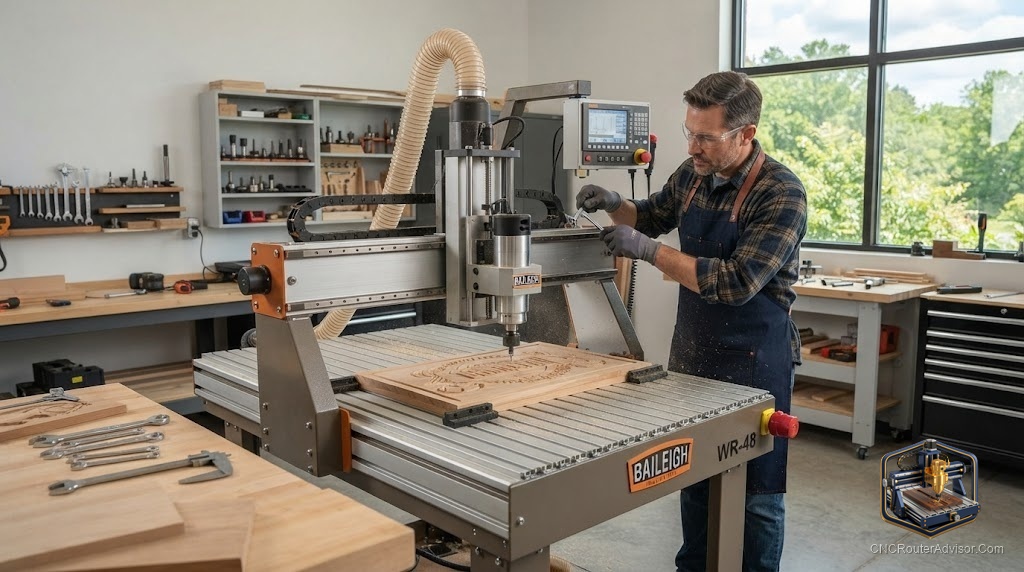
Buying an industrial CNC router is only the start; getting the most from it comes down to how well you set it up, what accessories you pair with it, and how you upgrade it over time. A capable machine paired with poor dust collection, weak workholding, and no touch probe underperforms, while a sensible setup and a few well-chosen upgrades let the same machine cut cleaner, safer, and more productively. This guide covers the compatibility, setup, and upgrade options that surround an industrial router like a Baileigh, so the machine you buy actually delivers what it is capable of.
The machine sets the ceiling, but accessories, setup, and upgrades determine whether you reach it, so knowing the surrounding ecosystem is as important as the router itself.
Getting the most from an industrial CNC router like a Baileigh depends on setup and the accessories and upgrades around it. Core setup includes a spoilboard or wasteboard to protect the bed, solid workholding (clamps, a clamping kit, or vacuum), dust collection (a dust shoe with a shop vacuum or dust collector), and safety gear (eye, ear, and respiratory protection). Common upgrades that improve results include a touch probe or Z-probe for accurate tool zeroing, better dust extraction, a spindle or spindle-mount upgrade, mist coolant or a cold air gun for demanding materials, and improved material hold-down. Compatibility matters: confirm accessories suit your machine’s control, spindle mount, and bed, and prioritize the upgrades that address your biggest pain points, usually dust control, workholding, and tool zeroing.
Spend first on dust control, workholding, and accurate tool zeroing; those three fix the most common frustrations and reveal the machine’s real capability.
Core setup essentials
Before upgrades, get the basics right:
- Spoilboard / wasteboard: a sacrificial surface that protects the machine bed and supports through-cuts. Surface it flat with a surfacing bit for accuracy.
- Workholding: clamps, a clamping kit, or vacuum hold-down to secure material with zero movement. Good workholding prevents ruined cuts and broken bits.
- Dust collection: a dust shoe connected to a shop vacuum or dust collector keeps chips clear, protects your lungs, and improves cut visibility and quality.
- Safety gear: safety glasses, ear protection, and respiratory protection, since routing generates noise, chips, and fine dust.
These essentials make the machine usable, clean, and safe, and should be in place before you cut production work.
High-value upgrades
Touch probe / Z-probe. A probe sets tool zero (especially Z height) quickly and accurately, saving time and preventing depth errors, one of the highest-value upgrades for accuracy and repeatability.
Better dust extraction. Upgrading from a small vacuum to a proper dust collector, and improving the dust shoe, dramatically cuts cleanup and airborne dust. Worth prioritizing for health and cut quality.
Spindle or spindle-mount upgrade. A more powerful or higher-quality spindle, or a better mount, improves cutting capability and rigidity. Confirm compatibility with your machine’s mount and control.
Mist coolant or cold air gun. For aluminum and demanding materials, mist coolant or a cold air gun clears chips and manages heat, improving finish and tool life.
Improved material hold-down. A vacuum table or better clamping speeds setup and secures sheet goods, boosting productivity on repetitive work.
Compatibility considerations
Before buying accessories or upgrades, confirm they fit:
- Control compatibility: a touch probe and other electronics must work with your machine’s controller and software.
- Spindle mount: spindle upgrades must match the mount diameter and the machine’s structure.
- Bed and T-slots: clamping kits and fixtures must suit your bed type (T-slot, threaded, or spoilboard).
- Dust shoe fit: the dust shoe must fit your spindle and gantry clearance.
- Air supply: mist coolant, cold air guns, and pneumatic hold-down need adequate compressed air.
Checking compatibility first avoids buying accessories that do not fit or integrate with your specific machine.
Prioritizing upgrades
Spend where the pain is greatest:
- Dust control for health, cleanliness, and cut quality.
- Workholding to eliminate movement and speed setup.
- Accurate tool zeroing with a touch probe for repeatability.
- Then spindle, coolant, and hold-down upgrades as your materials and volume demand.
This order fixes the most common frustrations first and delivers the biggest gains per dollar.
The verdict
An industrial CNC router like a Baileigh delivers its full capability only when setup and accessories match. Get the essentials right first, a flat spoilboard, solid workholding, effective dust collection, and safety gear, then add high-value upgrades: a touch probe for accurate tool zeroing, better dust extraction, spindle or mount improvements, and coolant or hold-down upgrades for demanding work. Confirm compatibility with your machine’s control, spindle mount, bed, and air supply before buying, and prioritize the upgrades that address your biggest pain points, usually dust control, workholding, and tool zeroing. Set up and upgraded well, the machine cuts cleaner, safer, and more productively.
Three things to take with you:
- Get the essentials right first, a flat spoilboard, solid workholding, effective dust collection, and safety gear, before chasing upgrades.
- The highest-value upgrades are a touch probe for accurate tool zeroing, better dust extraction, and improved workholding; add spindle, coolant, and hold-down upgrades as needed.
- Confirm compatibility with your control, spindle mount, bed, and air supply before buying, and prioritize upgrades that fix your biggest pain points.
FAQ
What accessories do I need for an industrial CNC router? At minimum a spoilboard or wasteboard, solid workholding (clamps, a clamping kit, or vacuum), dust collection (a dust shoe with a shop vacuum or dust collector), and safety gear (eye, ear, and respiratory protection). These make the machine usable, clean, and safe before you add upgrades.
What is the best first upgrade for a CNC router? Usually improved dust control and a touch probe. Better dust extraction protects your health and improves cut quality, while a touch probe sets tool zero quickly and accurately for repeatability. Solid workholding is equally foundational.
What does a touch probe do? A touch probe (or Z-probe) sets tool zero, especially Z height, quickly and accurately by touching the tool to the workpiece or bed. It saves time and prevents depth errors, making it one of the highest-value accuracy upgrades.
How do I know if an upgrade is compatible with my machine? Check that electronics like a touch probe work with your controller and software, that spindle upgrades match the mount and structure, that clamping fits your bed type, that the dust shoe fits your spindle and clearance, and that coolant or pneumatic gear has adequate air supply.
Do I need mist coolant on a CNC router? Only for demanding materials like aluminum, where mist coolant or a cold air gun clears chips and manages heat to improve finish and tool life. For wood and soft materials, good dust extraction is more important than coolant.
How should I prioritize CNC router upgrades? Fix the biggest pain points first: dust control for health and cut quality, workholding to eliminate movement and speed setup, and accurate tool zeroing with a touch probe. Then add spindle, coolant, and hold-down upgrades as your materials and volume demand.
References
- Wikipedia, CNC router overview: https://en.wikipedia.org/wiki/CNC_router
- Baileigh Industrial, CNC routers and accessories (manufacturer): https://www.baileigh.com