
Laguna CNC Router Table: Vacuum Tables, Spoilboards, and Workholding Setup
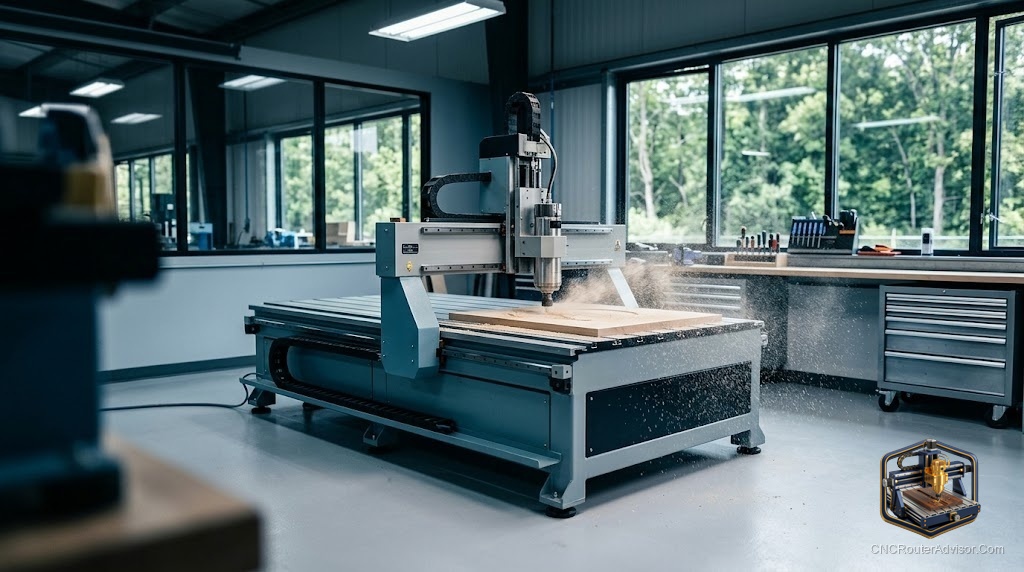
The table on a CNC router does more than hold the machine up. On a well configured production router like those in the Laguna lineup, the table is an active workholding system: a vacuum table holds the workpiece flat and still across a full sheet without a single clamp in the cut zone, and a properly surfaced spoilboard ensures consistent Z depth from corner to corner of the bed. Getting the table configuration right is the step that separates a shop where every job needs setup time from one where a sheet goes on, the file runs, and the parts come off cleanly.
This guide covers vacuum tables, spoilboard systems, and the workholding setup considerations specific to Laguna CNC router tables and machines in this class.
What the router table does
At the most basic level, the router table is the flat reference surface the machine cuts against. On a benchtop machine, it is a simple aluminum or MDF wasteboard. On a production machine like the Laguna class, it is an engineered flat surface with workholding infrastructure built in.
The table determines the flatness reference across the entire work area. If the table is not flat, or if the spoilboard across it is not surfaced flat by the machine’s own spindle, the Z depth varies across the bed. On a small carving, a fraction of a millimeter of Z variation is invisible. On a production cabinet job, it means some parts fit and others do not.
Vacuum tables: the production workholding standard
A vacuum table uses suction to hold the workpiece flat against the bed. The table surface has channels or a porous structure, and a pump pulls air through, creating low pressure under the workpiece that holds it down. For full sheet work, vacuum hold-down gives fast, consistent clamping without physical clamps in the cut path, which lets the machine cut anywhere on the sheet without repositioning.
On Laguna production machines, a vacuum table is either standard equipment or a high priority option. The pump must be sized to the table area and the material. A full sheet of MDF needs adequate vacuum volume to hold securely, especially when the profile cut separates a part and the vacuum zone under it shrinks.
Vacuum tables work best with non-porous materials. MDF is porous and leaks air through its cross section, which can reduce hold-down force, especially when cutting through the full thickness. MDF sled setups that zone the vacuum under a non-porous sheet address this. For plastics and solid hardwood, vacuum performance is typically strong.
Spoilboards: setup and maintenance
The spoilboard is the sacrificial surface above the machine table that the cutter passes into on through cuts. It protects the table surface and provides a consistent flat reference for the workpiece. A spoilboard must be surfaced flat by the machine’s own spindle, not assumed to arrive flat, because the surfacing step makes the board parallel to the machine’s XY plane rather than parallel to whatever the world considers flat.
Surfacing the spoilboard is a regular maintenance task. Every through cut takes a thin skim of spoilboard material, and over time the surface develops channels and becomes inconsistent. Resurface when Z depth variation becomes noticeable, and replace when the board is too consumed to surface further. A threaded insert grid in the spoilboard gives an alternative and supplemental workholding option alongside the vacuum.
Workholding strategy on a Laguna table
Vacuum hold-down handles most sheet work. For smaller parts where vacuum alone is insufficient, a combination of vacuum for the main area and low-profile clamps or tabs on the profile cut holds parts through the final cut. Tabs, small bridges of uncut material that break off cleanly, are the standard solution for parts that lose vacuum contact as they separate.
For specialty materials or shapes, a custom fixture or a spoilboard pocket cut to the exact workpiece profile provides registration and hold-down for repeat jobs.
Who should skip a complex table setup
Skip a vacuum table setup if your machine is a compact hobby class router and your projects are clamped workpieces rather than full sheets. The infrastructure overhead of a vacuum table is justified for full sheet production work, not for occasional small sign cutting. Tackle a simple clamped spoilboard first, master workholding in that context, and add vacuum when production demands it.
Comparison: workholding options on a production router table
| Method | Best for | Setup time | Clamp in cut zone |
| Vacuum table | Full sheet, production rate | Low after setup | None |
| Threaded insert spoilboard | Variety of part sizes | Moderate per job | Minimal with good layout |
| Profile pockets | Repeat jobs in exact shape | High initial setup | None after setup |
| Tabs on profile cut | Supplemental, part release | Minimal | None needed |
Laguna Tools CNC machines are evaluated and purchased directly through Laguna and their dealer network. For current table configurations, vacuum options, and production machine specs, see lagunatools.com/cnc/.
The verdict
The table configuration on a Laguna class router is where production efficiency lives. A well set up vacuum table eliminates the sheet loading bottleneck, a properly surfaced spoilboard ensures consistent Z depth across the full work area, and a smart workholding strategy handles the edge cases that vacuum alone does not cover. Getting these right is not a post-purchase option. It is part of the machine investment, and the shop that runs its table correctly runs faster and wastes less than the one that treats it as an afterthought.
Frequently asked questions
Why does a spoilboard need to be surfaced by the machine itself? Surfacing with the machine’s own spindle makes the spoilboard parallel to the machine’s XY plane, not to some external flat. This is the reference that ensures consistent Z depth across the full work area. A factory-flat board that has not been surfaced in place may still vary.
How do I know when to resurface or replace a spoilboard? Re-surface when you notice Z depth variation, especially on production parts that previously cut consistently. Replace when the board has been surfaced so many times it is too thin to surface further without hitting the machine table.
Does a vacuum table work on MDF? MDF is porous and leaks air through its cross section, which reduces vacuum efficiency compared with solid materials. A sled or sealing sheet under the MDF, or zoned vacuum, helps maintain hold-down force for full sheet MDF work.
What happens when a vacuum table cannot hold a part that has been profiled? As the profile cut separates the part, the vacuum zone under it shrinks. Tabs, small bridges left on the profile, hold the part until the cut is finished and you break the tabs manually. This is standard practice for production work.
Can I add a vacuum table to an existing router? Yes, if the machine’s table structure supports it and a vacuum pump of adequate size is available. Many manufacturers offer vacuum table upgrades as an option. Confirm the specific upgrade path with Laguna for their machines.
What is a threaded insert grid and how does it help? A grid of threaded holes in the spoilboard allows low-profile clamps and step clamps to be positioned anywhere in the work area, providing flexible workholding without a dedicated vacuum system.
References
- Laguna Tools, CNC machines: https://lagunatools.com/cnc/
- WorkshopCalc, Best CNC Routers guide: https://workshopcalc.com/guides/best-cnc-routers