
Amazing CNC Router Projects: Beginner Ideas, Files, Materials, and Build Tips
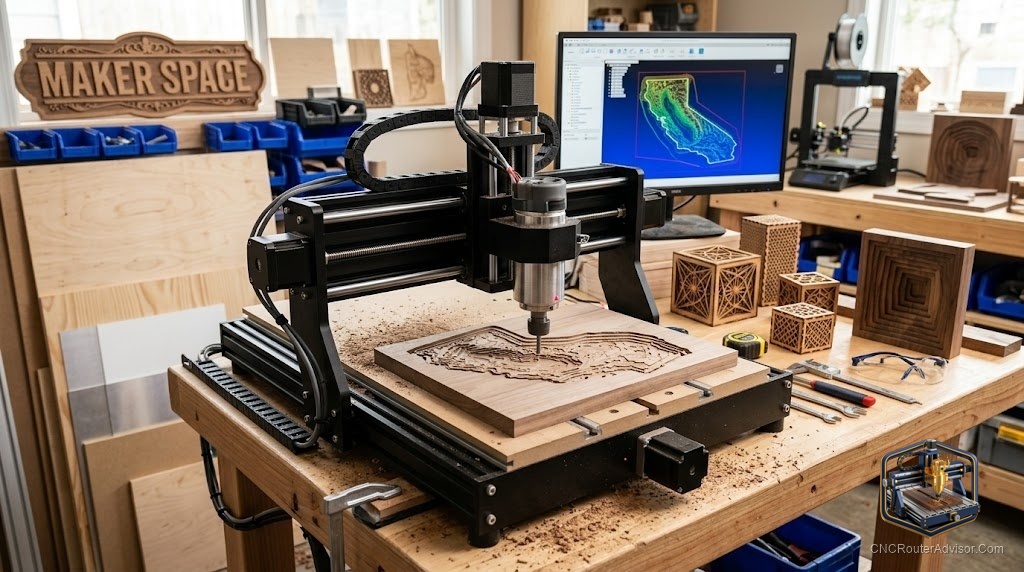
The best thing about a CNC router isn’t the machine - it’s the moment you hand someone a thing you made and watch their face when they realize you made it. The projects that earn that reaction aren’t necessarily the hardest ones. They’re the thoughtful ones. Here’s a tour of genuinely impressive CNC router projects that are well within reach for beginners, plus how to source files, pick materials, and build them well.
Projects that wow (and are beginner-friendly)
You don’t need advanced 3D machining to make people gasp. Start here:
- Personalized name sign. A personalized name sign in flowing script is the classic crowd-pleaser - fast, forgiving, and endlessly giftable.
- Address plaque / house number plaque. An address plaque or house number plaque turns a scrap of hardwood into a front-porch upgrade.
- Quote sign. A meaningful quote sign carved in walnut or pine is a low-cost, high-impact gift.
- Engraved cutting board. An engraved cutting board feels premium and teaches you food-safe finishing.
- Geometric wall art. Geometric wall art and animal silhouette wall art look modern and rely on simple 2D cuts.
- Jewelry box / piggy bank box. A jewelry box or piggy bank box introduces joinery and multi-part assembly.
- Bookends and a cribbage board. Bookends and a cribbage board are quick, practical, and satisfying to finish.
- Pet memorial photo frame. A heartfelt pet memorial photo frame shows how CNC can carry real emotional weight.
- Wooden shelf. A simple wooden shelf with a carved detail bridges decorative and functional.
Each of these is achievable with basic 2D and 2.5D toolpaths - no advanced 3D required.
Files: design or download
You have two honest paths, and most makers use both:
- Download. SVG and DXF files abound in maker marketplaces and free communities - vectors for signs, art, and silhouettes drop straight into your CAM software.
- Design. Learning to make your own SVG in free vector software is the single best skill investment. Even simple text-on-a-path opens up unlimited personalized work.
Start by cutting a downloaded file to learn your workflow, then design your own once you’re comfortable.
Materials for beginners
- Plywood - cheap, stable, and forgiving; Baltic birch is a favorite for clean edges.
- Hardwood - walnut, maple, and cherry elevate signs and boards; they carve crisply and finish beautifully.
- MDF - dead flat and inexpensive for painted signs and prototypes (just manage the dust).
Start with plywood and MDF to learn, then reward yourself with hardwood once your files are dialed.
Tooling that covers most projects
Two bits handle a huge share of these projects:
- A V-bit for carving text and fine detail - the Genmitsu VG05A V-groove bit set is a versatile, affordable starting point for signs and lettering.
- A straight bit or upcut spiral for profiling and pockets - a set like the SpeTool upcut end mill set covers cutouts and clearing.
Add a surfacing bit later for flattening slabs, and you’re equipped for nearly everything on this list.
Build tips for wow-worthy results
- Nail your workholding. Flat, secure stock is the foundation of a clean cut - clamps, tabs, or tape-and-glue.
- Do a V-carve test. For lettering, test depth on scrap; a hair too deep or shallow changes the whole look.
- Sand smart, finish well. The finish makes the project. Even a simple sign looks custom with good sanding and oil or paint.
- Add contrast. Paint-fill carved letters, then surface the top to reveal crisp color - a pro move that’s easy to do.
- Photograph your work. If you plan to sell, good photos of a personalized name sign or engraved cutting board sell the next ten.
The bottom line
Amazing CNC projects come from thoughtful ideas executed cleanly, not from the most complex toolpaths. Start with signs, art, and small boxes; grab an SVG or design your own; cut plywood before hardwood; and let a V-bit and a straight bit do the heavy lifting. The “how did you make that?” moments come faster than you’d think.
Frequently asked questions
What’s the best first project? A personalized name sign or a quote sign - fast, forgiving, and instantly giftable.
Where do I get files? Download SVG/DXF from maker communities to start, then learn to design your own vectors - it’s the highest-value skill you can build.
Which two bits should I start with? A V-bit for lettering and detail, and a straight or upcut bit for profiling and pockets. Those two cover most beginner projects.