
Router CNC Madeira: How to CNC Route Wood Cleanly and Consistently
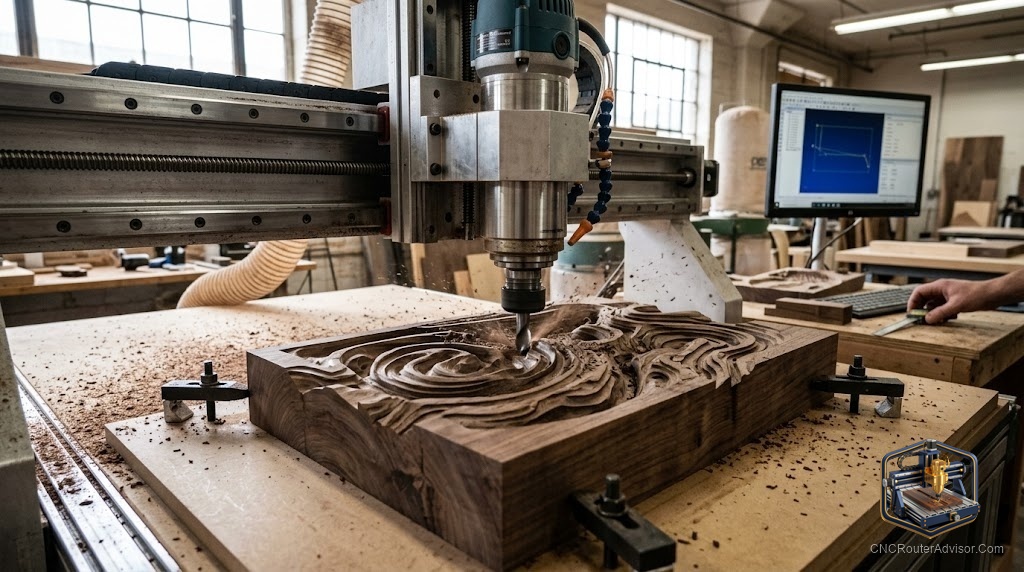
Wood is the material CNC routing was invented to tame, and it is still the best place to start. There is something satisfying about watching a flat blank come out the other end as a sign, a piece of furniture, a musical instrument, or a stack of identical parts, each one as clean as the first. The Portuguese phrase “router CNC madeira” puts it directly: CNC router, wood. It is the oldest application and still the richest, because wood responds to a spinning bit in ways that reward good choices and punish lazy ones. This guide explains how to make those good choices.
Routing wood with a CNC router means using a computer-controlled machine to move a spinning bit through wood, cutting shapes, profiles, pockets, and reliefs that a design file describes. The result is repeatable and precise in ways handwork rarely is, and the range of what you can make is enormous: signs, cabinetry, furniture parts, carved reliefs, inlays, toys, instruments, frames, and templates. If it is flat stock and does not require the hardness of metal, a CNC router and wood is probably the right combination.
The short version of doing it well: match your bit to the material and the operation (spiral up-cut, down-cut, or compression depending on whether you are pocketing, profiling, or cutting through), dial in a chip load that cuts rather than rubs, hold the material so it cannot move, and use a dust collector because wood dust is a nuisance and a health risk in quantity.
Why wood and CNC routing belong together
Wood is forgiving in the ways that matter for learning. It machines at speeds that give you time to react, it reveals bad settings immediately through burn marks or tear-out, and the material cost of a mistake is usually low. This is why most CNC beginners start on wood, and why most experienced operators still spend most of their time on it.
At the same time, wood is genuinely varied, and that variation matters. MDF has no grain and machines evenly in every direction but produces fine, lung-irritating dust. Plywood layers create tear-out risk at the face veneer. Solid hardwoods are dense, load the bit more, and require more conservative chip loads. Softwoods can compress and spring back if you rush the cut. The skill in wood CNC routing is knowing which wood behaves which way and matching your tooling and settings to that behavior.
The bits that serve wood best
Three geometries cover most wood CNC work.
An up-cut spiral pulls chips up and out of the cut, keeping the slot clear and running cool. It leaves a slightly rough top edge but a clean bottom, and it is the standard choice for most through-cuts and deep pockets where chip clearing is the priority.
A down-cut spiral pushes chips down, leaving a clean top edge and a rougher bottom. This is the choice when the top face is the finished face, such as engraving, shallow text cutting, and surface work.
A compression bit cuts up at the bottom and down at the top simultaneously, leaving both faces clean. It is ideal for through-cuts in plywood and veneered sheet goods where both faces are visible. The Amana Tool 46170-K compression spiral is a well-regarded example.
For general-purpose starter tooling that covers the most common profiles and engraving operations, a router bit essential kit helps you match the cutter to the operation without buying individual bits for every job you have not tried yet.
A note on carbide vs high-speed steel. For all but the softest woods and the shortest runs, carbide holds an edge far longer than high-speed steel. Carbide costs more per bit and lasts far more, so it is the practical choice for anyone cutting regularly.
Chip load: the setting that decides edge quality
The single most instructive concept in wood CNC routing is chip load, the thickness of the material each cutting edge removes in one pass. Too low (the bit moves slowly relative to its spin speed) and the edge rubs, generating heat that burns the wood and dulls the bit. Too high (the bit moves faster than it can cleanly cut) and the cut tears out and chatter marks appear. The sweet spot is a chip load where each edge is peeling a thin clean chip, not rubbing and not tearing.
Bit manufacturers list recommended chip loads for their tools. Use those as a starting point, then listen to the cut. A good cut sounds steady and produces clean chips. A burning cut sounds like a whine and smells. A tear-out cut sounds rough and looks it. Adjust feed rate up or down from there.
Workholding: the step that decides whether it works at all
The most common cause of ruined wood parts on a CNC router is material that moved during the cut. Wood lifts, shifts, and vibrates if you do not hold it properly, and the cutting force is more than it looks. Clamps, double-sided tape with superglue, a sacrificial layer with screws into it, or a vacuum table all work, and which method you use depends on the part shape and material. The rule is simple: if the workpiece can move, it will, and it will move at exactly the wrong moment.
Surface your spoilboard flat before each significant job, because a warped spoilboard means the workpiece is not flat against the bed, which shows up as inconsistent cut depth. The Genmitsu spoilboard surfacing bit makes this a quick maintenance step rather than a production problem.
The dust reality
Wood dust is a nuisance and, in volume, a respiratory hazard. Fine hardwood and MDF dusts are the worst offenders. Run a dust shoe and a dust collector when cutting, wear a fine-particle respirator for dusty materials, and keep the work area ventilated. This is not optional for a serious shop, it is the baseline for working safely.
The range of what you can make once you get this right is genuinely extraordinary. Signs with three-dimensional relief carving. Cabinet doors with routed profiles. Inlaid cutting boards. Instrument bodies cut to exact tolerances. Wood on a CNC router is a long, rewarding road, and the fundamentals are the same whether you are a first-week beginner or a decade-deep professional.
Frequently asked questions
What wood is easiest to CNC route? MDF and softer hardwoods like poplar are the most forgiving. MDF has no grain so it cuts evenly; poplar is consistent and cheap. Harder species like maple and walnut are beautiful but need more conservative settings.
What is the best bit for cutting plywood on a CNC router? A compression bit for through-cuts where both faces need to be clean, or a down-cut for when only the top face matters. Carbide holds up through the abrasive glue layers.
Why does my wood burn on the CNC router? Usually a chip load problem: the bit is rubbing rather than cutting, from too slow a feed or a dull bit. Increase feed rate and check bit sharpness.
Do I need a dust collector for wood CNC routing? A dedicated dust collector is strongly recommended. It protects your lungs, improves cut quality by clearing chips from the path, and keeps your shop from looking like a snowstorm.
Can a CNC router cut thick hardwood? Yes, with multiple passes at conservative depth per pass. The thicker and harder the material, the more important frame rigidity and spindle power become.
What software do I use for wood CNC routing? A CAD program to draw and a CAM program to generate toolpaths. Many beginner packages combine both. The controller then runs the G-code output.
References
- CNC Router Info, “How to Choose a CNC Router” — https://cncrouterinfo.com/guides/how-to-choose-a-cnc-router/
- CNCCookbook, “CNC Router Feeds and Speeds Guide” — https://www.cnccookbook.com/cnc-router-speeds-feeds/
- Carbide 3D, “Introduction to CNC Routing” — https://docs.carbide3d.com/