
Cool CNC Router Projects: Beginner Ideas, Files, Materials, and Build Tips
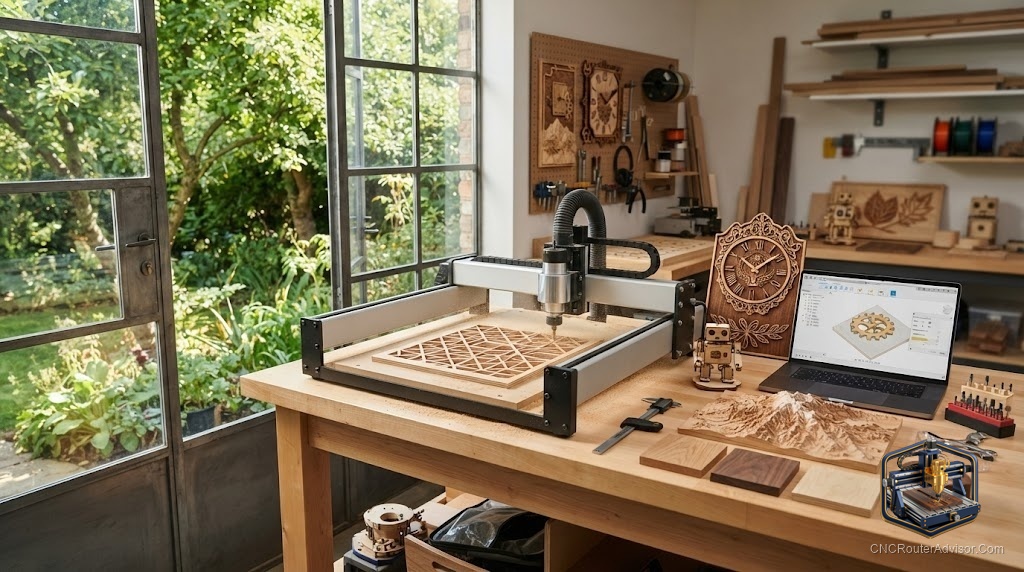
There is a moment early in every CNC journey when you realize the machine can make things that genuinely impress people. Not just functional parts, but pieces that make someone stop and ask how you did that. Those are the projects worth chasing when you want to show off what a CNC router can do. This guide collects cool project ideas that look far more advanced than they are, along with the files, materials, and tips to pull them off.
What makes a project cool
The projects that draw the biggest reactions tend to share a few traits. They have visual depth, layered elements, or intricate detail that hand tools would struggle to match. They use contrast, whether through material, paint, or three-dimensional relief. And they feel personal or unexpected. The good news is that a CNC router produces exactly this kind of precision and repeatability, so impressive results are more about design choices than advanced skill.
Cool project ideas to try
Here are projects that punch above their difficulty:
- Geometric wall art, where clean repeating shapes and layered depth create a modern showpiece.
- Three-dimensional relief carvings, which turn a flat board into sculpted art using a ball-nose bit.
- Layered signs, built from stacked cut layers for depth that flat signs cannot match.
- Animal silhouette wall art, dramatic and surprisingly simple from a good vector file.
- Engraved cutting boards, practical gifts elevated by crisp engraving.
- Custom bookends and jewelry boxes, small builds that combine cutting, engraving, and assembly.
Each looks intricate but comes down to a solid design and clean cutting.
Files to get started
Most cool projects begin with a good design file. Vector files such as SVG and DXF drive cutting and engraving, while three-dimensional carving uses relief models. You can design your own as your skills grow, or start from ready-made files to learn the workflow before committing to original designs. Beginning with a proven file lets you focus on dialing in your machine and finishing rather than wrestling with design at the same time.
Materials that show well
Material choice does a lot of the visual work. Plywood is stable and affordable, ideal for layered pieces and learning. Hardwoods like walnut, maple, and oak bring rich grain that makes carvings and boards look premium. Contrasting woods or painted recesses add the pop that makes a piece read as cool rather than plain. Start with friendly plywood to prove out a design, then run the final in a nicer hardwood.
Choosing a machine for showpiece work
Impressive projects reward a capable machine, but you do not need an industrial one. A desktop machine like the Genmitsu 3018-PRO handles smaller engraved and layered pieces beautifully, while a larger machine such as the FoxAlien Masuter Pro opens up bigger wall art and signs. For clean edges on layered plywood pieces, a quality compression bit keeps both faces splinter-free, which matters a lot when layers must stack cleanly.
Build tips for impressive results
A few habits separate a cool finished piece from a rough one. Hold material securely and surface your spoilboard so depth is consistent, since uneven depth ruins layered and relief work. Use a V-bit for crisp lettering and a ball-nose for smooth three-dimensional contours. Run a light finishing pass so edges and surfaces are clean. And put real effort into finishing, since sanding, paint in the recesses, and a good final coat are what elevate a carve into a showpiece.
Start impressive, stay motivated
The fastest way to fall in love with a CNC router is to make something that wows people early. Pick a project with visual depth, start from a solid file, choose a material that shows well, and finish it with care. The reactions you get will fuel the next project, and before long you will be designing your own cool pieces that no one believes came from a beginner.