
3D CNC Routing Projects: Ideas, Files, Materials, and How to Get Started
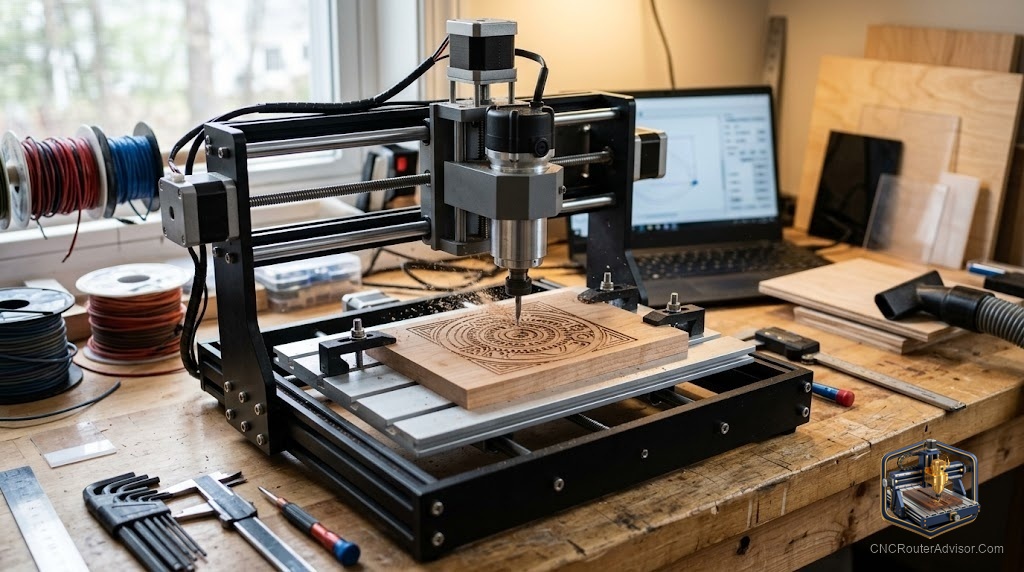
Most people who buy a CNC router start with 2D: flat signs, profile cuts, and V-carved lettering. Then they see a 3D relief carving, a hawk emerging from a maple board, a portrait carved in walnut, a topographic map of a mountain range, and the machine’s actual potential becomes visible. 3D CNC routing is different in almost every way from 2D work: the files are different, the software requirements are higher, the machining time is longer, and the material choice matters a great deal more. Getting those variables right is what separates a beautiful result from an expensive pile of chips.
3D CNC routing projects are projects that require the machine to move in all three axes simultaneously to carve a raised or recessed image from the surface of a material, creating depth, shadow, and contour that 2D routing cannot produce. Relief carving (where the design rises from a background), topographic maps, portrait carvings, and sculptural panels are the defining examples. They are produced using 3D toolpaths generated by specific CAM software, typically run in a roughing pass followed by a finish pass with a ball-nose bit.
The short answer on how to start: choose a hardwood with tight grain (maple, walnut, cherry, or poplar), use a dedicated 3D CAM program like Carveco Maker or VCarve Aspire, buy or download a vetted 3D relief model file rather than designing one from scratch, and plan for significantly longer machining times than you are used to from 2D work.
The types of 3D CNC routing projects
Relief carvings. The most common 3D CNC project: a design that stands above a flat background plane. Animals, portraits, coats of arms, decorative botanical panels, and artistic designs are typical subjects. The depth of relief determines how dramatic the result looks; shallow reliefs are faster and require less material thickness, while deep reliefs have more visual presence and shadow.
Topographic maps. Elevation data converted into a 3D toolpath, carving the contours of terrain into wood or composite material. Popular as personalized gifts (local mountains, home regions) and decorative panels. Requires good elevation data (available from USGS and similar sources) and a 3D CAM tool.
Portrait and figurative carvings. Human portraits, animal likenesses, and realistic figures converted from photographs or 3D scans into relief models. Technically demanding; the quality of the source model determines the result more than the machine.
Carved furniture and architectural elements. Decorative panels, headboard designs, cabinet door carvings, and architectural millwork. Combines artistry with practical woodworking.
Files: where to get them and what to look for
3D relief files for CNC are usually distributed as STL models or as Vectric-compatible 3D clipart. Sources:
- Design and Make (Vectric). A paid library of high-quality 3D relief models specifically optimized for CNC routing in Vectric software. Industry standard for professional quality.
- Cults3D, Etsy, and online marketplaces. A wide range of paid 3D relief models in STL format. Quality varies; look for reviews and preview renders before buying.
- Vectric free projects. Vectric hosts over 300 free projects, including some 3D relief files paired with training videos.
- Community forums and file shares. CNC forums and the r/hobbycnc community list sources for shared 3D designs.
- Design from scratch. Creating your own relief from Vectric Aspire’s 3D modeling tools or from imported 3D scan data. The highest-quality results but the steepest learning curve.
When evaluating a 3D relief file, look for clean mesh with no holes or invalid geometry. A file that opens cleanly in your software without errors will cut cleanly; one with geometry issues will produce unexpected toolpaths.
Materials for 3D CNC relief carving
Not all wood holds fine detail equally. The best materials for 3D CNC routing projects:
- Maple. Tight, consistent grain that holds sharp detail. Light color shows depth well through shadow. Community-confirmed top choice.
- Walnut. Dramatic grain adds visual interest. Holds detail well. The dark color makes shadow depth less visible than lighter woods.
- Cherry. Similar to maple in detail retention; develops a beautiful warm patina over time.
- Poplar. Affordable, tight grain, good for practice and production carving.
- MDF and plywood. Good for practice and learning toolpaths. Does not hold sharp detail as well as solid hardwood, and edge quality is rougher.
Software for 3D CNC routing projects
Standard 2D CAM software (basic Carbide Create, Vectric VCarve) does not include full 3D relief toolpath generation. You need:
- Vectric Aspire: The professional standard for 3D relief CNC work. Includes 3D modeling and 3D toolpath generation.
- Carveco Maker / Carveco Maker+: Popular subscription-based 3D relief CAM with strong artistic carving support.
- Fusion 360: Full 3D CAM with multi-axis toolpath support, better suited for engineering-style 3D work than artistic relief carving.
Typical 3D project workflow: roughing pass with a straight end mill or up-cut spiral to remove bulk material quickly, followed by a finish pass with a ball-nose bit at small stepover (often 5 to 10 percent of bit diameter) for smooth surface detail. A large detailed relief can take 4 to 10 or more hours for the finish pass alone.
The verdict
3D CNC routing projects are where the machine shows its full capability, and the results, when materials, files, and software align, are genuinely stunning. Start with a quality hardwood, a vetted relief file, and a 3D-capable CAM program. Plan for longer machining times than 2D work. The learning curve is real but the results justify it, and the jump from 2D to 3D carving is one of the most rewarding steps in CNC work.
Three takeaways: use maple, walnut, or cherry for the best detail retention in 3D relief work; get 3D-capable CAM software (Vectric Aspire or Carveco Maker) before attempting relief projects; and plan for roughing plus finish pass machining times that are significantly longer than 2D work.
FAQ
What is 3D CNC routing? CNC routing that moves all three axes simultaneously to carve contoured, raised, or recessed designs from a flat material surface, producing depth and shadow that 2D routing cannot achieve.
What software do I need for 3D CNC routing? Vectric Aspire or Carveco Maker for artistic relief work; Fusion 360 for engineering-style 3D machining. Standard VCarve and basic Carbide Create do not generate full 3D toolpaths.
What is the best wood for 3D CNC relief carving? Maple, walnut, cherry, and poplar are community-confirmed best choices for fine detail retention. MDF works for practice but lacks the detail and finish quality of solid hardwood.
Where can I find 3D CNC relief files? Design and Make (paid, high quality), Etsy and Cults3D (paid, variable quality), Vectric’s free projects library, and community forum shares.
How long does a 3D CNC routing project take? Depending on size, detail, and finish stepover, from 1 to 2 hours for small plaques to 10 or more hours for large detailed panels. The finish pass at fine stepover takes the most time.
What bit do I use for 3D CNC relief finishing? A ball-nose spiral bit. The diameter and stepover setting together determine the smoothness of the finish surface. Smaller diameter and smaller stepover produce finer detail but take longer.
Can the Maslow or LowRider CNC do 3D relief carving? Yes, but with caveats. Forum discussions note that deep 3D relief carving removes significant material, which can destabilize some non-gantry machines. A conventional gantry machine is more reliable for extended 3D relief jobs.
References
- Twotrees, 3D Carving CNC Projects: How to Carve Relief Art with Your CNC Router: https://twotrees3d.com/blogs/twotrees-blog/3d-carving-cnc-projects-how-to-carve-relief-art-with-your-cnc-router
- Vectric, Free CNC Projects (including 3D relief files with training videos): https://www.vectric.com/vectric-community/free-projects/
- Onefinity CNC Forum, Wood Types for 3D Bias Relief (maple, walnut, cherry, poplar): https://forum.onefinitycnc.com/t/wood-types-for-3d-bias-relief/19222
- Instructables, Carving 3D Terrain Topographic Relief Maps on a CNC Machine: https://www.instructables.com/Carving-3D-Terrain-Topographic-Relief-Maps-on-a-CN/
- Maslow CNC Forum, 3D Deep Detail Advice (finish pass timing discussion): https://forums.maslowcnc.com/t/3d-deep-detail-advice/18969