
Router CNC Projects: Ideas, Files, Materials, and Practical Tips for Getting Started
There is a particular frustration in owning a CNC router and staring at the software with nothing clear to make next. Having a catalog of project ideas, paired with honest notes on which materials and files suit each, is what moves you from machine owner to maker. The good news is that CNC router projects cover an enormous range, from quick first cuts to detailed furniture and art, and you can walk them in a progression that builds real skill while producing things worth keeping.
Router CNC projects are the objects and parts made with a CNC router, spanning signs and lettering, decorative carvings and reliefs, boxes and small furniture, inlays and jigs. A router CNC project combines a design file, a material, workholding, and a toolpath into a finished physical object, and the best projects for a beginner are small, achievable, and teach a skill you can reuse.
Here is the direct take: the most useful projects match your current skill level and build toward the next one, starting with flat cuts and profiling, adding pockets and lettering, then moving to inlays and 3D work. Files are available free and for purchase online for nearly every category. Match the material to the project difficulty and your machine’s capability. The sections below cover the main project categories, the file and material sources, and the practical tips that apply across all of them.
Starting point: flat cuts and profiles
The best first project is one that teaches the machine’s full cycle, design, setup, zeroing, cutting, finishing, without risking an expensive or complex outcome. Flat profile cuts in softwood or plywood are ideal: simple shapes, signs with raised letters, or useful objects like jigs and holders. These teach feeds and speeds, workholding, and zeroing without demanding 3D toolpath skills, and they are achievable on the first or second attempt.
Adding pockets, lettering, and V-carving
Once profiling is reliable, add pockets for recessed text, letter inlays, and V-carving for signmaking. A simple clamp kit such as the Genmitsu 4-pack hold-down clamp kit keeps material flat for the pocket passes that this stage requires. V-carving is a particular milestone, combining a V-groove bit with a carving toolpath, and it opens up the entire range of signs, name boards, and decorative lettering. Once you can reliably V-carve, a large category of paid work becomes available.
Intermediate: inlays, boxes, and jigs
Inlays combine a pocket in one piece with a matching raised inlay in another, and they are one of the most impressive things a CNC router can produce cleanly because they rely on the machine’s accuracy rather than hand skill. Box joints and jigs add useful, producible projects that also build the precision habits that harder work demands. These are achievable on any reasonably rigid machine once profiling and pockets are reliable.
Advanced: 3D reliefs, furniture parts, and complex joinery
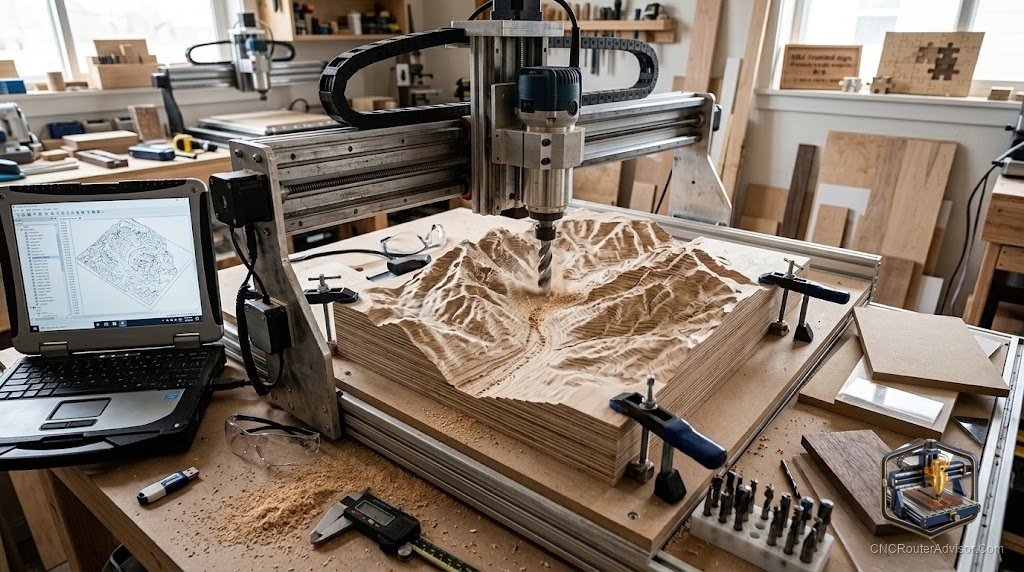
The showpiece projects, 3D carvings, furniture with CNC-cut joints, and parts that combine all the skills, come last in the progression because they depend on every earlier skill being solid. A 3D relief needs both a good toolpath and good workholding; a furniture part needs accuracy across the full work area; complex joinery needs a rigid machine and precise zeroing. The reward is proportional to the effort invested in the earlier stages.
Files and material sources
Free design files are widely available for most project categories through Etsy, SVG repositories, and dedicated CNC file communities. Commercial files from designers often save significant time and include tested toolpath settings. For materials, softwood and plywood are the simplest starting point; MDF machines smoothly for detail work; hardwood rewards higher skill with better finish. Match the material to the project’s difficulty and your machine’s capability.
For a focused breakdown of project categories and how they build skill, see our guide to CNC router project ideas.
Final verdict
Router CNC projects are most rewarding when they are chosen in a progression, flat cuts first, then pockets and lettering, then inlays and useful parts, and finally 3D and complex work, because each stage builds the skills the next one requires. Files are widely available, materials are straightforward to source, and a small, quality set of workholding hardware keeps each job achievable. Work through the progression honestly and by the time you reach the showpiece projects, you have the skills to finish them.
FAQ
What are good beginner CNC router projects? Flat profile cuts and signs are ideal first projects: they teach the full cycle (setup, zeroing, cutting, finishing) without demanding 3D toolpath skills, and they are achievable on the first or second attempt.
Where can I find CNC router project files? Free files are widely available on Etsy, SVG repositories, and CNC file communities. Commercial files from designers save time and often include tested toolpath settings.
What materials are best for beginner projects? Softwood and plywood are the simplest starting point, forgiving of settings and easy to hold flat. MDF machines smoothly for detail work; hardwood rewards higher skill with better finish.
What is V-carving and when should I try it? V-carving uses a V-groove bit to cut crisp, tapered text and decorative lettering. It is a great second-stage project once flat profiling is reliable, and it opens up the range of signs and name boards.
What is a CNC inlay project? An inlay combines a pocket in one piece with a matching raised inlay in another, relying on the machine’s accuracy rather than hand skill. Achievable once profiling and pockets are solid.
Do I need expensive software for CNC projects? No. Many capable CAM tools have free tiers or entry plans, and plenty of project files come with preset toolpaths. The main investment is learning the workflow, not expensive software.
References
- Carbide 3D, project tutorials and design guidance: https://carbide3d.com
- SainSmart Genmitsu, beginner project walkthroughs: https://www.sainsmart.com/blogs/news
- V1 Engineering, project ideas and community files: https://docs.v1e.com