
CNC Router Project Ideas: Beginner Ideas, Files, Materials, and Build Tips
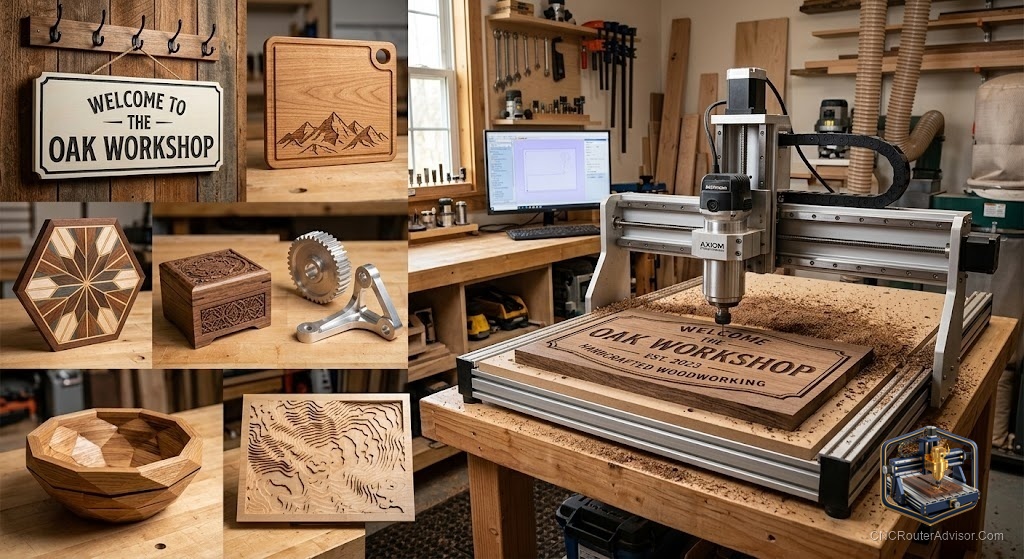
The hardest part of owning a new CNC router is not assembly or software. It is the blank screen on day one, when the machine is ready and you have no idea what to make first. The good news is that the best beginner projects are not the flashy ones. They are the ones that teach you the workflow, forgive small mistakes, and give you something real to hold at the end. Start there and confidence compounds fast.
Good CNC router project ideas for beginners start with simple, flat, forgiving pieces, name signs, coasters, engraved cutting boards, and small boxes, that teach design, toolpathing, and workholding before you move to 3D relief and joinery. This guide lays out a progression of projects, where to find files, which materials behave, and build tips that keep early attempts from ending in the scrap bin.
Start here: projects that teach the workflow
These first projects exist to build skill, not to impress:
- Personalized name sign. V-carved lettering on a flat board teaches design, V-bit toolpaths, and clamping in one easy piece.
- Coasters and drink holders. Small, fast, and forgiving. Great for practicing engraving and profile cuts.
- Engraved cutting board. Teaches surfacing and shallow engraving, and produces a genuinely useful gift.
- Simple box or tray. Introduces pockets and profile cutouts, and gets you comfortable with tabs.
- Address plaque or quote sign. A step up in size and layout that reinforces lettering and workholding.
Each one uses skills the next one builds on, so you are learning a system, not just following a single recipe.
The next tier: once the basics click
When flat work feels routine, stretch into:
- Geometric wall art with layered or inlaid pieces.
- Jewelry boxes and small furniture that introduce real joinery.
- Pet memorial or photo frames that combine lettering, pockets, and profile cuts.
- 3D relief carvings like sculpted panels, which teach roughing and finishing passes.
- Puzzles and toys that reward tight tolerances and clean edges.
Where to find files
You do not have to design everything from scratch while learning:
- Design your own in free tools like Carbide Create or Easel for simple signs and boxes. This is the best way to actually learn.
- Marketplaces and file sites sell ready-to-cut vectors and 3D relief files for signs, decor, and boxes.
- Maker communities share free files and project walkthroughs, which double as tutorials.
- SVG and vector art from clip-art style libraries imports well for lettering and simple graphics.
A smart habit early on is to buy or download a file, then rebuild it yourself in your design software. You learn far more than cutting someone else’s file blind.
Materials that behave for beginners
- Poplar and pine are cheap, soft, and forgiving for first signs.
- MDF cuts cleanly and is perfect for practice and painted signs, though it makes fine dust, so wear a respirator.
- Baltic birch plywood is stable, strong, and looks great for boxes and layered art.
- Hardwoods like maple, walnut, and cherry hold fine detail for gifts once your settings are dialed in.
- Avoid very soft, splintery, or highly figured wood until your feeds and speeds are reliable.
Build tips that save early projects
- Always run an air pass or simulate the toolpath before cutting to catch obvious errors.
- Use tabs so parts do not shift when they cut free.
- Surface your spoilboard so it is flat and true before precise work.
- Start with a project slightly smaller than your bed so workholding is easy.
- Keep a simple logbook of feeds, speeds, and bits that worked, so success is repeatable.
The honest verdict
The best first projects are humble on purpose. A name sign and a set of coasters teach you more than an ambitious relief carving that fails halfway through and sours the whole hobby. Work up a ladder from flat lettering to pockets to joinery to 3D, design your own files as soon as you can, and stick to forgiving materials while your settings settle. Momentum, not ambition, is what turns a new owner into a confident maker.
Frequently asked questions
What is a good first CNC router project? A personalized name sign with V-carved lettering. It teaches design, toolpathing, and workholding in one flat, forgiving piece.
What materials are best for beginners? Poplar, pine, and MDF for practice and painted signs, and Baltic birch plywood for boxes and layered art. Save figured hardwoods for when your settings are reliable.
Where can I get CNC files to cut? Design your own in Carbide Create or Easel, buy ready-to-cut files from marketplaces, or download free files and vectors shared in maker communities.
Should I design my own files or buy them? Both. Buying gets you cutting quickly, but rebuilding a purchased design yourself is the fastest way to actually learn your software.
How do I stop parts from moving during a cut? Use tabs or an onion skin to keep parts captured until the cut finishes, then release them by hand. This prevents freed parts from shifting into the bit.
What projects can I sell as a beginner? Name signs, engraved cutting boards, coasters, and small boxes sell well, look professional quickly, and use forgiving materials and simple toolpaths.
How do I avoid ruining early projects? Simulate or air-pass the toolpath first, surface your spoilboard, use tabs, start smaller than your bed, and log the settings that worked.