
Buying a Used CNC Wood Router: What to Inspect, Risks, and Smart Shopping
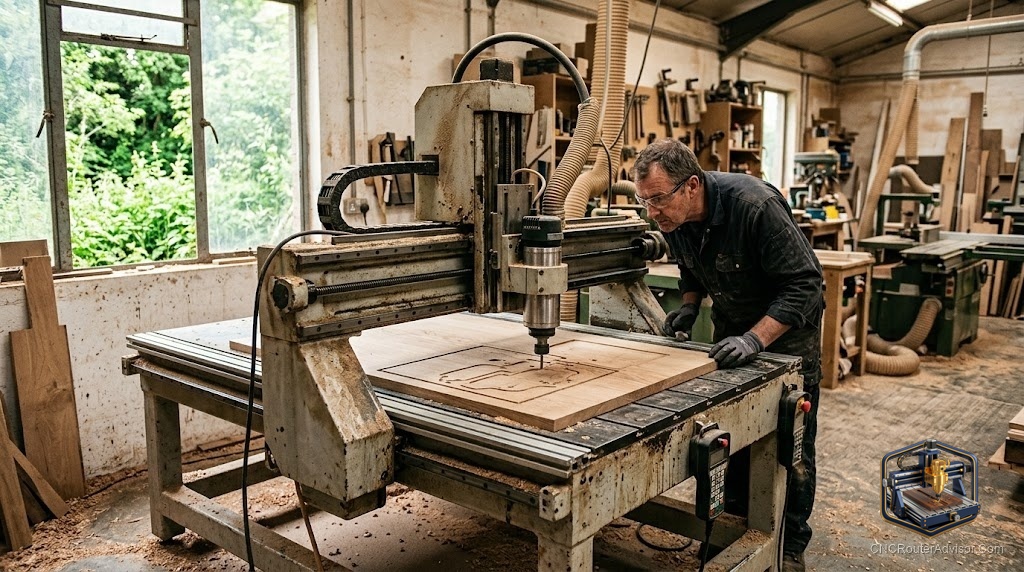
A used CNC wood router can be a bargain or a money pit, and the difference usually comes down to what you check before you hand over cash. These machines are mechanical and electronic systems that wear, and a listing photo tells you almost nothing about whether the screws are worn, the electronics are healthy, or the software is still supported. Buying used well is a skill: knowing what to inspect, what the real risks are, and where the genuine value lies turns a gamble into a smart purchase.
Buying a used CNC wood router means purchasing a pre-owned machine, potentially at real savings, but with risks that a new machine does not carry. Success depends on inspecting the machine’s mechanical condition, electronics, and included software, understanding why it is being sold, and knowing what support and parts you can still get. Smart used shopping is about verifying condition and completeness so the savings are real rather than a discount on future problems.
Short answer: a used CNC wood router can save money if you inspect it carefully. Check the frame and motion for wear and play, test that all axes move smoothly and the machine actually cuts, confirm the electronics and controller work, and verify the software is included and still supported. Ask why it is being sold and what parts and support remain available. Buy from a seller who lets you see it run; treat a machine you cannot test as a bigger gamble.
Why buy used
The appeal is straightforward:
- Lower cost, potentially getting more machine for your budget.
- More capability per dollar, reaching a larger or better-equipped machine than new at the same price.
- Included extras, since sellers often bundle bits, workholding, and accessories.
Those savings are real, but only if the machine is sound, which is where inspection comes in.
What to inspect
Go through the machine methodically:
- Frame and rigidity. Look for damage, and check the frame is square and solid with no cracks or bent parts.
- Motion system. Move each axis by hand, feeling for smooth travel without grinding, binding, or play. Check rails and bearings for wear.
- Drive. Inspect lead or ball screws or belts for wear, and check for backlash (lost motion when reversing direction).
- Spindle or router. Confirm it runs smoothly without excessive noise or vibration, and check bearings.
- Electronics. Verify the controller, drivers, and wiring work, with no burnt smells or damaged connectors.
- A live test cut. The best check of all: see the machine actually cut, confirming all systems work together and it holds accuracy.
Software and support risks
Hardware is only half the picture:
- Software. Confirm what software is included and whether it transfers to you, since some licenses are tied to the original owner.
- Controller support. Check the controller is still supported and works with current software, since an orphaned controller is a real problem.
- Parts availability. Verify replacement parts are still available, especially for older or discontinued machines.
- Documentation. Ask for manuals and any records, which help with setup and repairs.
A cheap machine you cannot get software or parts for is not a bargain.
Understanding why it is sold
Ask directly why the machine is being sold. An upgrade or a hobby moving on is reassuring; vague answers or a rush to sell can signal problems. Ask how heavily it was used, whether it was maintained, and whether anything is not working. Honest, detailed answers from a seller who lets you inspect and test the machine are a strong positive sign.
Smart shopping steps
- Research the model new, so you know its capability, value, and any known issues.
- Ask questions about use, maintenance, reason for sale, and what is included.
- Inspect in person if at all possible, going through the checklist above.
- See it run, ideally cutting, before committing.
- Confirm software and parts are included and available.
- Value it honestly, factoring in any needed repairs or missing parts.
The bottom line
A used CNC wood router can deliver real savings or hidden headaches, and careful inspection is what decides which. Check the frame, motion, drives, spindle, and electronics for wear and play, insist on seeing the machine actually cut, and confirm the software is included and still supported and that parts remain available. Ask why it is being sold and value it honestly against its condition. Buy from a seller who lets you test it, and a used machine becomes a smart way to get more capability for your money.
FAQ
Is it worth buying a used CNC wood router? It can be, offering real savings or more capability per dollar, but only if you inspect the machine carefully and confirm software and parts are available.
What should I check on a used machine? The frame and rigidity, the motion system for smooth travel and play, the drives for wear and backlash, the spindle, the electronics, and ideally a live test cut.
How do I check for wear? Move each axis by hand feeling for grinding or binding, check for backlash when reversing, and inspect rails, bearings, and screws for visible wear.
What are the biggest risks? Hidden mechanical wear, faulty electronics, software that does not transfer, an unsupported controller, and unavailable parts on older machines.
Should I test the machine before buying? Yes. Seeing the machine actually cut is the best check, confirming all systems work together and it holds accuracy. A machine you cannot test is a bigger gamble.
Does the software transfer with a used machine? Not always, since some licenses are tied to the original owner. Confirm what software is included, whether it transfers, and that the controller is still supported.
Why should I ask why it is being sold? The reason signals risk. An upgrade or moving on is reassuring; vague answers or a rushed sale can hint at problems worth investigating.
References
- CNCRouterInfo, how to choose a CNC router: https://cncrouterinfo.com/guides/how-to-choose-a-cnc-router/
- CNC Dad, best CNC router for beginners: https://www.cnc-dad.com/blog/best-cnc-router-for-beginners/