
Aspire CNC Router Software Guide: Features, Compatibility, Setup, and Pricing
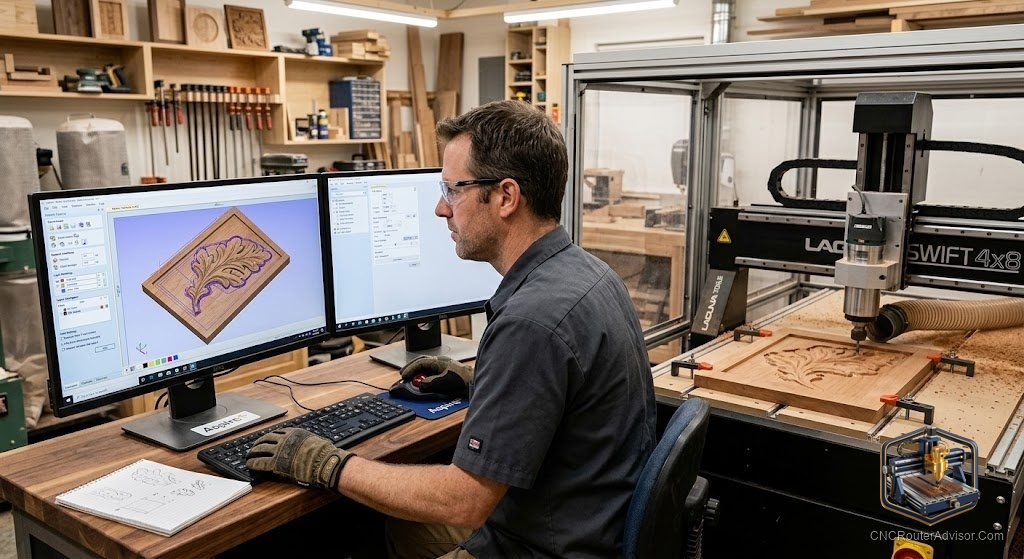
If you’ve decided your CNC work is heading into three dimensions - sculpted signs, ornamental panels, relief carvings - Vectric Aspire is almost certainly on your radar. This guide gives you the full buyer’s picture: what Aspire’s features actually do, what it runs with, how to set it up, and the pricing reality, so you can decide with confidence.
What Aspire is
Aspire is the flagship CAD/CAM software from Vectric - it’s the design-and-toolpath layer between your idea and your CNC router, not a machine itself. Its calling card is full 3D relief modeling, which sets it apart from Vectric’s more affordable VCarve.
Features that matter
- 2D design and layout. Vector drawing, text, and image tracing for signs and general work.
- 3D relief modeling. The headline feature - create and sculpt dimensional relief models from scratch, combine multiple models, and shape original carvings (VCarve can’t build these).
- Toolpath strategies. Profiling, pocketing, drilling, V-carving, and 3D roughing and finishing.
- Toolpath simulation. A realistic preview of the finished cut before you touch material.
- Tool database. Store your bits and cutting parameters for consistent results.
- Post-processing. Output clean G-code for your specific controller.
Compatibility
Because the machine only ever reads G-code, Aspire is broadly compatible:
- Machines. Works with virtually any router - GRBL desktop machines through industrial ones - using the correct post-processor for your controller.
- Files. Imports common vector formats, images, and 3D models (for machining), and exports the toolpaths your workflow needs.
- Operating system. Windows-based; verify current system requirements before buying.
Setup considerations
- Choose the right post-processor for your controller - the single most important step for G-code that runs correctly.
- Build your tool library with the bits you own - include a ball-nose finisher for reliefs and a V-bit for lettering.
- Plan roughing + finishing - rough fast, then a fine finishing pass with a small stepover for smooth 3D surfaces.
- Simulate every job before cutting to catch depth or boundary errors.
- Match ambition to hardware - Aspire can model more detail than a light machine can cleanly cut, so respect frame rigidity and tooling.
Aspire vs. VCarve at a glance
Aspire and VCarve share essentially identical CAM (cutting) capability. The difference is 3D creation: VCarve imports and machines 3D models but can’t build them; Aspire creates and sculpts them. If you don’t need original 3D modeling, VCarve does the cutting just as well - and Vectric lets you upgrade to Aspire later for just the price difference.
Pricing reality
Aspire is paid software and sits at the top of Vectric’s lineup, above VCarve Desktop and VCarve Pro. Fully functional trial versions exist, but they won’t export toolpaths - you buy a license to actually cut. Rather than quote a figure that changes, the smart approach is to check Vectric’s current pricing directly and weigh it against how much 3D relief modeling you truly need: if you’re mostly doing 2D/2.5D, VCarve is the more economical entry, with Aspire a later upgrade for the difference. Free entry-level CAM tools exist for simple work, but original 3D relief modeling is where a paid package like Aspire earns its keep.
The bottom line
Aspire is Vectric’s flagship CAD/CAM software, defined by full 3D relief modeling on top of the same strong CAM as VCarve. It works with virtually any router through the correct post-processor, rewards a roughing-plus-finishing workflow, and is worth its price when three-dimensional work is central to what you make. Confirm current pricing, start with VCarve if you’re mostly 2D, and step up to Aspire when your designs go dimensional.
Frequently asked questions
What makes Aspire different from VCarve? Same CAM capabilities, but Aspire adds full 3D relief creation and sculpting. VCarve can only import and machine existing 3D models.
Will Aspire work with my machine? Yes - it outputs G-code compatible with essentially any router through the correct post-processor.
Is there a free version? There’s a fully functional trial, but it won’t export toolpaths. Aspire is paid software; free CAM tools exist for simpler 2D/2.5D work.