
Artcam CNC Router Explained: Uses, Setup, and Key Considerations
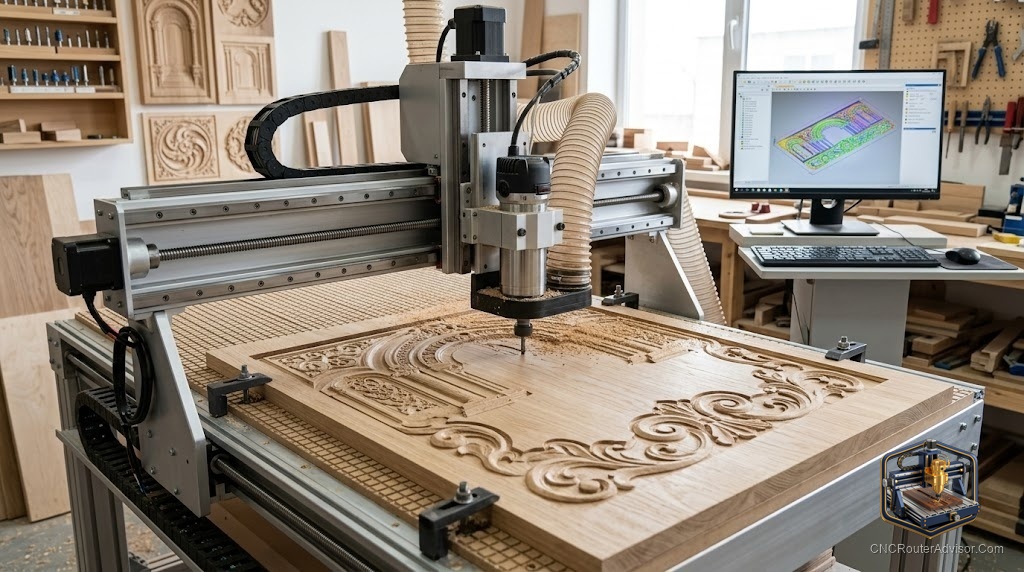
For years, ArtCAM was the name you’d hear whenever someone showed off a jaw-dropping 3D relief carving - an ornate sign, a sculpted panel, a portrait in wood. If you’re researching ArtCAM for your CNC router today, there’s an important twist to the story you need to know before you invest time learning it. Here’s the honest, useful rundown.
What ArtCAM was (and is)
ArtCAM is CAD/CAM software built specifically for artistic and relief CNC work. Unlike general-purpose CAD, it was designed around 2D artwork, 3D relief modeling, and generating the toolpaths that carve them. Originally from Delcam and later sold as Autodesk ArtCAM, it became a favorite for signmakers and decorative woodworkers.
The crucial thing to know: Autodesk discontinued ArtCAM (final products reached end-of-life around 2018). It’s no longer sold or actively developed. You may still find people running old licenses, but if you’re choosing software today, you should look at its successor instead.
The modern replacement: Carveco
When Autodesk retired ArtCAM, the engineers who built it launched Carveco, based on the same lineage and codebase. So the natural home for former (and would-be) ArtCAM users is Carveco, which offers tiered products from an approachable maker level up to full professional relief modeling. If an article or forum points you to “ArtCAM,” mentally translate that to “Carveco” for anything you’d buy new today.
What this software does in your workflow
Whether ArtCAM (legacy) or Carveco (current), the role is the same - it’s the CAD + CAM layer between your idea and your machine:
- Design or import 2D artwork (vectors, images).
- Model 3D relief - sculpt dimensional carvings, the signature strength of this software family.
- Generate toolpaths - assign bits, depths, and strategies, with toolpath simulation to preview the result.
- Post-process to G-code for your controller, so your CNC router can cut it.
The machine itself never knows which software made the file - it just reads the G-code. That means ArtCAM/Carveco works with essentially any router, from a GRBL desktop machine to an industrial one, as long as you use the correct post-processor.
Setup considerations
- Match the post-processor to your controller. This is what makes the generated G-code run correctly on your specific machine.
- Model reliefs at the right resolution. 3D relief detail depends on your model and your finishing bit - plan a roughing pass plus a fine ball-nose finishing pass.
- Know your machine’s limits. The software can design more detail than a light machine can cleanly cut - frame rigidity and tooling still govern the final look.
- Consider the learning curve. Relief modeling is a real skill; budget time to learn it regardless of which package you choose.
Should you learn ArtCAM today?
If you already have a working ArtCAM license and know it, keep using it - it still makes beautiful work. But if you’re starting fresh, invest your learning time in a currently supported package like Carveco (or, for other needs, Vectric’s VCarve/Aspire), so you get updates, support, and current post-processors.
The bottom line
ArtCAM is the legendary relief-carving software that defined artistic CNC - but it’s discontinued, and its living successor is Carveco. Its role in your workflow is the CAD/CAM layer that turns artwork into 3D toolpaths and G-code, compatible with virtually any router through the right post-processor. Learn the current version, plan your roughing-and-finishing passes, and let your machine bring the reliefs to life.
Frequently asked questions
Is ArtCAM still available? No - Autodesk discontinued it around 2018. Its successor, built by the same engineers, is Carveco.
Does ArtCAM work with my CNC router? The software outputs G-code, so it works with essentially any router through the correct post-processor. The machine doesn’t care which software made the file.
What should I use instead of ArtCAM? Carveco is the direct successor for relief work; Vectric VCarve/Aspire are strong alternatives depending on your needs.