
3D CNC Router Software: The Right Tools for Sculptural Cuts
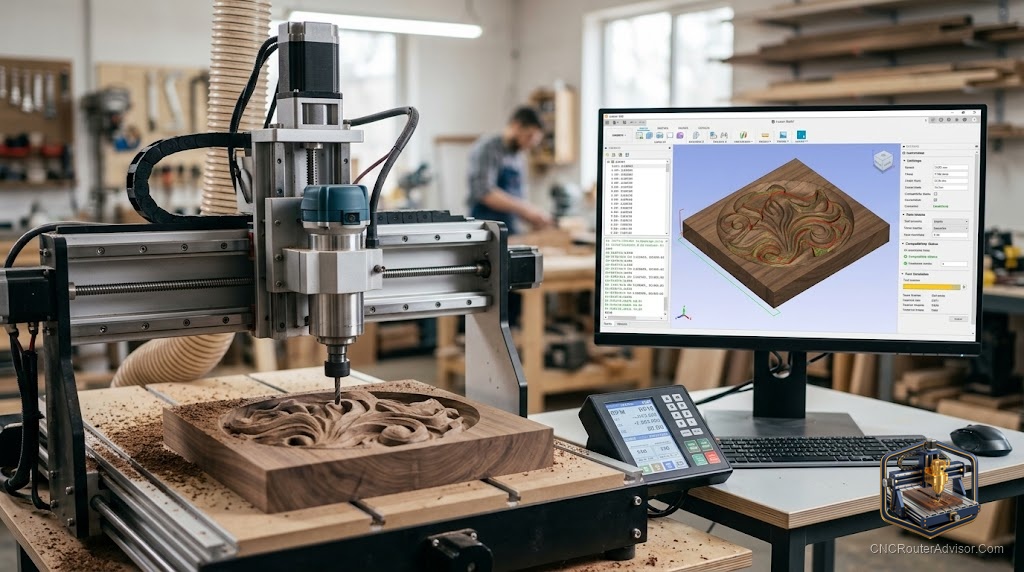
Two machines with identical specs can produce wildly different surface quality on the same STL file. The difference usually lives in the CAM settings: stepover, depth per pass, rest machining, and finishing strategy. All of those decisions belong to the software. Master the software and the machine does precisely what you specify. Ignore it and you’ll spend sessions sanding away evidence of settings you didn’t think about.
3D CNC router software is the application that converts a three-dimensional digital model into machine-executable toolpaths. For 3D work, this means generating roughing strategies that remove bulk material efficiently and finishing strategies where a ball-nose end mill traces the final surface at a fine stepover.
The direct answer: Vectric Aspire is the industry standard for woodworking 3D CAM. Carveco Maker offers comparable 3D toolpath capability at subscription pricing. Fusion 360 (free personal use) is the most powerful option with the highest learning investment. For machine control (sending G-code to the router), Candle, UGS, and gSender are all free.
What 3D CAM Software Must Do
At minimum, 3D CAM for CNC routing must:
- Import STL files and interpret the mesh as a carvable surface
- Generate roughing toolpaths using flat or bull-nose end mills
- Generate finishing toolpaths using ball-nose end mills at user-defined stepover
- Output G-code via a post-processor matched to your machine controller
- Simulate the result so you can verify before committing material
Vectric Aspire
Aspire is the most complete woodworking CAM program. It handles 2D profiling, V-carving, 3D STL import, 3D relief modeling from scratch, and multi-component 3D assemblies. Design and CAM happen in one application without switching tools.
Post-processors: Large community library covers GRBL, Mach3, Mach4, Carbide Motion, and most production controllers.
Concrete flaw: High one-time cost. No parametric CAD. Model changes often require rebuilding.
Carveco Maker
Built on the ArtCAM codebase with a subscription pricing model. Feature parity with Aspire is close on 3D relief toolpaths. The practical choice for buyers who want professional-grade 3D capability without the Aspire upfront cost.
Concrete flaw: No perpetual license. Cancel and access ends. Seasonal or occasional users may pay more over time than a one-time Aspire purchase.
Fusion 360
Full parametric CAD plus multi-strategy 3D CAM in one free (personal use) application. Generates parallel finishing, scallop, morphed spiral, and other advanced strategies. The most powerful free option.
Concrete flaw: Steep learning curve for non-engineers. More setup time per job than Aspire for a woodworker unfamiliar with parametric modeling.
Software Comparison
| Software | 3D Relief Toolpaths | 3D Modeling | Cost Model |
|---|---|---|---|
| Vectric Aspire | Full | Built-in | One-time |
| Carveco Maker | Full | Limited | Subscription |
| Fusion 360 | Full | Full parametric | Free/Subscription |
| VCarve Pro | Single STL import | No | One-time |
| Carbide Create Pro | Basic | No | Subscription |
Machine Control Software (Separate from CAM)
CAM generates G-code. A machine controller sends it to the router:
- Candle: Free, simple, GRBL-compatible, real-time visualization
- UGS: Free, cross-platform, widely supported
- gSender: Free, Sienci-developed, modern interface
Verdict
For 3D woodworking CAM, Aspire is the benchmark. Carveco Maker is the right choice if subscription pricing suits your workflow. Fusion 360 covers engineering-focused users who want free software and are willing to learn it. Every stack needs a separate free machine controller.
- Aspire: most complete woodworking 3D CAM, one-time cost
- Carveco: subscription access to professional-grade 3D toolpaths
- Fusion 360: free personal use, highest capability, highest learning curve
- Machine controller (Candle, UGS, gSender) is always a separate free tool
FAQ
What is the best 3D CAM software for CNC woodworking? Vectric Aspire for the most complete woodworking-focused tool. Carveco Maker if subscription pricing is preferred. Fusion 360 for engineering-oriented users who want free software.
Does VCarve handle 3D carving? VCarve Pro allows single 3D STL component import. For multi-component assemblies and 3D modeling from scratch, Aspire is required.
What post-processor do I use for a GRBL CNC router? Vectric, Carveco, and Fusion 360 all include GRBL post-processors. The Vectric community forum has several variants for specific machine configurations.
Can I use Aspire with any CNC router? Yes. Aspire generates G-code via post-processors for virtually every CNC controller on the market.
References
- Vectric Aspire: vectric.com
- Carveco Maker: carveco.com
- Fusion 360 personal license: autodesk.com