
3D CNC Router Programs: The Software Stack You Actually Need
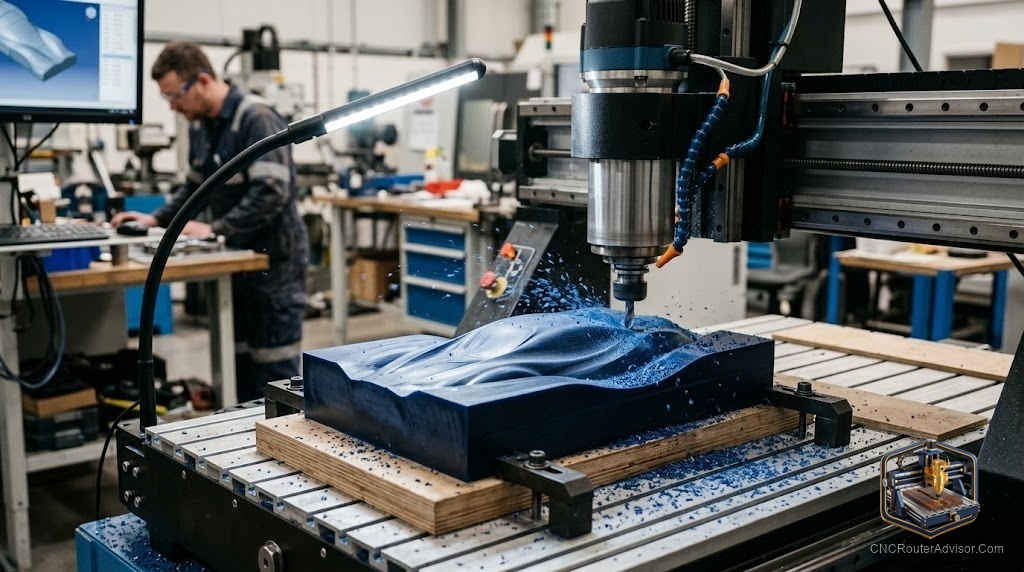
The machine is ready. The blank is clamped. And then you open the software and discover you’re staring at three applications that don’t talk to each other, and you’re not sure which one does what. 3D CNC router programs fall into three categories that most beginners conflate until they’ve wasted an afternoon trying to run a G-code sender inside a design program.
3D CNC router programs are the software tools used across three distinct stages: design (creating the 3D model), CAM (converting the model to G-code toolpaths), and machine control (sending G-code to the router in real time). For 3D carving work, you need exactly two applications: one that handles design and CAM, and one machine controller.
The direct answer: for wood-focused 3D work, Vectric Aspire handles both design and CAM in one application; Candle or gSender handles machine control. For engineering-oriented 3D work, Fusion 360 handles design and CAM together; UGS handles machine control. Two programs total, two distinct roles.
The Three-Stage Software Requirement
Stage 1: Design
Creating or importing the 3D model that defines what gets carved.
Stage 2: CAM
Generating the G-code toolpaths from that model - the roughing and finishing strategies, tool selection, feed rates, stepovers.
Stage 3: Machine Control
Sending the finished G-code to the physical machine over USB, monitoring the cut in real time, handling zeroing and jogging.
Many beginners try to use one program for all three stages. No single program does all three. Design+CAM can be combined (Aspire, Fusion 360); machine control is always a separate application.
Design + CAM Programs
Vectric Aspire
The most complete woodworking design and CAM program. Includes 3D relief modeling tools, STL import, multi-component 3D assembly, V-carving, 2D profiles. Workflow from design to G-code is self-contained.
Concrete flaw: High one-time cost. No parametric CAD capability.
Vectric VCarve Pro
Handles 2D and V-carving well. Imports a single 3D STL for machining. Does not include 3D modeling tools. Right choice if most work is 2D with occasional 3D relief import.
Carveco Maker
Subscription access to professional 3D relief toolpath generation. Built on the ArtCAM codebase. Closest feature match to Aspire at monthly cost.
Concrete flaw: No perpetual license. Recurring cost adds up for infrequent users.
Fusion 360
Full parametric CAD plus multi-strategy CAM. Free for personal non-commercial use. The most powerful option and the steepest learning curve.
Concrete flaw: Designed for engineering first. Woodworking workflows require more setup steps than in Vectric tools.
Carbide Create Pro
Free from Carbide 3D. Pro tier adds basic 3D STL import and toolpath generation. A workable starting point before upgrading.
Machine Controller Programs
Candle (GrblGru)
Free, clean interface, works with GRBL machines, real-time toolpath preview. The most common choice for 3018 and similar desktop machines.
Universal G-code Sender (UGS)
Free, cross-platform, widely supported. Java-based. The most universal GRBL controller.
gSender
Free, developed by Sienci Labs, compatible with any GRBL machine. Modern interface, built-in probe routines, active development.
Complete Workflow Stacks
| Use Case | Design + CAM | Machine Controller |
|---|---|---|
| Woodworking 3D | Aspire | gSender or Candle |
| Subscription budget | Carveco Maker | UGS |
| Engineering / metals | Fusion 360 | UGS |
| Beginner on budget | Carbide Create Pro | Candle |
Verdict
You need two programs. Pick one design+CAM application based on your work type and budget; add a free machine controller to complete the stack. Aspire and Carveco are the right choices for woodworking 3D work. Fusion 360 handles engineering and cross-material use. Every stack finishes with Candle, UGS, or gSender.
- Three software stages: design, CAM, machine control
- Aspire and Fusion 360 combine the first two stages
- Machine controller is always a separate free application
- Two programs total is the correct stack
FAQ
What programs do I need for 3D CNC routing? One design+CAM application (Aspire, Carveco, or Fusion 360) plus one machine controller (Candle, UGS, or gSender).
Is Candle the same as Carveco? No. Candle is a machine controller. Carveco is a design and CAM program. They serve different stages of the workflow.
Does Aspire include a machine controller? No. Aspire generates G-code; Candle, UGS, or gSender sends that G-code to the machine.
Is Fusion 360 really free? The personal/hobbyist license is free for non-commercial use. Verify current terms at autodesk.com.
What is a post-processor? A configuration file inside your CAM program that formats the output G-code for your specific machine controller’s dialect.
References
- Vectric product lineup: vectric.com
- UGS: github.com/winder/Universal-G-Code-Sender
- gSender: sienci.com/gsender