
3018 CNC Router Software: What You Need From Design to Cut
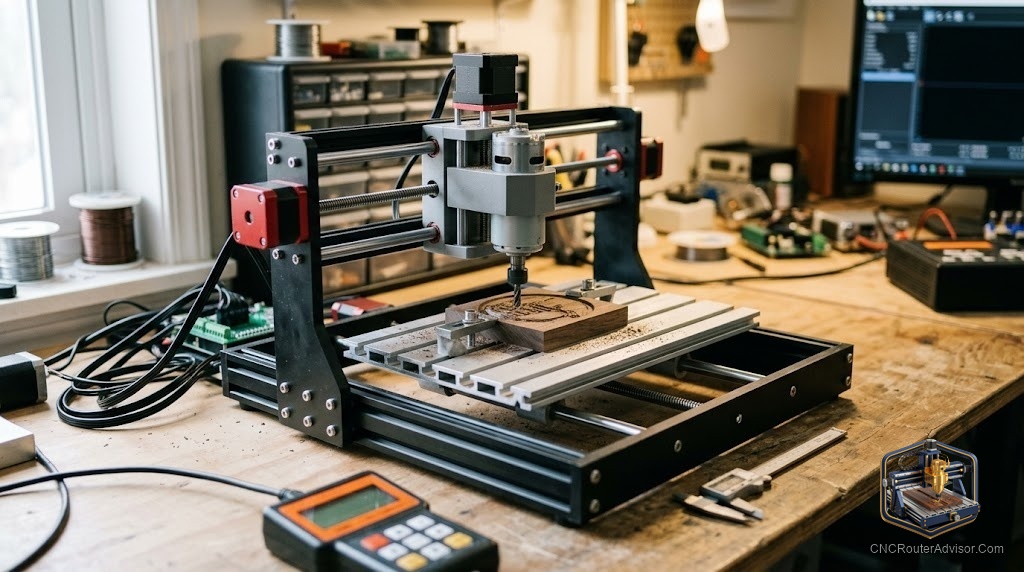
You finish assembling the 3018. The spindle runs. The steppers home. And then the machine just sits there, waiting for a file it has no way to receive, because nobody told you that the machine is only half the equation. The software is the other half, and it’s split into two completely separate jobs that most beginners don’t realize are separate.
3018 CNC router software covers two distinct stages: CAD/CAM software that creates the G-code toolpath from your design, and a machine controller that sends that G-code to the machine in real time. You need both, and they are not interchangeable. The confusion between the two is the most common software problem new 3018 owners face.
The direct answer: for a 3018 running GRBL firmware, use Carbide Create (free) or Easel (free) for simple 2D and V-carve work, and Candle or Universal G-code Sender (UGS) as the machine controller. For more complex 3D work, Fusion 360 (free personal use) as CAM and UGS as controller is the most capable free stack. VCarve Desktop is the best paid option if you’re serious about sign and furniture work.
Understanding the Two-Stage Software Requirement
Stage 1: CAD/CAM (Design to G-code)
This software takes your design (an SVG, DXF, or 3D model) and converts it into G-code: a list of coordinates and commands the machine follows. The quality of your toolpath, the surface finish of your cuts, and the accuracy of your dimensions all depend on this software.
Stage 2: Machine Controller (G-code to Machine)
This software reads your G-code file and sends it to the 3018’s GRBL controller over USB, line by line, while the machine runs. It also handles jogging, zeroing, and real-time feed override. Without this, your G-code file is just a text file that the machine can’t access.
Free CAD/CAM Options for the 3018
Carbide Create
Carbide Create is the free design and toolpath tool from Carbide 3D, the maker of the Shapeoko. It handles 2D contour, pocket, V-carve, and basic 3D relief (with the Pro tier). For most 3018 beginner work: signs, coasters, simple pockets, and profiles, Carbide Create is the fastest path from design to cut.
Concrete flaw: The free tier doesn’t include 3D toolpaths. The interface is also somewhat Shapeoko-centric; you’ll need to select a custom machine and manually set the work area to 300x180mm. The post-processor defaults to Carbide Motion, but you can select GRBL output.
Who should use it: Anyone new to the 3018 who wants to cut something within the first hour.
Easel
Easel by Inventables is a browser-based CAD/CAM tool that runs without installation. The free tier handles 2D work. It has a simple, intuitive interface and a library of starter projects.
Concrete flaw: Browser-based means internet-dependent. The free tier limits some features. It’s less capable than Carbide Create for V-carving.
Fusion 360 (Personal Use)
Fusion 360 includes full parametric CAD and a powerful CAM workspace. The personal license is free for non-commercial projects under a revenue threshold. For 3D relief work, Fusion 360 generates more capable toolpaths than Carbide Create’s basic 3D tier.
Concrete flaw: Steep learning curve. Getting from a blank project to a finished G-code file takes significantly longer than Carbide Create for a new user. Autodesk has also periodically changed what the free license includes. Verify current free-tier limits before building a workflow around it.
Free Machine Controller Options
Candle
Candle (also called GrblGru) is a free, open-source GRBL controller with a clean interface. It shows a real-time toolpath preview, handles feed rate override, and has a simple probe function for Z-zero. Most 3018 machines running standard GRBL firmware connect to Candle without driver issues.
Concrete flaw: Not actively maintained. Works well for basic 3018 use but occasional USB connection issues have been reported on certain Windows configurations.
Universal G-code Sender (UGS)
UGS is the most widely supported free GRBL controller across all platforms (Windows, Mac, Linux). Large community, active development, multiple UI modes including a simplified touch-friendly panel.
Concrete flaw: Java-based, which means a Java installation is required and startup is slower than native applications. The interface is less polished than commercial controllers.
Paid Option Worth Considering
VCarve Desktop / VCarve Pro
VCarve Desktop is Vectric’s entry-level professional CNC design software. It handles 2D profiles, V-carving, text carving, and single-component 3D relief with excellent results. The post-processor library is comprehensive; a GRBL post-processor for 3018 machines is available from the Vectric community.
Concrete flaw: The upfront cost is a significant investment compared to the price of many 3018 machines themselves. For users cutting casually a few times per month, the free tools are sufficient. For users running regular sign and gift work, VCarve’s workflow quality and time savings justify the cost.
Software Stack Comparison
| Stack | CAM | Controller | Cost | Best For |
|---|---|---|---|---|
| Carbide Create + Candle | Carbide Create | Candle | Free | 2D, V-carving beginners |
| Easel + Candle | Easel | Candle | Free | Casual use |
| Fusion 360 + UGS | Fusion 360 | UGS | Free | 3D work, engineering |
| VCarve + UGS | VCarve Desktop | UGS | Paid | Sign, gift, professional |
Verdict
Start with Carbide Create and Candle. Both are free, both work on all major platforms, and both produce working results on the first session. Once you know what you want the machine to do regularly, evaluate VCarve Desktop if sign and V-carve work is your direction, or Fusion 360 if 3D mechanical work is your interest.
- You need two software tools: CAM (design to G-code) and a machine controller
- Carbide Create and Candle are the fastest free starting stack
- Fusion 360 covers 3D work at no cost for personal use
- VCarve Desktop is the best paid upgrade path for sign and woodworking
FAQ
What software comes with a 3018 CNC router? Most 3018 kits include a disc with a copy of Candle or a similar GRBL controller. CAD/CAM software is rarely included and must be downloaded separately.
What is GRBL? GRBL is the open-source firmware running on the Arduino-based controller in most 3018 machines. It interprets G-code and converts it into stepper motor commands.
Can I use Lightburn for my 3018 CNC router? Lightburn is designed for laser cutters, not spindle CNC routers. Some 3018 machines come with an optional laser module, in which case Lightburn works for laser engraving. For spindle routing, use GRBL-compatible CAM software instead.
Is Fusion 360 really free for the 3018? The personal/hobbyist license is free for non-commercial use. Autodesk periodically adjusts what the free tier includes. Check current terms at autodesk.com before relying on it.
Does VCarve work with a 3018? Yes, using a GRBL post-processor. The Vectric community forum provides several 3018/GRBL post-processors for free download.
What is a post-processor in CNC software? A post-processor is a configuration file inside your CAM software that formats the generic toolpath output into the G-code dialect your specific controller understands.
References
- Carbide Create documentation: carbide3d.com/carbide-create
- Universal G-code Sender: github.com/winder/Universal-G-Code-Sender
- Vectric community post-processors: vectric.com/forum
- GRBL firmware documentation: github.com/grbl/grbl