
Fusion 360 for CNC Router Guide: Features, Compatibility, Setup, and Pricing
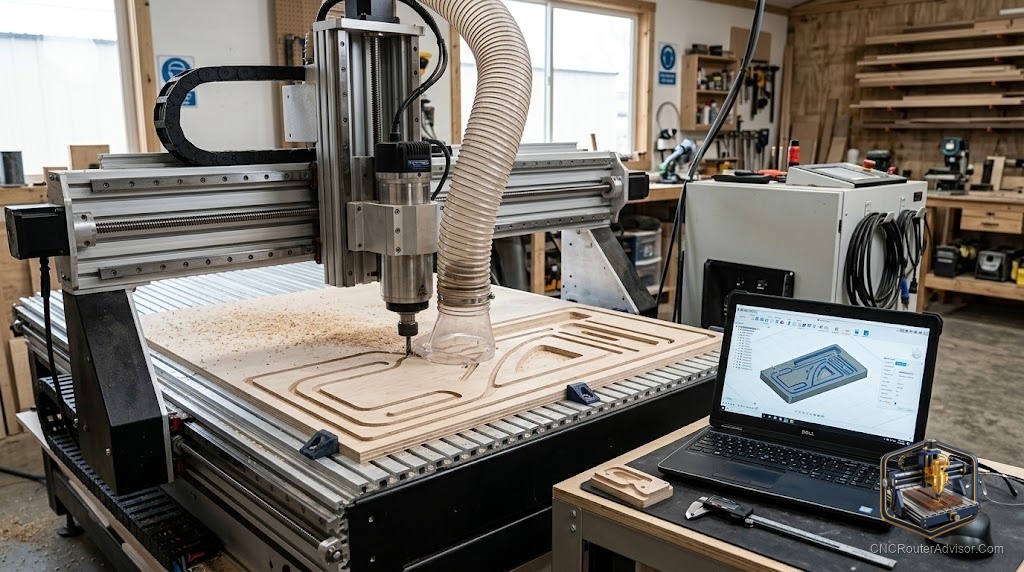
Ask experienced CNC users which software can take them from a first project all the way to professional-grade work, and Fusion 360 comes up constantly. It is one of the most capable and popular options for CNC routing, combining design and toolpath generation in one package. That power is a real draw, and it comes with a learning curve worth understanding before you commit. This guide covers what Fusion 360 offers a router user, how it fits your machine, and how to think about getting started.
What Fusion 360 is
Fusion 360 is an integrated CAD and CAM program, meaning you can design a part and generate the toolpaths to cut it in the same software. CAD is where you create the design, and CAM is where you turn that design into toolpaths and ultimately G-code for your machine. Having both in one place is a big part of the appeal, since your design and your machining live together and update as you work. It is used across hobby and professional settings alike.
Features that suit router work
Fusion 360 brings serious capability to a router:
- Full three-dimensional CAD, for designing parts and models from scratch.
- 2D and 2.5D toolpaths, covering the profiling, pocketing, and drilling that make up much router work.
- Three-dimensional toolpaths, for relief and contoured carving.
- Toolpath simulation, previewing the cut to catch problems before they reach material.
- A tool library, for managing your bits and their settings.
This range means the software can grow with you, from simple flat cuts to genuinely advanced work, without switching programs.
Compatibility with your machine
The crucial compatibility question is the post-processor, the piece that translates Fusion 360’s toolpaths into G-code your specific machine and controller understand. Many hobby routers use a GRBL controller, and post-processors exist for common setups, so confirm one is available for your machine. Also check that Fusion 360 runs on your computer and operating system. Getting the post-processor right is what ensures the G-code the software produces actually runs correctly on your router.
The learning curve, honestly
Fusion 360’s power comes with real depth, and it is more involved to learn than the simplest beginner tools. For someone who wants to design their own parts and grow into advanced work, that investment pays off, since you learn one program that carries you a long way. For someone who only wants to cut simple signs from ready-made files, it may be more than needed at first. Being honest about your goals helps you decide whether to start here or with something simpler and step up later.
Setting up a workflow
Getting productive in Fusion 360 means building a repeatable loop. Design or import your part, define your tools in the library with their feeds and speeds, generate toolpaths for each operation, simulate to verify the cut, then post-process to G-code for your control software. The first few projects are about getting comfortable with that sequence. Once it clicks, more advanced work is a variation on the same steps, which is why the early time investment rewards you on every project after.
Thinking about pricing
Fusion 360 is subscription based, and Autodesk has at times offered access options for hobbyists and personal use with limited features. Because these terms change, confirm the current options and pricing directly from Autodesk before counting on any particular tier. Weigh the cost against how much you will use the software, since its value is highest for those who design their own work and grow into its advanced capabilities rather than those who only need occasional simple cuts.
Is Fusion 360 right for you
Fusion 360 is a powerful, integrated choice that can take a router user from first cuts to professional work in a single program. If you want to design your own parts, carve in three dimensions, and grow your skills over time, it is a strong long-term home, provided you confirm a post-processor for your machine and current pricing for your use. If your needs are simple and unlikely to grow, a lighter tool may suit better for now, with Fusion 360 waiting when your ambitions expand.