
CNC Wood Router Software Guide: Features, Compatibility, Setup, and Pricing
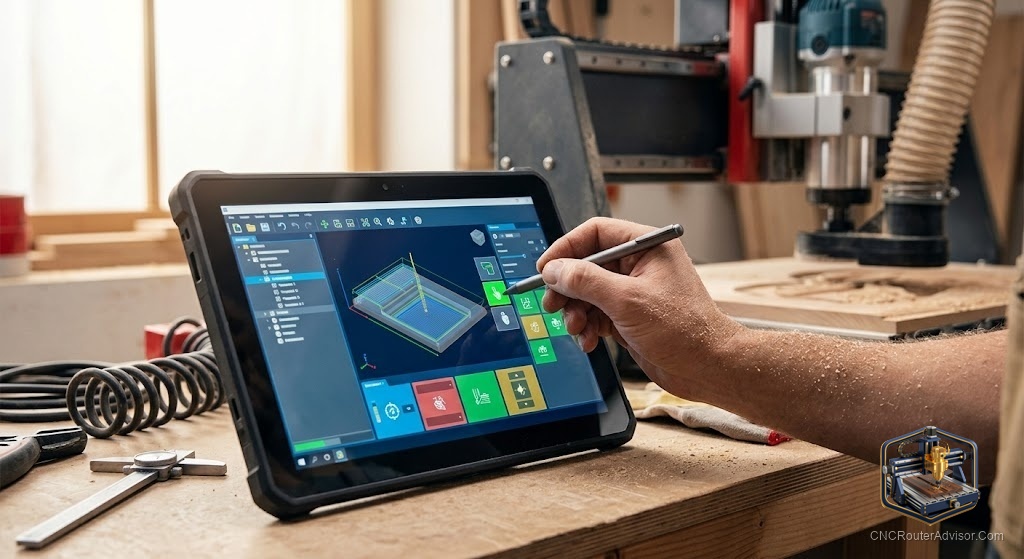
The machine gets the attention, but software is where CNC wood routing actually happens. Every cut a router makes begins as a design and a set of toolpaths created on a screen. Choosing the right software, and understanding how the pieces fit together, is often the difference between a smooth workflow and constant frustration. This guide breaks down the software side of wood routing so you can pick tools that match your skills and your work.
The three jobs software does
CNC wood router software really covers three tasks, sometimes in one program and sometimes across several:
- CAD, where you design the part or artwork.
- CAM, where you turn that design into toolpaths and generate G-code.
- Control, where a program sends the G-code to the machine and runs the job.
Understanding this split clears up much of the confusion beginners feel. A single package may handle design and toolpaths together, while a separate control program actually drives the machine.
Matching software to your skill level
The right software depends heavily on where you are in the journey. Beginner-friendly tools focus on getting you cutting quickly with approachable design and toolpath generation, such as Easel and Carbide Create. Mid-range tools like the Vectric family, including Cut2D, VCarve, and Aspire, are hugely popular in wood routing for signs and carving because they balance power with usability. More advanced options like Fusion 360, Mastercam, and Carveco offer deep capability for complex work. Choosing above your level leads to frustration, while choosing below it leads to limits, so aim for where you are with a little room to grow.
Features that matter for wood work
Wood routing has its own priorities. Look for strong support of two-dimensional and 2.5D toolpaths, since much wood work is profiling, pocketing, and V-carving rather than full three-dimensional milling. V-carving support is essential for lettering and signs. Three-dimensional relief carving matters if you plan decorative work. Toolpath simulation, which previews the cut before you run it, saves material and tools by catching mistakes early. And a reliable post-processor ensures the G-code suits your specific machine and controller.
Compatibility to confirm
Software only helps if it works with your machine. Confirm that the CAM software has a post-processor for your controller, often a GRBL controller on hobby machines, so the G-code it produces runs correctly. Check that the control software supports your machine and operating system. And make sure the whole chain, from design to toolpath to control, fits together without awkward gaps. A little checking here prevents the common headache of toolpaths that will not run on your machine.
Setup and workflow
Getting started means building a repeatable workflow. Design or import your artwork, choose tools and set feeds and speeds, generate and simulate toolpaths, then export G-code for your control software to run. The first few projects are about getting comfortable with that loop. Once it feels natural, everything more advanced is a variation on the same steps, which is why investing time in learning your software early pays off on every project after.
Thinking about pricing
Software spans a wide range. Some capable tools are free or low cost and are genuinely enough to get started and do real work. Others are one-time purchases that unlock more power, and a few are subscription based. Rather than chasing the most powerful option, match the spend to your needs, since a beginner rarely needs advanced three-dimensional capability on day one. You can always step up as your projects demand more.
Choosing your toolkit
The best CNC wood router software is the set of tools that matches your skill, suits your kind of work, and runs reliably on your machine. Understand the CAD, CAM, and control split, pick software at your level, confirm compatibility with your controller, and build a workflow you can repeat. Get the software right, and the machine simply does what you already planned on screen, turning your designs into finished wood parts with confidence.