
CAMaster CNC Router Guide: Models, Specifications, Support, and Buying Considerations
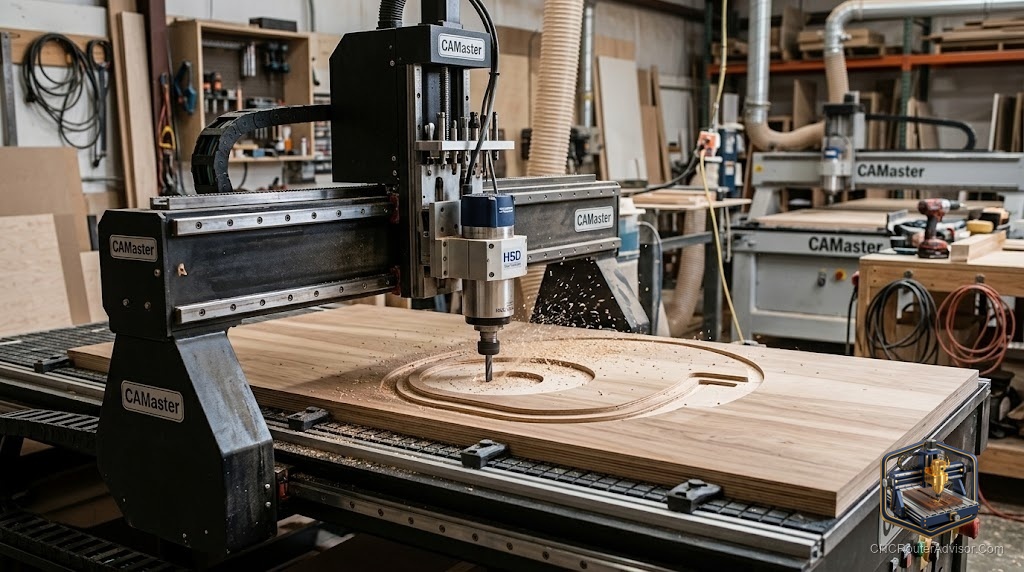
CAMaster is an American manufacturer of professional CNC routers, and shopping at this level is a different exercise from picking a desktop machine. Professional routers are built for production, offered in ranges of models and sizes, and backed by manufacturer support that becomes part of the value. This guide explains how to think about a professional line like CAMaster’s, the specifications that determine which model fits your work, the role of support, and the considerations that should drive the decision, so you can evaluate the machine on substance and confirm the details before buying.
A professional line offers models across a capability range, so the useful approach is to understand how models differ, which specifications matter, and how support factors into the value.
A CAMaster CNC router is a professional, US-built machine offered in a range of models and sizes for woodworking, sign making, and production. Choosing among a professional line means matching the model to your work by work area (from smaller professional beds up to full-sheet and larger), spindle power and options (including automatic tool change on higher models), frame rigidity and build quality, and control and software. Support is a major part of the value: an established manufacturer provides installation, training, warranty, spare parts, and service, which matter for production uptime. Buying considerations include matching capability to production needs with headroom, weighing total cost of ownership, confirming shop requirements (power, space, air, dust extraction), and verifying specifications and support terms with the manufacturer. Choose the model whose capability and support fit your production and budget.
Match the model to your production needs, weight support heavily, and confirm specs and shop requirements with the manufacturer.
How professional model ranges work
Manufacturers like CAMaster typically offer several model lines spanning:
- Work area: from smaller professional beds for shops with limited space up to full-sheet (4 by 8) and larger machines for production.
- Rigidity and build: heavier, stiffer frames on higher models for demanding, sustained cutting.
- Spindle options: a range of spindle powers, with automatic tool change available on higher-tier machines for multi-tool production.
- Automation and features: higher models add production features, larger tables, and workholding options.
Understanding the range lets you pick the model that matches your work rather than over- or under-buying.
Specifications that decide the model
Work area. Match X, Y, and Z travel to your production parts and sheet sizes, with headroom for growth.
Spindle power and type. Choose spindle power for your materials and production cutting, and consider automatic tool change if your jobs use multiple tools at volume.
Frame rigidity. Higher rigidity supports heavier cutting and better accuracy in demanding materials. Match rigidity to your hardest work.
Control and software. Confirm the controller and CAD/CAM fit your workflow, including production features like nesting for panel work.
Shop fit. Confirm power (often three-phase on larger models), floor space, compressed air (for tool change and pneumatics), and dust extraction.
Support: a core part of the value
With a professional machine, support is not an afterthought:
- Installation and training get the machine productive quickly and your operators competent.
- Warranty and service protect uptime, which directly affects production.
- Spare parts availability determines how fast you recover from problems.
- Responsive technical support matters when a production machine is down.
An established US manufacturer’s support can be worth more day to day than a small specification advantage, so weight it heavily and confirm the terms.
Buying considerations
Match capability to production needs. Choose the model whose work area, spindle, and rigidity fit your volume and parts, with sensible headroom.
Weigh total cost of ownership. Consider purchase, installation, tooling, maintenance, software, and support over the machine’s life, not just the purchase price.
Confirm the details. Verify the exact specifications, options, and support terms with the manufacturer, and where possible seek feedback from current users about reliability and service.
Plan the install. Ensure your shop can supply the power, space, air, and dust extraction before purchase.
The verdict
A CAMaster CNC router is a professional, US-built machine offered across a range of models, so choosing well means matching the model to your work. Compare work area, spindle power and options (including automatic tool change on higher models), frame rigidity, and control and software, and weight support heavily, since installation, training, warranty, spare parts, and service are central to the value of a production machine. Match capability to your production needs with headroom, weigh total cost of ownership, confirm your shop can host the machine, and verify the specifications and support terms with the manufacturer. Chosen that way, a professional router is a sound long-term investment.
Three things to take with you:
- A professional line like CAMaster’s spans models by work area, rigidity, spindle, and automation; pick the model that matches your production without over- or under-buying.
- Support, installation, training, warranty, spare parts, and service, is a core part of the value and protects production uptime; weight it heavily.
- Match capability to your needs with headroom, weigh total cost of ownership, confirm shop requirements (power, space, air, extraction), and verify specs and support terms with the manufacturer.
FAQ
What kind of machines does CAMaster make? Professional, US-built CNC routers offered in a range of models and sizes for woodworking, sign making, and production. The line spans work areas from smaller professional beds up to full-sheet and larger machines, with spindle options including automatic tool change on higher-tier models.
How do I choose among professional CNC router models? Match the model to your work: compare work area, spindle power and options (including automatic tool change), frame rigidity, and control and software against your production volume and part sizes, with headroom. Then weigh support and total cost of ownership, and confirm your shop can host the machine.
Does a CAMaster router need three-phase power? Larger professional models often use three-phase power, while some smaller ones may run single-phase. Confirm the specific model’s power requirement with the manufacturer, along with compressed air for tool change and pneumatics, and plan the electrical work before purchase.
Why is manufacturer support important for a professional router? Because a production machine’s uptime directly affects your output and revenue. Installation, training, warranty, spare-parts availability, and responsive service determine how quickly you become productive and recover from problems, often mattering more day to day than a small specification advantage.
What should I confirm before buying a professional CNC router? The exact work area, spindle power and options, rigidity, and control details; the support terms (installation, training, warranty, parts, service); and that your shop can supply the power, space, compressed air, and dust extraction. Seek feedback from current users about reliability and service too.
Do I need automatic tool change? It is valuable for high-volume, multi-tool production, keeping the machine cutting through multi-tool jobs and enabling unattended running. Whether you need it depends on your job mix and volume. Choose it if your production justifies it, but do not pay for automation you will not use.
References
- Wikipedia, CNC router overview: https://en.wikipedia.org/wiki/CNC_router
- CAMaster, professional CNC routers (manufacturer): https://www.camaster.com