
Small CNC Router Machine Buying Guide: Work Area, Power, Software, and Trade-Offs
Buying your first small CNC router machine is a genuinely exciting moment and a slightly bewildering one. The market is crowded with machines that look similar in photos but behave very differently in a shop, and the specs that manufacturers lead with are not always the specs that determine whether you will be happy with the machine a year from now. The purpose of this guide is to cut through that: to tell you which specifications actually matter, what trade-offs you are really choosing between, and how to match a machine to what you plan to make.
A small CNC router is often the best possible entry into CNC. It costs less, takes up little space, and teaches you the entire workflow (design, CAM, setup, cutting, finishing) on a machine forgiving enough to learn on. But small covers a wide range, and the right small machine for PCB milling is not the right one for hardwood signs. Here is how to choose.
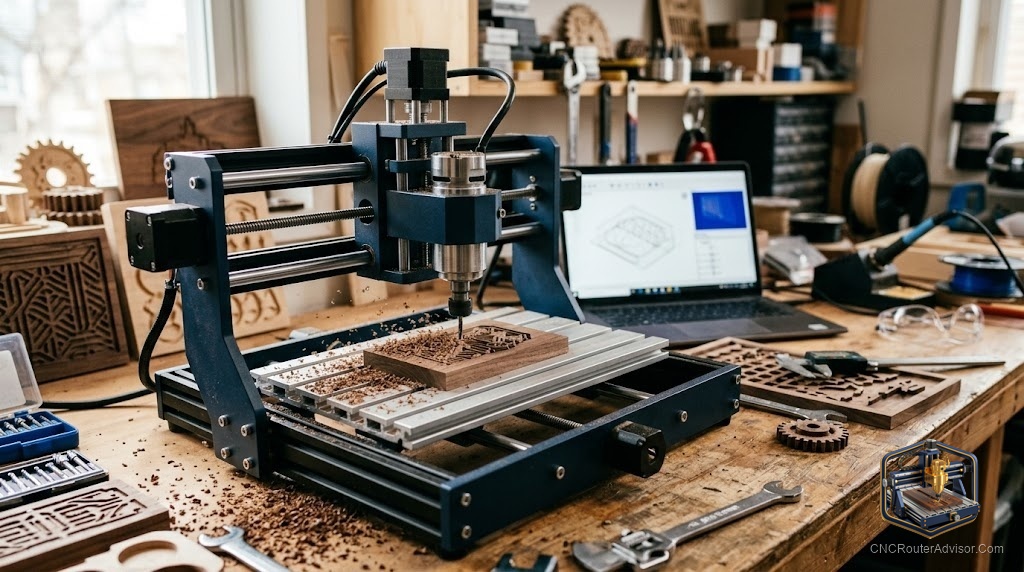
A small CNC router machine is a compact desktop or benchtop three-axis machine, typically with a work area from around 300 by 180 mm up to roughly 400 by 400 mm, used for engraving and cutting wood, plastics, acrylic, PCB, and soft metals. The specifications that matter most when buying are the work area (matched to what you make), rigidity and drive system (which determine cut quality and what materials you can handle), spindle power (which sets cutting capability), and the software platform (which affects ease of use and lock-in).
The central trade-off is capability versus cost and size: more rigidity, power, and work area cost more and take more space. The best machine is the one whose trade-offs match your actual work, not the one with the biggest number on any single spec.
Work area: match it to your projects
Work area is the spec buyers fixate on, and it does matter, but bigger is not automatically better. A larger work area costs more, takes more space, and (on cheaper machines) often means more flex over the longer spans. The right approach:
- Measure your typical and largest projects, and choose a work area that covers them with modest margin.
- 300 by 180 mm (3018-class) suits PCBs, small engraving, jewelry, and small plaques.
- Around 400 by 300 to 400 by 400 mm suits larger signs, boxes, and panels.
- Remember you can tile larger work across multiple setups on a smaller machine, at the cost of time and complexity.
Do not buy more work area than you need at the expense of rigidity; a smaller, stiffer machine cuts better than a larger, floppier one.
Rigidity and drive: the quality determinant
Rigidity is the spec that separates a machine that engraves from one that cuts, and it rarely appears as a single number. Judge it by the frame material and the motion and drive systems:
- Frame: all-aluminum extrusion is rigid; mixed plastic-and-aluminum (common on the cheapest machines) flexes more.
- Motion: profile linear rails are stiffer and more precise than round rails, which beat V-wheels on extrusion.
- Drive: ball screws (most precise) beat lead screws (good) beat belts (fast but with stretch and backlash over long spans).
For engraving and PCBs, even a modest 3018-class machine suffices. For clean hardwood cutting, prioritize rigidity: aluminum frame, linear rails, and lead or ball screws. This is the single biggest lever on cut quality.
Spindle power: match it to your material
Spindle power sets how hard and fast you can cut:
- 60W-class motors (typical on 3018 machines) handle soft materials, engraving, and light work.
- 300 to 500W spindles (on better benchtop machines) cut hardwood and heavier materials at reasonable rates.
- VFD spindles (an upgrade on some machines) add power, quiet running, and speed control.
Match the spindle to your hardest material, and favor machines with a spindle upgrade path so you can add power later. Underpowered cutting means slow going, poor finish, and faster tool wear.
Software: platform and lock-in
The software platform affects ease of use and your freedom to choose tools:
- GRBL-based machines (the vast majority of small routers) run an open ecosystem: Candle as a sender, and Carbide Create, Easel, Fusion 360, or Vectric for CAD/CAM. No proprietary lock-in, and a large community.
- Bundled software matters for beginners. Some machines include design software (Carveco Maker, VCarve Desktop), removing a hurdle and a cost.
- Consider the learning resources. A machine with a large community and good documentation is far easier to learn on than an obscure one, regardless of specs.
For most buyers, a GRBL machine with bundled or well-supported free software and a large community is the safe, flexible choice.
The trade-offs, made explicit
Every small router is a set of trade-offs. Naming them helps you choose:
- Work area versus rigidity and cost. More area costs more and, on cheaper machines, flexes more. Do not sacrifice rigidity for size you will rarely use.
- Rigidity and power versus price and size. The stiffest, most powerful small machines cost more and take more space. Buy the capability your work needs, not the maximum.
- Kit versus assembled. Kits cost less and teach you the machine but require assembly and tuning. Assembled machines cost more and run sooner.
- Included features versus base price. Limit switches, a probe, and bundled software add cost but add usability and safety. The cheapest machine often lacks them.
The verdict
The best small CNC router is the one whose trade-offs match your actual work. Match the work area to your projects with margin, prioritize rigidity (frame, rails, drive) if you cut anything harder than soft wood, match the spindle to your material with an upgrade path, and choose a well-supported GRBL machine with good software and community. Resist buying the biggest number on any single spec; balance is what makes a machine you are still happy with a year later.
Three things to take with you:
- Match the work area to your projects with modest margin; a smaller, stiffer machine cuts better than a larger, floppier one.
- Rigidity (aluminum frame, linear rails, lead or ball screws) is the biggest lever on cut quality and what materials you can handle; prioritize it for anything beyond soft wood and engraving.
- Favor a GRBL machine with bundled or well-supported software, a spindle upgrade path, and a large community; balance across specs beats a single big number.
FAQ
What is a good work area for a small CNC router? Match it to your projects. Around 300 by 180 mm suits PCBs, engraving, and small plaques; roughly 400 by 300 to 400 by 400 mm suits larger signs, boxes, and panels. Choose enough to cover your typical and largest work with modest margin.
What specs matter most when buying a small CNC router? Work area (matched to your projects), rigidity and drive system (which determine cut quality and material capability), spindle power (matched to your hardest material), and the software platform (GRBL for openness and community support).
What makes one small CNC router cut better than another? Rigidity, primarily: an all-aluminum frame, profile linear rails, and lead or ball screws resist cutting forces and deliver cleaner, more accurate cuts than a flexible frame with V-wheels and belts. Spindle power and precise, backlash-free motion also contribute.
Should I buy a CNC router kit or an assembled machine? A kit costs less and teaches you the machine but requires assembly and tuning. An assembled machine costs more and runs sooner. Beginners comfortable with building save money with a kit; those wanting to cut immediately should buy assembled.
What software do small CNC routers use? Most use GRBL firmware with an open software ecosystem: Candle as a sender and Carbide Create, Easel, Fusion 360, or Vectric for design and CAM. Some machines bundle design software. GRBL means no proprietary lock-in and a large community.
Can a small CNC router cut metal? Soft metals like aluminum are possible with a rigid machine, a small end mill, light depth of cut, slow feeds, and cutting fluid. It is not the primary use of most small routers, and steel is beyond their capability. They excel at wood, plastics, acrylic, and PCB.
References
- All3DP, small CNC router buyer’s guide: https://all3dp.com
- SainSmart Genmitsu, small CNC router lineup and specifications: https://www.sainsmart.com