
CNC Router Program Explained: Software, G-code, and How Programming Works
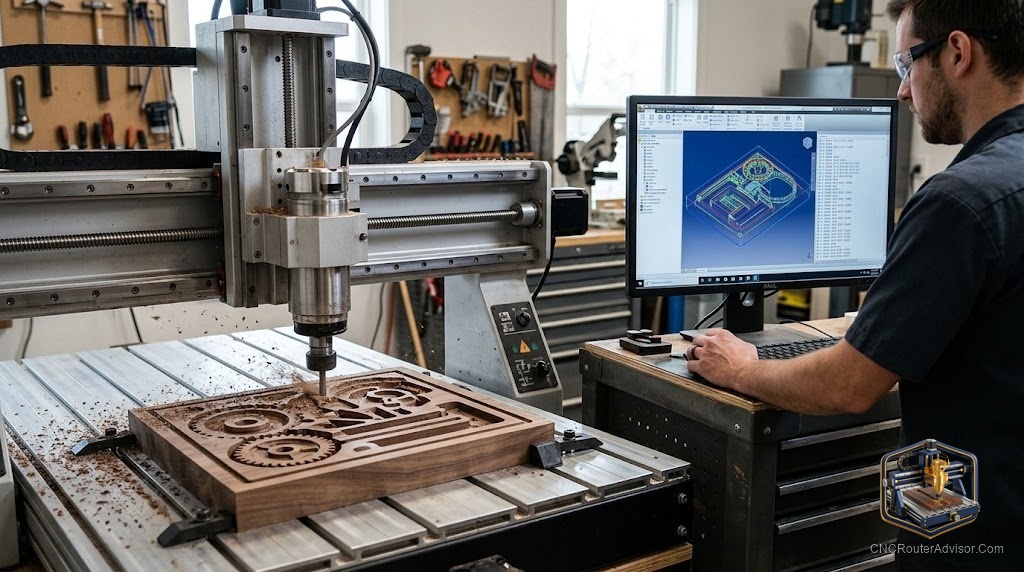
The word “program” trips up a lot of people new to CNC, because it can mean several different things: the software you use to design and generate toolpaths, the G-code file that actually drives the machine, or the act of programming the machine to make a part. The good news is that CNC router programming today rarely means writing code by hand, modern software generates the machine instructions for you. Understanding what a CNC router program actually is, how the software pipeline works, and what you do versus what the software does, demystifies the whole process and gets you cutting faster.
A CNC router program is the set of instructions, most often a G-code file, that tells a CNC router exactly how to move and cut to produce a part. In practice, “programming” a CNC router means using CAD software to design the part, CAM software to generate toolpaths and export the G-code program, and control (sender) software to run that program on the machine. You rarely write G-code by hand.
The short answer on programming: you design in CAD, generate toolpaths and export G-code in CAM (choosing bits, depths, feeds, and speeds), and run the G-code with sender software. The software writes the actual code; your job is the design and the machining decisions. Learning the CAM step well is the heart of CNC programming.
What “program” means in CNC
Three related meanings, clarified:
- The program (noun): the G-code file, the actual instructions the machine runs.
- Programming (verb): the process of creating that file, designing and generating toolpaths.
- The software: the CAD, CAM, and control programs you use to do it.
Understanding which meaning is intended clears up most confusion.
What G-code actually is
G-code is the standardized language of machine instructions, a list of commands telling the machine where to move (coordinates), how fast (feed rate), how fast to spin the spindle, and when to turn things on and off. For example, commands move the tool in straight lines or arcs, set feed rates, and control the spindle. You almost never write this by hand, CAM software generates it from your toolpaths, and it is specific to your machine and setup.
The programming pipeline
1. CAD (design the part). Create the shape or model in design software, 2D vectors (SVG/DXF) for signs and profiles, or 3D models (STL) for relief. Tools: Carbide Create, Inkscape, VCarve, Fusion 360.
2. CAM (generate toolpaths and G-code). This is the heart of programming. You import the design, then make the machining decisions:
- Choose tools (bits): which end mills for each operation.
- Choose operations: profile, pocket, V-carve, drill, 3D roughing/finishing.
- Set depths and passes: depth of cut per pass and total depth.
- Set feeds and speeds: feed rate and spindle RPM for the material.
- Set tabs and workholding considerations. The CAM software then generates the G-code program, applying a post-processor for your specific machine/controller.
3. Control / sender (run the program). Sender software streams the G-code to the controller, which drives the motors and spindle. Tools: Carbide Motion, UGS, CNCjs, Candle, Mach3. You set the origin (zero), often with a touch probe, and run the job.
What you do vs. what the software does
- You do: design the part, choose bits and operations, set depths, feeds, and speeds, set the origin, and run the job.
- The software does: calculate toolpaths, generate the G-code, and stream it to the machine.
This is why modern CNC programming is accessible, the software handles the code, while you make the design and machining decisions.
Learning to program a CNC router
A typical progression:
- 2D profiles and pockets (about a week): simple cutouts and recesses.
- V-carving text and designs (a couple of weeks): signs and lettering.
- 3D surfacing and multi-setup projects (about a month): relief and complex parts.
Learning the CAM step, especially tool selection and feeds and speeds, is where the real skill develops. Post-processors and correct zeroing prevent most beginner errors.
The verdict
A CNC router program is the G-code that drives the machine, and “programming” means creating it through the CAD to CAM to sender pipeline. The reassuring reality is that you rarely write code by hand, CAM software generates the G-code from your toolpaths. Your job is the design and the machining decisions: choosing bits, operations, depths, feeds, and speeds. Learn the CAM step well, use the correct post-processor for your machine, zero accurately, and progress from 2D to V-carving to 3D. Master those decisions and programming a CNC router becomes a skill of judgment, not coding.
Three takeaways: a CNC router program is the G-code file, and modern programming means using CAD, CAM, and sender software rather than writing code by hand; the CAM step is the heart of programming, choosing bits, operations, depths, feeds, and speeds; and learn by progressing from 2D profiles to V-carving to 3D, using the correct post-processor and accurate zeroing.
FAQ
What is a CNC router program? The set of instructions, most often a G-code file, that tells the router how to move and cut to make a part. “Programming” means creating that file using CAD, CAM, and control software.
Do I have to write G-code by hand to use a CNC router? No. CAM software generates the G-code from your toolpaths automatically. You make the design and machining decisions (bits, operations, depths, feeds, speeds); the software writes the code and applies a post-processor for your machine.
What is G-code? The standardized language of machine instructions, commands specifying where to move, how fast (feed rate), spindle speed, and when to switch things on and off. CAM software generates it, and it is specific to your machine and setup.
What software do I need to program a CNC router? CAD for design (Carbide Create, Inkscape, VCarve, Fusion 360), CAM to generate toolpaths and G-code (often the same programs), and a sender to run it (Carbide Motion, UGS, CNCjs, Candle, Mach3).
What is the CAM step in CNC programming? The heart of programming: you import the design and choose tools, operations (profile, pocket, V-carve, drill, 3D), depths and passes, and feeds and speeds. The software then generates the G-code, applying a post-processor for your controller.
How long does it take to learn CNC programming? Roughly a week for 2D profiles and pockets, a couple of weeks for V-carving, and about a month for 3D and multi-setup projects with structured learning. Tool selection and feeds and speeds are where the real skill develops.
What is a post-processor? A CAM setting that formats the generated G-code for your specific machine and controller. Using the correct post-processor ensures the program runs properly on your machine and prevents many errors.
References
- CNCRouterInfo, CNC Software Workflow (CAD, CAM, sender, G-code): https://cncrouterinfo.com/guides/how-to-choose-a-cnc-router/
- Carbide 3D, Carbide Create and Carbide Motion (design to run): https://carbide3d.com/carbidecreate/
- Autodesk Fusion 360, CAM and Post-Processing: https://www.autodesk.com/products/fusion-360/
- Vectric, VCarve Toolpaths and G-code Basics: https://www.vectric.com/
- Simply Technologies, CNC Learning Path (2D to V-carve to 3D): https://simplytechnologies.xyz/benchtop-cnc-router-buyers-guide-uses-and-how-simply-technologies-fits-in/