
CNC Router Woodworking Software: How to Pick the Right One Without Wasting a Year
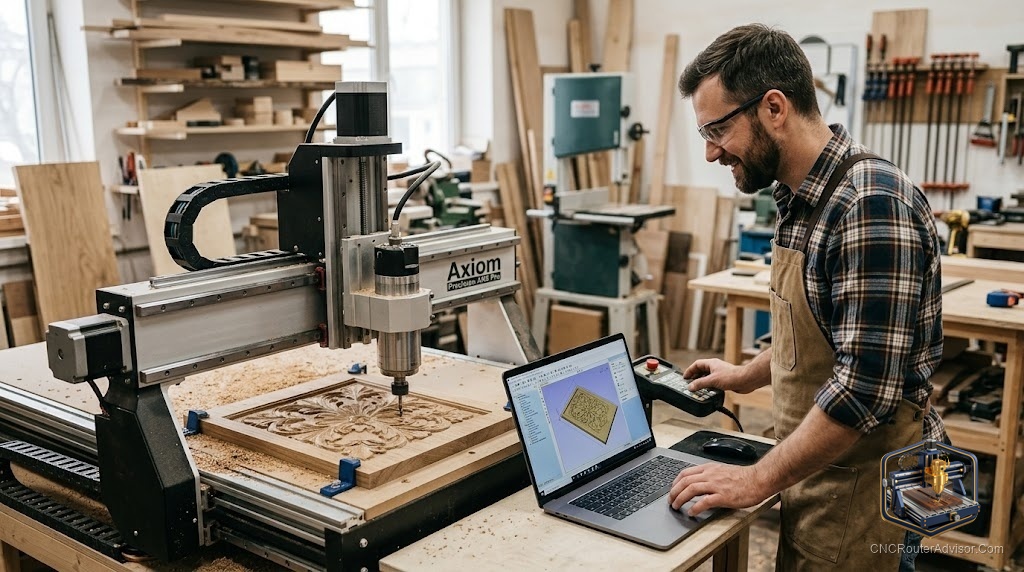
The machine gets all the attention, but the software decides whether you enjoy the hobby or fight it. Pick a program that fits how you work and your first sign practically cuts itself. Pick the wrong one and you spend three months wrestling menus before you make anything worth keeping. Choosing CNC router woodworking software is less about finding the most powerful tool and more about matching the tool to the work you actually want to do.
CNC router woodworking software falls into three connected jobs: CAD (drawing the part), CAM (turning the drawing into toolpaths and G-code), and the sender or controller software that streams that G-code to the machine. Some programs do one of these, some combine CAD and CAM, and you almost always need a separate sender.
The quick recommendation: if you are starting out, learn Carbide Create (free, and it does both CAD and CAM for 2.5D work) or Easel if your machine pairs with it. When signs and pockets become your bread and butter, Vectric VCarve is the woodworking standard worth paying for. Reach for Fusion 360 only when you genuinely need full 3D CAD and integrated CAM, and can stomach the learning curve.
The three kinds of software, and why the difference matters
Beginners often buy “CNC software” expecting one program to do everything. Understanding the split saves confusion and money.
- CAD is where you design: draw vectors, lay out text, import artwork. This is the shape of the part.
- CAM is where you assign toolpaths: which bit, how deep, which direction, how fast. It outputs G-code.
- The sender (controller software) is the program that actually runs the machine, streaming G-code and letting you jog, zero, and start the job. Universal Gcode Sender, gSender, Candle, and Mach3 live here.
Many woodworking tools combine CAD and CAM (Carbide Create, VCarve, Fusion 360), so in practice you pick one design-and-toolpath program plus a sender.
The main options, and who each one is for
Carbide Create. Free, runs on both Mac and PC, no internet required, and handles both design and 2.5D toolpaths. It is the gentlest on-ramp for hobbyists, and the older version even included V-carve for free. Its limit is 3D: for true 3D modeling you outgrow it. Best for beginners and 2.5D sign and pocket work.
Easel. Browser-based and famously easy, built to pair with certain machines. Wonderful for a fast start, though its most useful toolpaths sit behind the paid tier, and being cloud-based can frustrate anyone with spotty internet. Best for absolute beginners who value simplicity over depth.
Vectric VCarve (and Aspire). The woodworking favorite for a reason. Strong vector drawing, excellent V-carving, a huge tutorial and free-project library, and a one-time license rather than a subscription. It shines for 2.5D sign work, and Aspire adds real 3D modeling on top. The catch: it does not run natively on macOS, so Mac users need a workaround. Best for serious hobbyists and sign makers who want to buy once and go deep.
Carveco (Maker and Maker+). A capable subscription competitor to Vectric, well regarded for a smooth workflow and strong for artistic and relief work. Many users find the skills transfer between Carveco and VCarve. Best for makers who prefer a subscription and lean toward decorative and 3D relief carving.
Fusion 360. Full parametric CAD with integrated CAM in one package, and unbeatable when your work is genuinely 3D or needs precise assemblies. The trade-off is a steep learning curve that stalls a lot of beginners who only wanted to carve signs. Best for people doing complex 3D design, or who already know it from other work.
A quick comparison
| Software | CAD + CAM | Platform | Pricing model | Best for |
|---|---|---|---|---|
| Carbide Create | Yes, 2.5D | Mac and PC | Free (Pro tier paid) | Beginners, signs, pockets |
| Easel | Yes | Browser | Free with paid tier | Simplest first start |
| Vectric VCarve | Yes, 2.5D | PC (Mac via workaround) | One-time license | Sign makers, serious hobbyists |
| Carveco | Yes | PC | Subscription | Relief and artistic work |
| Fusion 360 | Yes, full 3D | Mac and PC | Free tier and paid | Complex 3D design |
Matching software to your machine and platform
Two practical filters narrow the field fast. First, your operating system: if you are on a Mac, VCarve is not native, so Carbide Create or Fusion 360 may fit better. Second, your machine: some routers pair naturally with a specific sender or a design tool (Easel with certain machines, Candle with many GRBL controllers, gSender as a popular free option). Check what your controller runs (GRBL is the most common on hobby machines) and pick a sender that supports it before you fall in love with a design tool.
Free versus paid, honestly
You can learn the entire workflow without spending anything. Carbide Create plus a free sender like gSender will take a beginner from first cut to competent 2.5D work. Paid software earns its keep when you feel a specific ceiling: faster workflows, richer toolpaths, better simulation, reliable post-processors, and real 3D. The smart move is to learn free first, identify exactly what you wish your software could do, and buy the tool that removes that specific friction. Paying to solve a problem you actually have beats paying for features you never touch.
The verdict
The best CNC router woodworking software is the one that matches your work and your computer, not the one with the longest feature list. Beginners should start with Carbide Create or Easel and a free sender, and most woodworking hobbyists eventually land on Vectric VCarve for its sign-making strength and one-time license. Choose Carveco if you prefer a subscription and lean artistic, and reserve Fusion 360 for genuine 3D work. Confirm your platform and controller compatibility before you commit, and remember that skill in one tool transfers surprisingly well to the next.
Three takeaways: pick software by the work you do, not by raw power; start free and upgrade only when you hit a real wall; and check Mac-versus-PC and controller compatibility before buying anything.
FAQ
What software do I need for a CNC router? You need a design-and-toolpath (CAD/CAM) program such as Carbide Create, VCarve, Carveco, or Fusion 360, plus a sender like gSender, Universal Gcode Sender, or Candle to run the machine.
What is the best free CNC router software for beginners? Carbide Create is a strong free choice that does both design and 2.5D toolpaths on Mac and PC, paired with a free sender like gSender.
Is VCarve or Fusion 360 better for woodworking? VCarve is usually better for 2.5D sign and pocket work and uses a one-time license. Fusion 360 wins when you need full 3D CAD and integrated CAM, but its learning curve is much steeper.
Does CNC software run on a Mac? Carbide Create and Fusion 360 run on macOS, but Vectric VCarve does not run natively and needs a workaround. Check platform support before buying.
What is the difference between CAD, CAM, and sender software? CAD designs the part, CAM turns the design into toolpaths and G-code, and the sender streams that G-code to the machine and lets you jog and zero it.
Do I need to pay for CNC software to get started? No. Free tools like Carbide Create and gSender cover the full beginner workflow. Paid software is worth it once you need faster workflows, richer toolpaths, or true 3D.
Which software is best for CNC sign making? Vectric VCarve is the woodworking favorite for signs thanks to strong vector tools and V-carving, with a large library of tutorials and free projects.
References
- RobRob’s Workshop, Carbide Create vs Vectric VCarve vs Fusion 360: https://www.robrobsworkshop.com/articles/carbide-create-vs-vectric-vcarve-vs-fusion-360-explained-for-the-beginner
- Vectric, VCarve and Free Projects: https://www.vectric.com/vectric-community/free-projects/
- Carbide 3D, Carbide Create: https://carbide3d.com/carbidecreate/
- Onefinity CNC Forum, VCarve or Fusion 360 discussion: https://forum.onefinitycnc.com/t/vcarve-or-fusion360-new-to-all-this/13275
- Autodesk, Fusion 360: https://www.autodesk.com/products/fusion-360/