
CNC Router Design Software: The CAD Layer Explained and the Best Tools for Each Use Case
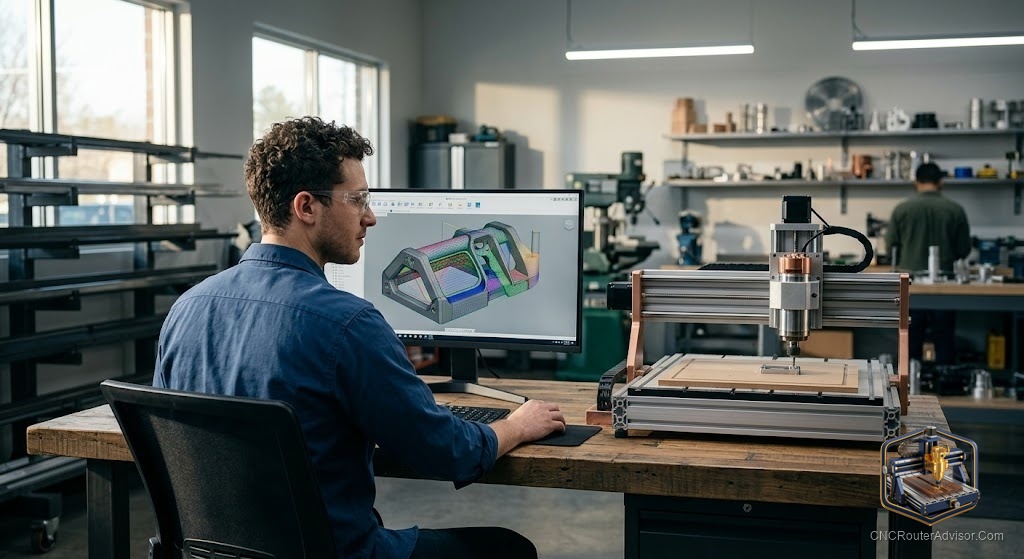
Design software for a CNC router is the first layer in the three-layer software stack, and it is also the layer that most beginners treat as optional until they try to make something that a downloaded SVG file cannot cover. Understanding what design software actually does in the CNC workflow, what the difference between CAD and CAM is at the design layer, and which tools suit which use cases is what lets you pick the right tool rather than spending time learning one only to realize it was the wrong choice for your work.
CNC router design software is the tool used to create or edit the digital design that will be cut, covering vector illustration programs for 2D work, parametric CAD programs for precision parts, and 3D modeling tools for relief and sculptural carving. It produces the file that feeds into CAM software to generate the cutting toolpath.
Here is the direct guidance: for 2D signs and profiles, Inkscape (free) or Adobe Illustrator covers the needs; for precision mechanical parts, Autodesk Fusion or Onshape; for relief and 3D carving, Aspire or similar; and for those who primarily import files, dedicated design software may not be needed at all to start. The sections below cover each use case and its best-fit tool.
2D vector design: signs, profiles, flat work
For signs, flat profiles, and any work that starts as a 2D vector drawing, the design software needs to produce SVG or DXF files that CAM accepts. Inkscape (free, cross-platform) handles this well: it draws vector shapes, imports and edits SVG files, and is the standard free choice for CNC sign and profile work. Adobe Illustrator is the paid professional equivalent for those already in that ecosystem. Most CAM tools also include basic 2D vector drawing, so for simple work you may not need separate design software at all.
Parametric CAD: precision parts and mechanical components
For parts that need precise dimensions and constraints (mechanical components, jigs, fixtures, furniture joints with tight tolerances), a parametric CAD tool is the right choice. Autodesk Fusion (free hobby tier) is the standard for this at the hobby and prosumer level, combining full parametric CAD with capable integrated CAM. Onshape (free tier) is a browser-based parametric CAD alternative. FreeCAD is a fully free option with a steeper learning curve. These tools produce files that define geometry precisely rather than just visually.
3D modeling for relief and sculptural carving
For 3D relief carving and sculptural work, the design step involves creating the 3D surface that the ball-nose toolpath will follow. Vectric Aspire includes 3D relief design tools alongside CAM, making it a single-tool solution for sign shops and carvers who work in relief. Blender (free) handles complex 3D modeling and exports STL files that most CAM tools accept for 3D machining. For simpler 3D work, Fusion’s sculpt environment covers most needs.
When you do not need dedicated design software
Many CNC users buy or download design files (from Etsy, file communities, or manufacturer libraries) and import them directly into CAM without creating designs themselves. If your workflow is primarily cutting purchased files, dedicated design software is optional at the start. The need grows as you create original designs or modify downloaded files beyond what the CAM tool’s built-in editor handles.
For the CAM layer that follows design, see our guide to CNC router CAM software.
Final verdict
CNC router design software covers three use cases: 2D vector for signs and flat work (Inkscape free, Illustrator professional), parametric CAD for precision parts (Fusion free hobby tier, Onshape), and 3D modeling for relief and sculpture (Aspire, Blender free). Match the tool to the work type, start with free tools, and add paid ones when the free options genuinely limit what you can design. Many beginners do not need dedicated design software at all to start, since imported files feed directly into CAM.
FAQ
What is CNC router design software? The tool used to create or edit the digital design that will be cut, producing vector, CAD, or 3D files that feed into CAM software to generate the cutting toolpath.
What is the difference between design software and CAM software? Design software creates the shape; CAM software generates the toolpath and G-code that tells the machine how to cut it. Both are needed unless the CAM tool includes design capabilities.
Is Inkscape good for CNC design? Yes for 2D sign and profile work. It handles SVG files well, is free, and its output is accepted by most CAM tools. It does not handle 3D or parametric design.
Do I need separate design software if I use Fusion? No. Fusion includes parametric CAD and CAM in one package. For 2D sign work, a vector tool like Inkscape is simpler, but Fusion handles both if you prefer a single tool.
What if I only cut downloaded design files? Dedicated design software is optional. Import the files directly into your CAM tool. You will want design software when you start creating or modifying designs beyond what the CAM editor handles.
What 3D modeling tool works best for relief carving? Vectric Aspire for an integrated relief design and CAM workflow. Blender for complex 3D modeling with STL export to any CAM tool. For simpler 3D work, Fusion’s sculpt environment covers most needs.
References
- Autodesk, Fusion CAD and CAM documentation: https://www.autodesk.com
- Carbide 3D, design file and software guidance: https://carbide3d.com
- GRBL project, software compatibility reference: https://github.com/gnea/grbl/wiki