
CNC Router CAM Software: What It Does, the Main Options, and How to Choose
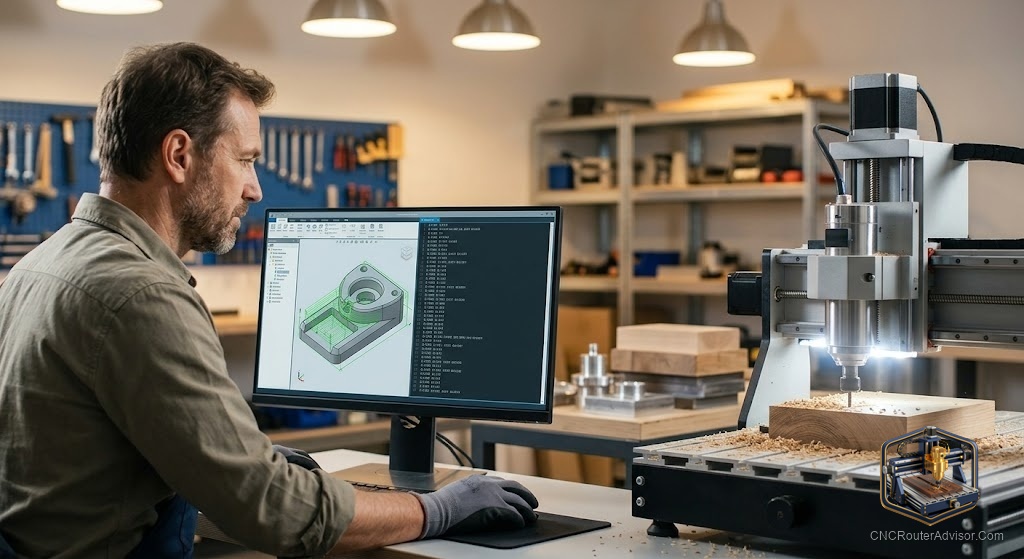
CAM software is where your design becomes a cut, and choosing it well makes the difference between a smooth workflow and a frustrating one. Most people buy a CNC router and then try to figure out the software, when the right sequence is actually the reverse: understand what CAM does and which tools suit your work before the machine arrives, so you are not learning both at once on day one. This guide covers what CAM software does, the main options across different use cases, and how to choose the right one.
CNC router CAM software (computer-aided manufacturing) converts a design file into a toolpath and generates G-code, the program the machine controller uses to move the cutting tool. CAM is where you define the bit type, cutting depth, feed rate, pass strategy, and cutting order that determine how the design is physically cut into the material.
Here is the direct guidance: the main CAM tools for CNC routing range from free (Carbide Create, Fusion’s hobby plan) through mid-cost (EstlCAM) to professional (Vectric VCarve, Aspire, Fusion for machining), and the right choice depends on your work type, your machine, and your learning investment. The sections below cover each option honestly.
Free tier: Carbide Create
Carbide Create (from Carbide 3D, free) is the most accessible CAM starting point for 2D profiling, pocketing, and V-carving. It imports SVG and DXF, handles the main cut types competently, and outputs G-code for GRBL-based machines directly. It has a well-documented learning path and clear tutorials. The honest limit: it is less capable for complex 3D work and some advanced toolpath strategies, and it is optimized for Carbide 3D machines, though it works with other GRBL machines. For most beginners doing wood signs and profiles, it covers what they need.
Free/hobby tier: Autodesk Fusion
Fusion (Autodesk, free for personal use) includes both CAD and CAM in one package, and its CAM capabilities are genuinely professional, handling 2D and 3D machining, complex parts, and a wide range of post-processors. The learning curve is steeper than Carbide Create, and the hobby licensing has limits. For those making complex 3D parts, mechanical components, or working in metal, Fusion’s CAM is the natural free choice.
Mid-cost tier: EstlCAM
EstlCAM is a capable paid CAM tool at a low one-time cost, popular in the hobby and prosumer community for its combination of 2D and basic 3D capabilities and direct machine control in some configurations. It suits users who want more than the free tools but do not need the full Vectric suite.
Professional tier: Vectric VCarve and Aspire
Vectric’s VCarve Desktop and Pro are the standard professional tools for sign shops and furniture makers, with an excellent V-carving workflow, a large library of file formats, reliable G-code output, and an active community. Aspire adds full 3D relief design to the CAM workflow. Both have a real cost that reflects their professional scope and ongoing development. Worth the investment when your work outgrows the free tools in sign quality, toolpath control, or 3D relief capability.
Choosing based on work type
For learning and signs: start free with Carbide Create. For 3D machining and precision parts: use Fusion. For professional signmaking and furniture: VCarve is worth the cost once the free tools limit your work. Match the investment to what the free tools cannot yet do, and upgrade at the point where the limitation is real, not aspirational.
For the sender layer that follows CAM in the workflow, see our guide to the best CNC router software.
Final verdict
CNC router CAM software converts designs into cut programs, and the right choice depends on your work: Carbide Create for beginner and sign work, Fusion for 3D and complex machining, EstlCAM as a capable affordable middle step, and Vectric for professional sign and furniture production. Start with the free tools and move to paid ones only when the work demands it. That approach saves money at the start and applies the investment where it genuinely improves your output.
FAQ
What is CAM software for a CNC router? Software that converts a design into a toolpath and generates G-code defining the bit type, cutting depth, feed rate, pass strategy, and cutting order for the machine to follow.
What is the best free CAM software for CNC routing? Carbide Create for beginners and sign work. Autodesk Fusion’s hobby plan for 3D machining and complex parts. Both are well-documented and widely used.
Is Vectric VCarve worth the cost? For sign shops and furniture makers whose work outgrows free tools, yes. It has an excellent V-carving workflow, reliable output, and professional-quality results that justify the cost at that level of use.
Do I need CAM if I use a design file from the internet? Yes. Even pre-made design files need to be run through CAM to generate the toolpath and G-code specific to your machine, bit, material, and cutting parameters.
What is post-processing in CAM? The step where CAM translates the toolpath into G-code formatted for your specific controller. Most CAM tools include post-processors for common controllers (GRBL, Mach3, etc.).
Can I use the same CAM for all materials? Yes, but you change the cutting parameters (speed, depth, bit type) for each material. The CAM tool itself does not change; your settings within it do.
References
- Carbide 3D, Carbide Create CAM documentation: https://carbide3d.com
- Autodesk, Fusion CAM documentation: https://www.autodesk.com
- GRBL project, G-code and post-processor reference: https://github.com/gnea/grbl/wiki