
Miniature CNC Router Buying Guide: Work Area, Power, Software, and Trade-Offs
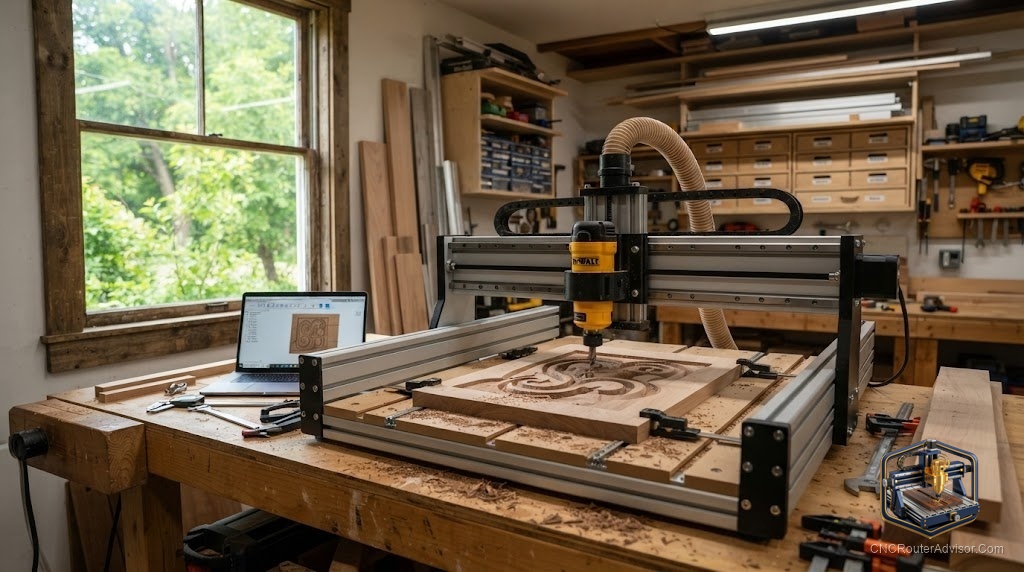
A miniature CNC router is the machine that fits on a desk next to your keyboard, and it is both the easiest way into the hobby and the easiest to be disappointed by if you expect it to be a small version of a shop machine. It is not. It is its own class, with its own strengths, engraving, small parts, learning the whole workflow, and its own hard limits. Buy it understanding what it is, and it is one of the best value tools in making. Buy it expecting a shrunken production machine, and it will frustrate you.
A miniature CNC router is a compact desktop machine with a small work area and a low-power spindle, ideal for engraving, small parts, and learning, as long as you accept the trade-offs in rigidity, size, and material capability. This guide covers the work area, power, and software realities so you buy one for what it actually does well.
Work area: small by design
The defining feature is size. Machines in the 3018 class offer a work area around 300mm by 180mm, roughly 12 inches by 7 inches, and often less usable once clamps are in place. Z clearance is also tight, frequently limiting stock thickness to an inch or two. That is fine for coasters, jewelry, small signs, PCBs, name tags, and engraving, and completely unsuitable for furniture parts or full sheets. The most common regret is buying a machine one size too small for the projects you actually want, so measure your intended work before you buy.
Power: enough for soft materials
Miniature machines carry small spindles, often a low-wattage DC spindle rather than a trim router. That is plenty for wood, plastic, foam, PCBs, and engraving, and marginal for aluminum. You can cut light aluminum on some of these machines with a single flute bit, shallow passes, and patience, but it is slow and demands good technique. If routine metal work is your goal, a miniature machine is the wrong tool, and a heavier benchtop machine like a 6040 is the right one.
Rigidity: the real ceiling
The limit on a miniature machine is rarely raw power. It is rigidity. Light frames of extrusion and plastic flex under load, so you take shallow passes and slow feeds to get clean cuts. Within those limits the results can be excellent, especially for engraving and detail work where forces are low. Push it like a shop machine and you get chatter and deflection. Respect the limits and it produces genuinely fine work.
Software and setup
Most miniature machines use GRBL-based controllers, which are widely supported. Free control software like Candle, UGS, or gSender drives the machine, and design tools like Carbide Create, Easel, or Fusion 360 for personal use cover the design side. Many kits include an offline controller or a USB connection to a computer. Setup is beginner-friendly, and the small size means mistakes are cheap, which is exactly why these machines are such good teachers.
For a proven, well-supported entry point that ships ready to learn on, the Genmitsu 3018-PROVer V2 is the machine most beginners start with in this class.
The trade-offs, stated plainly
- You gain: low cost, small footprint, a gentle learning curve, cheap mistakes, and genuinely good engraving and detail work.
- You give up: work area, rigidity, spindle power, and easy metal capability.
- You should buy one if: you want to learn, engrave, or make small parts, or you have limited space.
- You should look larger if: your projects are bigger than a sheet of paper or involve routine metal cutting.
The honest verdict
A miniature CNC router is a superb first machine and a poor only-machine for anyone with big ambitions. It teaches the entire design-to-cut workflow on a forgiving, low-cost platform, and it does engraving and small detailed parts beautifully. Its limits, size, rigidity, and power, are real and cannot be tuned away. Buy it for learning and small work, size it a little larger than you think you need, and it will earn its place. Expect it to replace a shop machine and it will only teach you why shop machines exist.
Frequently asked questions
What is a miniature CNC router good for? Engraving, small signs, jewelry, PCBs, name tags, and small parts in wood, plastic, and foam. It is also an excellent, low-cost way to learn the whole workflow.
Can a miniature CNC router cut aluminum? Light aluminum on some machines, with a single flute bit, shallow passes, and patience. It is slow, so a heavier benchtop machine is better for routine metal work.
How big is the work area on a miniature machine? Machines in the 3018 class offer around 300mm by 180mm, and often less once clamps are placed, with tight Z clearance limiting stock thickness.
What software runs a miniature CNC router? Mostly GRBL-based control software like Candle, UGS, or gSender, with design in Carbide Create, Easel, or Fusion 360 for personal use.
What is the main limitation of these machines? Rigidity. Light frames flex under load, so you take shallow passes and slow feeds. Within those limits, engraving and detail work look excellent.
Is a miniature CNC good for beginners? Yes. It is low cost, small, beginner-friendly to set up, and mistakes are cheap, which makes it one of the best machines to learn on.
Will I outgrow a miniature CNC router? Many makers do, usually on work area before power. Buying slightly larger up front delays that, though a miniature machine remains handy for detail work.