
X-Carve CNC Router: Design, Specifications, Software, and Buying Considerations
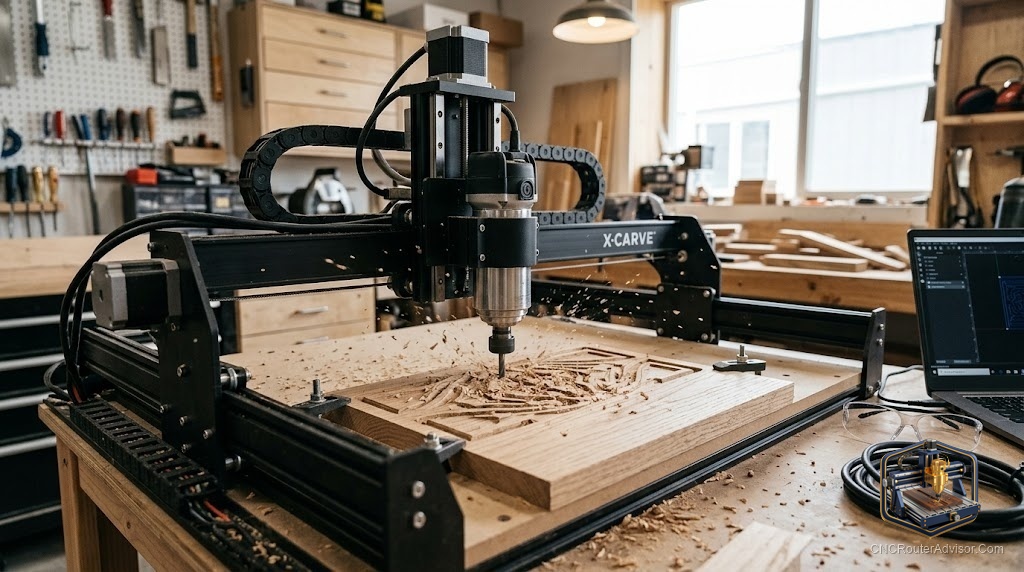
The X-Carve helped define what a desktop CNC router could be for a hobbyist. Made by Inventables and paired with the famously approachable Easel software, it built a reputation as a beginner-friendly machine backed by one of the larger communities in hobby CNC. For a lot of woodworkers, X-Carve was their first exposure to the idea that a computer-controlled router could live on a bench and cut real signs and projects. Whether it is the right machine for you comes down to how you weigh that ecosystem and ease of use against your specific projects.
The X-Carve is a CNC router from Inventables, popular with hobbyists and small shops and closely tied to Inventables’ Easel software. It is known for being approachable, for a strong community, and for a well-integrated hardware-and-software ecosystem aimed at woodworking and light materials. Deciding whether it fits means understanding its design and work area, the Easel software it pairs with, what the machine includes, and how it compares to other machines in its class.
Short answer: the X-Carve by Inventables is an approachable desktop CNC router tightly integrated with Easel, Inventables’ free, beginner-friendly software. It suits woodworking and light materials, offers a useful work area and a strong community, and is prized for ease of use rather than heavy-duty capability. Confirm the current model, work area, and what is included on Inventables’ official site, and value the integrated hardware-and-software ecosystem as much as the machine itself.
What the X-Carve is known for
Its reputation rests on a few clear strengths:
- Approachability. Designed to be beginner-friendly, from setup through first cuts.
- The Easel ecosystem. Tight integration with Inventables’ free Easel software, which combines design, toolpaths, and machine control in one simple tool.
- Community. A large, active user base and documentation that shorten the learning curve.
- Woodworking focus. Well-suited to signs, carving, and general wood projects, with light materials in reach.
For many buyers, the tight hardware-and-software pairing is the main draw, since it removes much of the early friction.
Design and specifications
Inventables has offered the X-Carve in more than one configuration and size, so capabilities vary. Rather than assume figures, confirm on the official site:
- Work area, choosing the size that fits your projects, remembering footprint exceeds cutting area.
- Frame and motion, which set the rigidity and cut quality.
- Drive, and the components that determine precision.
- Spindle or router, and whether it is included.
Always verify the current model and its exact specifications directly, since configurations change.
The Easel software advantage
The X-Carve’s tight pairing with Easel is central to its appeal. Easel is free, browser-based, and combines design, toolpaths, and sending in one approachable screen, with built-in material and bit suggestions. For a beginner, this integrated path from idea to cut is far gentler than stitching separate programs together. Easel handles 2D and 2.5D work especially well; for advanced 3D you may add dedicated CAM later, but for starting out and for most sign and carving work, the integration is a genuine advantage.
What to weigh
In its favor: approachability, the free and integrated Easel software, a strong community, and a well-supported ecosystem, all making it a friendly first CNC. Worth weighing: it is aimed at woodworking and light materials rather than heavy-duty or metal work; rigidity and refinement should be compared against others in its class; a router or spindle and some accessories may be separate, so confirm the true cost; and advanced 3D work may eventually call for additional software. Compare it honestly to other desktop machines for your specific projects.
Who should buy, and who should skip
Buy an X-Carve if you value ease of use, want the integrated Easel hardware-and-software ecosystem, and mainly cut wood and light materials with strong community support. Skip it if you need premium rigidity for demanding metal work or the highest refinement, where a specialist machine serves better, and skip it if you prefer a fully open, source-your-own-parts approach over an integrated ecosystem. Match it to a buyer who wants an approachable, well-supported path into CNC.
The bottom line
The X-Carve earns its place by making CNC approachable: a beginner-friendly desktop router tightly paired with Inventables’ free Easel software and backed by a large community. It fits woodworkers and small shops who value ease of use and an integrated hardware-and-software ecosystem over heavy-duty capability. Confirm the current model, work area, and included parts on Inventables’ official site, weigh the Easel advantage against your need for advanced capability, and if a smooth, well-supported entry into CNC appeals to you, the X-Carve belongs on your shortlist.
FAQ
What is the X-Carve CNC router? A desktop CNC router from Inventables, popular with hobbyists and small shops, known for being approachable and tightly integrated with Inventables’ Easel software.
Who makes the X-Carve? Inventables. Confirm the current models, work areas, and specifications on their official website, since the machine has come in more than one configuration.
What software does the X-Carve use? It pairs tightly with Easel, Inventables’ free, browser-based software that combines design, toolpaths, and machine control in one approachable tool.
Is the X-Carve good for beginners? Yes. Its approachable design, the integrated free Easel software, and a large, active community make it one of the friendlier first CNC routers.
What can the X-Carve cut? Mainly wood and light materials, signs, carving, and general projects, with plastics in reach. It is not aimed at heavy-duty or metal work.
Does the X-Carve include a router? That depends on the configuration and package, so confirm what is included on the official site, since a router or spindle may be sold separately.
Can the X-Carve do 3D carving? Easel handles 2D and 2.5D well, and the machine can do light 3D, but detailed 3D work may call for adding dedicated CAM software later.
References
- Inventables official site: https://www.inventables.com
- CNCRouterInfo, how to choose a CNC router: https://cncrouterinfo.com/guides/how-to-choose-a-cnc-router/