
Router CNC Handheld Buying Guide: Work Area, Power, Software, and Trade-Offs
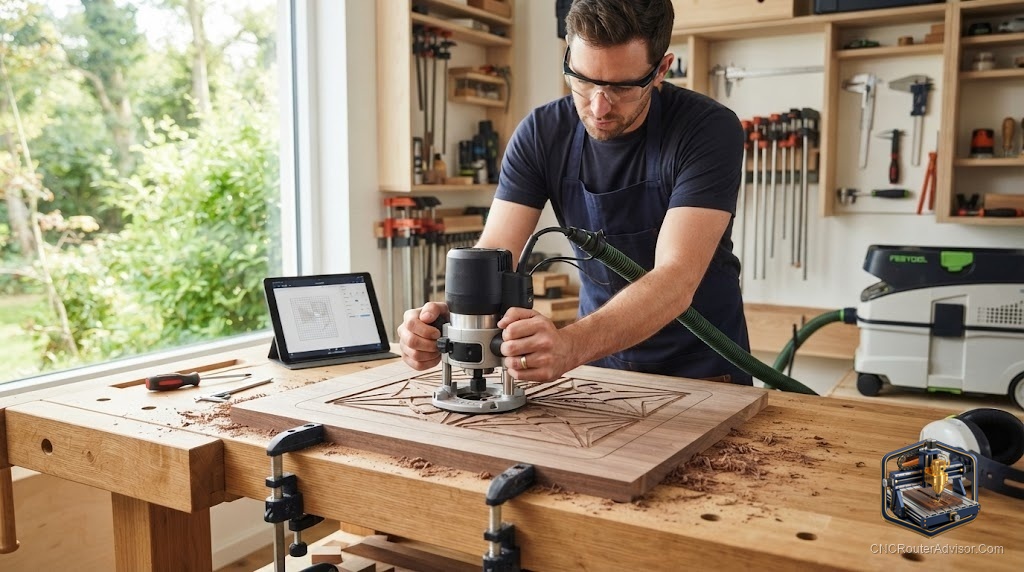
The first time someone watches a handheld CNC router correct its own path mid-cut, it looks like a trick. You guide the tool roughly along a line, and the machine quietly nudges the bit to stay exactly on the design. That single idea, a router that steers itself while you supply the muscle, is what sets a handheld CNC apart from every benchtop machine on the shelf.
A handheld CNC router is a portable cutting tool that pairs a normal spindle with a computer-controlled positioning system. Instead of a fixed gantry sliding over a bed, you hold the unit and move it across the workpiece. Sensors read the exact location, and small internal motors shift the bit within a correction window to follow the toolpath. You get CNC-level accuracy on material of almost any size, without giving up half your shop to a machine.
Short answer: choose a handheld CNC router if you cut large sheets, work on job sites, or simply lack floor space for a full gantry. If you mostly cut small repeatable parts and want to press start and walk away, a compact desktop CNC will serve you better for less money.
How a handheld CNC works
The machine needs to know where it is at all times. Most handheld units solve this with a scanning system: you apply special positioning tape across the surface, scan it once to build a map, then the onboard camera tracks that map as you move. As your hand drifts, the bit slides inside a small correction range to hold the line. Move too far too fast and the tool lifts and pauses until you bring it back into range.
That design has real consequences. The correction window is small, often around an inch of travel, so you are still doing the coarse steering. The machine handles the fine precision. This is the opposite of a gantry router, where the machine does everything and you do nothing once the job starts.
Work area: the biggest advantage
A handheld CNC has no fixed cutting envelope. As long as you can lay down positioning tape and reach the surface, you can cut it. That means full sheets of plywood, a tabletop already installed in a room, or an inlay across a door. For anyone who works with oversized material, this removes the single most frustrating limit of benchtop machines.
Power and cut depth
Handheld units use a router-class spindle, strong enough for hardwood, plywood, MDF, acrylic, and light aluminum with the right bit. What they cannot do is take deep aggressive passes. Because you are guiding by hand and the frame is small, you cut shallow and let multiple passes build depth. Plan on patience rather than speed.
Software
Most handheld workflows let you import SVG or DXF vector files, or design simple shapes right on the device screen. This is friendly for signs, inlays, and templates. It is less suited to complex 3D relief work, where a desktop machine running full CAM software has the edge.
Product picks
Shaper Origin (best true handheld CNC). This is the machine that defined the category. Its scanning system and correction motors are genuinely excellent, the touchscreen workflow is approachable, and the portability is unmatched for on-site work and large panels. Honest flaws: the price sits well above a capable desktop CNC, the small correction window means every cut still needs your hands, and deep or high-volume production is slow. Who should skip it: anyone batching identical small parts, who will be happier with an automated gantry. See the Shaper Origin overview on the manufacturer site.
Genmitsu 3018-PROVer V2 (automated alternative for small parts). If your real goal is repeatable small parts rather than portability, this enclosed-friendly desktop machine cuts unattended and costs a fraction of a handheld. It has a tiny work area and a weak stock spindle, so skip it if you need to cut big panels. Available on Amazon.
Handheld vs desktop vs full gantry
| Factor | Handheld CNC | Compact desktop | Full gantry |
|---|---|---|---|
| Max material size | Unlimited surface | Small fixed bed | Large fixed bed |
| Runs unattended | No | Yes | Yes |
| Portability | Excellent | Moderate | Poor |
| Best for | Big panels, on-site | Small repeat parts | Production |
| Learning curve | Low to moderate | Moderate | Moderate to high |
The bottom line
A handheld CNC router trades automation for freedom. You give up walk-away operation and deep fast cuts, and in return you can machine material of any size, anywhere. For sign makers, finish carpenters, and anyone short on space, that trade is worth it. For batch production of small parts, a desktop or gantry machine is the smarter buy.
FAQ
Is a handheld CNC router hard to learn? No. The guided workflow is one of the most beginner-friendly in CNC. Following a line on a screen feels natural within an hour or two.
Can it cut metal? Light aluminum and brass, yes, with the right bit, shallow passes, and slow feed. It is not built for heavy metal work.
Do I need a computer? Most handheld units are self-contained with an onboard screen, though you will design vector files on a computer for anything beyond simple shapes.
How accurate is it? With clean positioning tape and a good scan, accuracy rivals benchtop machines for most sign and inlay work.
What is the biggest limitation? You still guide every cut by hand within a small correction window, so it does not run unattended.
Can it do 3D carving? Basic relief is possible but slow. Detailed 3D work is better on a gantry machine with full CAM software.
Does it need dust collection? Yes. A shop vacuum attachment keeps the camera lens clear and the cut line visible, which directly affects accuracy.
References
- Shaper Tools, Origin product documentation: https://www.shapertools.com/en-us/origin
- CNCRouterInfo, how to choose a CNC router: https://cncrouterinfo.com/guides/how-to-choose-a-cnc-router/