
CAM Software for CNC Router Guide: Features, Compatibility, Setup, and Pricing
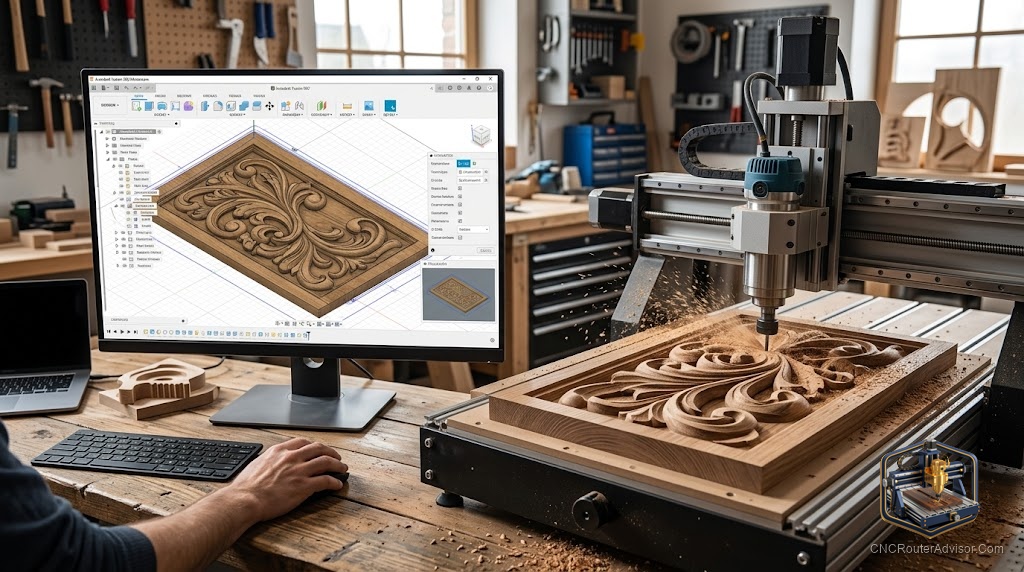
The machine is not what stops most new CNC owners. The software is. A beginner unboxes a router, assembles it in an afternoon, and then stares at a blank CAM screen wondering how a drawing becomes a cut. Pick the wrong software and you will fight it for months. Pick one that matches how you actually work and the whole hobby opens up. Choosing CAM software matters more to your early experience than which brand of machine sits on the bench.
CAM software (Computer-Aided Manufacturing) for a CNC router is the program that turns your design into toolpaths and exports the G-code the machine reads. Choosing it comes down to four things: the features your projects need, whether it is compatible with your machine and controller, how hard it is to set up and learn, and how it is licensed. This guide covers each, with honest picks for different kinds of users.
The verdict, first: most people should start with free, approachable software (Carbide Create or Easel), move to VCarve when they need serious sign and production work, and only reach for Fusion 360 when true 3D justifies the steep learning curve. The best CAM software is the one you will still be using in six months, not the one with the longest feature list.
What CAM software actually does
It helps to separate the jobs. CAD is where you draw or model a part. CAM is where you assign toolpaths: which bit, how deep, which direction, roughing then finishing. The CAM program then runs a post-processor to output G-code formatted for your specific controller. A separate control or “sender” program (like Carbide Motion, Easel’s sender, gSender, UGS, or Candle) streams that G-code to the machine.
Some tools blur these lines. Easel and Carbide Create combine light CAD and CAM in one friendly window. Fusion 360 packs full CAD and CAM together but expects more of you. Knowing which job each program is doing keeps you from buying the wrong tool for your problem.
Features: match them to your projects
For flat and 2.5D work (signs, inlays, cabinet parts, pockets), you need reliable 2D toolpaths, V-carving, and good text and vector handling. Carbide Create, Easel, and VCarve all do this well, with VCarve the woodworker favorite for sign layouts and production.
For true 3D (relief carvings, sculpted surfaces, complex mechanical parts), you need 3D modeling and 3D toolpaths. Vectric Aspire adds 3D on top of VCarve’s foundation; Fusion 360 offers full parametric 3D CAD and CAM in one package. Carveco covers professional 2D and 3D for sign and woodworking shops.
Match features to what you will make, not to what looks impressive in a demo. A sign maker rarely needs Fusion 360’s depth, and a mechanical hobbyist will outgrow a pure 2.5D tool fast.
Compatibility: check the whole chain
CAM software must output G-code your controller understands, which is what the post-processor handles. Most hobby machines run GRBL-based controllers, and mainstream software supports them, but always confirm your specific machine has a working post-processor before you commit. Machine-tied software (Easel with Inventables machines, Carbide Create with Carbide Motion and Shapeoko) makes this effortless within its ecosystem. More universal tools like VCarve and Fusion 360 support a wide range of machines through selectable posts. Verify CAD-to-CAM-to-controller works end to end for your setup, not just that the software looks capable.
Setup and learning curve
This is where people underestimate the difference. Easel and Carbide Create are designed so a beginner can produce a real cut on day one. VCarve is deeper but still approachable, with a large library of tutorials aimed at woodworkers. Fusion 360 is the outlier: powerful, capable of almost anything, and genuinely hard at first, with a curve that discourages many hobbyists who only needed to carve a sign. Sienci Labs, which sells machines and has no reason to talk people out of software, makes the point bluntly: for most beginners, paid and complex software is not worth it early on. Start simple and grow into complexity when a real limitation forces the move.
Pricing models, without the numbers
Rather than chase figures that change, understand the models, because the model affects you more than any single price. Some software is free (Carbide Create, Easel’s base tier, and Fusion 360 for personal use). Some is subscription-based, where you pay ongoing for access and updates (Easel Pro, Carbide Create Pro, and Fusion 360 for commercial use). Some is a one-time perpetual license you own, which many woodworkers prefer to avoid renting a core tool (Vectric’s VCarve and Aspire, and Carveco offers both models). Decide whether you would rather pay once and own it, pay monthly and always be current, or stay free as long as you can. That preference narrows the field as much as any feature.
Who should skip the expensive option
If you carve signs and 2.5D projects, you do not need Fusion 360, and forcing yourself through its curve will sap the fun. If you are brand new, do not buy a professional package before you know what you actually need; the free tools will teach you your requirements. Reach for the heavyweight software only when a concrete project demands a feature the simpler tools lack.
The bottom line
CAM software is the make-or-break choice for a new CNC owner, more than the machine itself. Start with free, friendly software, confirm it posts G-code cleanly to your controller, and learn one program until it is second nature. Move up to VCarve for serious sign and production work, or to Fusion 360 only when true 3D justifies the climb. Choose by license model and learning curve as much as by feature list, because the software you keep using is the one that quietly makes you better.
Frequently asked questions
What is the best CAM software for a CNC router? There is no single best. Carbide Create and Easel are best for beginners and 2.5D work, VCarve for sign and production woodworking, and Fusion 360 for true 3D. The best choice is the one that matches your projects and that you will keep using.
Is free CNC software good enough? For many hobbyists, yes. Carbide Create, Easel’s base tier, and Fusion 360 for personal use handle a great deal of work. Most beginners do not need paid software until a specific limitation appears.
What is the difference between CAD and CAM? CAD is where you draw or model the part. CAM is where you assign toolpaths and generate G-code. Some programs, like Easel, Carbide Create, and Fusion 360, combine both in one interface.
Will any CAM software work with my machine? Only if it has a post-processor for your controller. Most hobby machines use GRBL and are widely supported, but confirm a working post for your specific machine before committing.
Is Fusion 360 good for CNC routers? Yes, it is powerful and handles full 3D CAD and CAM, but it has a steep learning curve. It is best for users who need 3D or mechanical parts, and often more than a sign maker requires.
Should I choose subscription or perpetual license software? That depends on preference. Subscriptions keep you current for an ongoing fee; perpetual licenses (like Vectric’s) let you own the software outright. Many woodworkers prefer owning a core tool rather than renting it.
References
- Sienci Labs, “Free vs Paid software for your CNC” (sienci.com)
- Carbide 3D, “Free CNC Software for Routers & Mills” (carbide3d.com)
- Vectric product documentation (vectric.com)