
Desktop CNC Router Machine Buying Guide: Work Area, Power, Software, and Trade-Offs
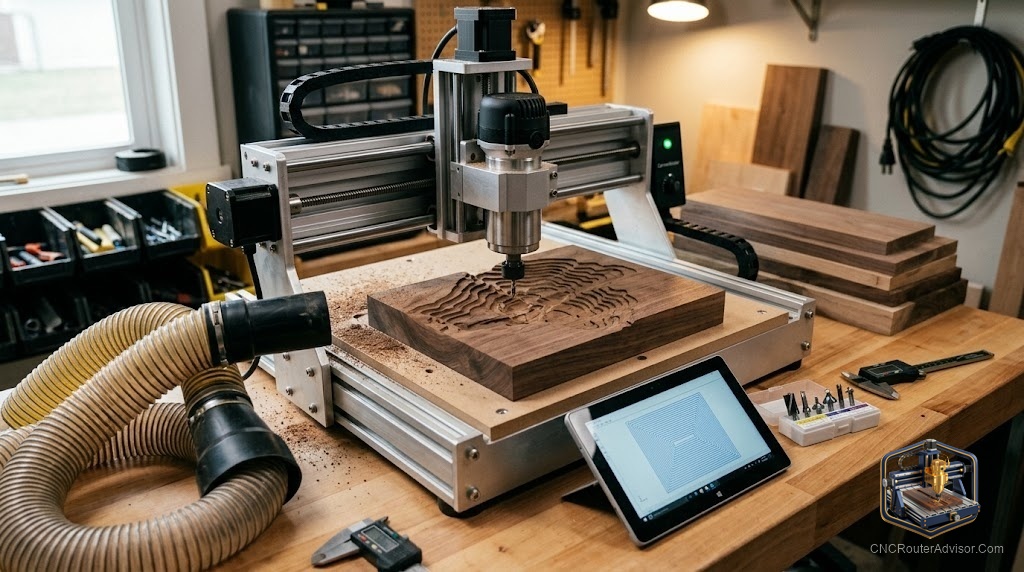
A desktop CNC router is the machine most people should actually start with, and yet it is the one buyers overthink the most. They chase the biggest work area or the highest spindle number when the real question is simpler: what do you want to make, and which machine gets you there with the fewest regrets? Get that right and a desktop machine will serve you for years. Get it wrong and you either outgrow a machine in a month or buy far more than you will ever use.
This guide walks the four decisions that actually determine whether you love your desktop router: work area, power, software, and the trade-offs that connect them.
What a desktop CNC router is
A desktop CNC router is a compact, computer controlled cutting machine that fits on a bench. It moves a spinning cutter across a work area using the X axis, Y axis, and Z axis, guided by G-code from your design. It cuts wood, soft plastics like acrylic and HDPE, and, on rigid models, soft aluminum. Most use a GRBL controller and pair with approachable software.
The category sits between tiny engravers and large freestanding machines. It gives you enough work area and rigidity for real projects, signs, boxes, inlays, small parts, without the space, cost, and complexity of an industrial machine. For hobbyists and many small businesses, it is the sweet spot.
The short answer
Buy the work area you need plus a margin, prioritize frame rigidity and a real spindle over headline size, and pick a machine that runs well supported software like GRBL. Match the machine to your projects: small signs and crafts need less bed and power, while furniture parts and aluminum need a rigid frame and a stronger spindle. The most common regret is buying too small, so if you are between sizes, size up. The second most common is chasing specs you will never use, so do not overbuy either.
Work area: size for tomorrow, not just today
Work area is the first hard limit you meet. It caps the largest single part you can cut. Measure your realistic projects and add margin, because people almost always want to cut bigger things than they first imagine. A compact bed suits coasters, jewelry, small signs, and engraving. A mid size desktop bed opens up larger signs, cabinet parts, and panels.
The trade-off is space and rigidity. Bigger machines take more bench and, for the same build quality, can flex more over longer spans. So do not just buy the biggest, buy the biggest you will use that still holds rigidity in your budget.
Power: spindle type and rigidity together
Cutting power comes from two things working together: the spindle and the frame. A trim router mount or a small spindle handles wood and plastic easily. A stronger, water cooled VFD spindle on a rigid frame widens your range into harder passes and soft aluminum. Power without rigidity is wasted, because a flexing frame chatters no matter how strong the spindle.
So judge power as a pair. A rigid frame with a moderate spindle outperforms a flexible frame with a big one. If aluminum is on your list, prioritize a metal reinforced frame and a real spindle.
Software: the part beginners underrate
The machine is only as usable as its software chain. You need CAD to design, CAM to turn designs into tool paths, and a controller to run the G-code. Machines built around GRBL enjoy broad software support and huge community help, which matters enormously when you are learning. Beginner friendly design and CAM tools shorten the path from idea to cut part. Before buying, confirm the machine works with well documented software rather than a closed, obscure system that leaves you stranded.
Trade-offs that tie it together
Every desktop router balances size, rigidity, power, and cost. A larger bed trades away some rigidity and bench space. A stronger spindle adds capability and cost. A cheaper machine may save money now and cost you in finish quality and support later. The winning move is to define your projects first, then choose the machine that meets them with rigidity and support intact, rather than maximizing any single number.
Who should skip a desktop router
Skip desktop if you need full sheet capacity for large panels or furniture at volume, because you will fight the size limit constantly, and a larger freestanding machine is the right tool. Skip it also if your primary material is steel or hard metal, which belongs on a mill. And skip the very smallest models if you already know your projects are mid size, since outgrowing a tiny bed quickly is the most common buyer’s regret.
Comparison: desktop router by project type
| Your work | Work area | Power priority | Notes |
| Crafts, jewelry, small signs | Compact bed | Modest spindle | Easy to learn, low space |
| Larger signs, cabinet parts | Mid size bed | Rigid frame, real spindle | Best all round starting point |
| Soft aluminum, harder passes | Mid size, rigid | VFD spindle, metal frame | Prioritize rigidity over size |
| Full sheets, volume | Beyond desktop | Freestanding machine | Desktop is the wrong class |
For a well supported mid size desktop machine, the Genmitsu PROVerXL 4030 is a strong all round pick, available at this listing. If aluminum and rigidity are priorities, the metal framed Genmitsu 3030 PROVer Ultra is available at this listing. For a compact first machine, the Genmitsu 3020 PRO MAX is available at this listing.
The verdict
A desktop CNC router is the right machine for most hobbyists and many small businesses, but only if you buy it around your actual projects. Size the work area for what you will make plus a margin, judge power and rigidity as a pair rather than chasing a big spindle number, and insist on well supported software so learning stays smooth. Avoid the twin regrets of buying too small and overbuying specs you will never touch. Define the work first, then pick the machine that meets it with rigidity and support intact, and a desktop router will keep earning its bench space for years.
Frequently asked questions
What work area do I need on a desktop CNC router? Size it for your realistic projects plus margin, since people usually want to cut bigger than they first expect. Compact beds suit crafts and small signs, while mid size beds handle larger signs and cabinet parts.
Can a desktop router cut aluminum? Rigid, metal framed desktop machines with a real spindle can cut soft aluminum using careful feeds, speeds, and workholding. Prioritize frame rigidity over bed size if aluminum matters to you.
What software does a desktop CNC router use? Most run GRBL and pair with CAD for design and CAM for tool paths, plus a controller to send G-code. GRBL based machines have broad software support and strong community help.
Is a bigger desktop router always better? No. A larger bed trades away rigidity and bench space, and can flex more over longer spans at the same build quality. Buy the largest size you will actually use that keeps rigidity intact.
How much power do I need in the spindle? Enough for your material, judged together with frame rigidity. A trim router or small spindle handles wood and plastic. Harder passes and aluminum want a stronger VFD spindle on a rigid frame.
What is the most common desktop router buying mistake? Buying too small and outgrowing it quickly. The second is overbuying specs you never use. Define your projects first, then match the machine to them with rigidity and support intact.
References
- CNC Router Info, How to Choose a CNC Router: https://cncrouterinfo.com/guides/how-to-choose-a-cnc-router/
- CNC Dad, Best CNC Router for Beginners: https://www.cnc-dad.com/blog/best-cnc-router-for-beginners/