
CAD Software for CNC Router: Choosing the Right Design Tool
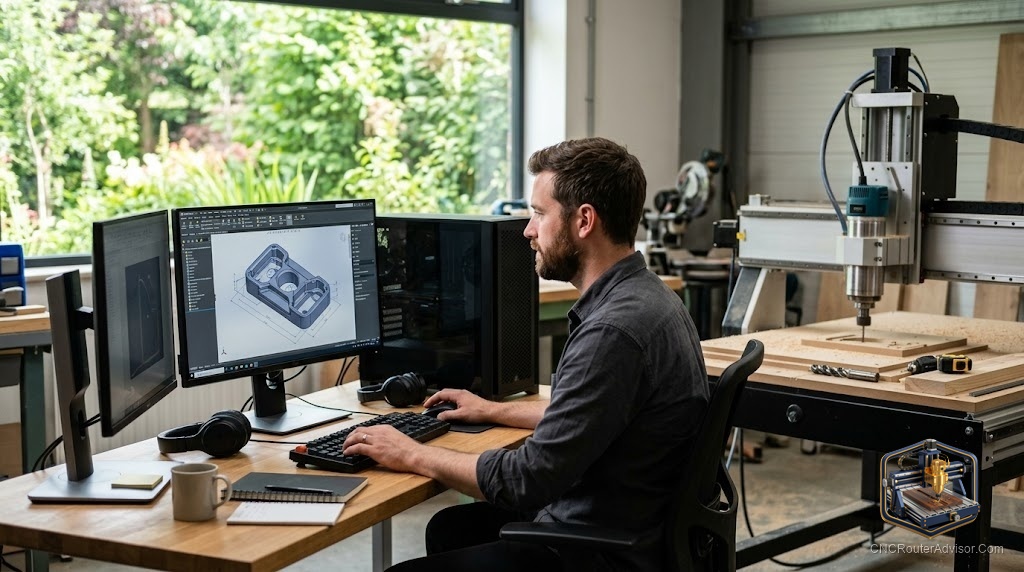
The machine gets all the attention, but the software is where your project actually begins, and the wrong choice here can stall you before a single chip flies. CAD software is where you draw the part, and if that tool fights you, no amount of machine quality rescues the result. The good news is that you have excellent options at every level, including free ones, and matching the software to your ambition is more important than picking the most powerful package.
This guide explains what CAD does in the CNC workflow, how it differs from CAM, and which tools suit which kind of woodworker so you can start designing with confidence.
What CAD does in the CNC workflow
CAD stands for computer-aided design, and it is where you create the digital drawing of your part. In the CNC workflow, CAD comes first: you define shapes, dimensions, and depths precisely, producing an accurate model of what you want to cut. That model then passes to CAM, computer-aided manufacturing, which generates the toolpaths and G-code that drive the router across its X, Y, and Z axes.
Many tools for CNC routers combine CAD and CAM in one program, which is why beginners often do not think of them separately. But the distinction matters when choosing software, because some packages are strong at design and weaker at toolpaths, or the reverse. Understanding that CAD defines the shape and CAM defines how it is cut helps you evaluate whether a given tool covers the whole job or just part of it.
The short answer
Choose CAD software by your ambition and how you like to work. For beginners, combined CAD and CAM tools like Carbide Create or Easel make the whole workflow approachable in one window. For growing makers, Vectric products such as Cut2D, VCarve, and Aspire are woodworking favorites, while Fusion 360 offers powerful CAD and CAM for those willing to climb its curve. Match the tool to your projects, not to its feature list.
Whatever software you choose, confirm it works with your machine’s controller and post-processor. Learning the whole loop on a forgiving machine helps, and a proven starter like the Genmitsu 3018-PROVer V2 pairs well with beginner-friendly software: Check on Amazon
The main options compared
| Software | Best for | Note |
| Carbide Create | Beginners | Free, combined design and toolpaths |
| Easel | Beginners | Browser-based, simple, free tier |
| Vectric Cut2D / VCarve / Aspire | Woodworkers | One-time license, excellent for signs and carving |
| Fusion 360 | Advanced and 3D work | Powerful CAD and CAM, steeper curve |
| Carveco | Professional carving | Subscription, strong relief tools |
| Mastercam | Industrial | Professional grade, complex |
Matching software to your ambition
Start where your skill is, not where you hope to be. If you are new, a combined tool like Carbide Create or Easel lets you design and generate toolpaths in one place, so you complete a real project quickly and build confidence. As your work grows, Vectric’s range is a woodworking staple, with 2.5D toolpaths and V-carving that suit signs, plaques, and decorative work, and a clear step up from Cut2D to VCarve to Aspire as you need more. For full 3D modeling and relief, Fusion 360 and Carveco offer serious power, at the cost of a steeper learning curve. Choose the lowest tier that covers your real projects, and step up only when you hit its limits.
CAD, CAM, and the post-processor
Even great CAD work fails at the machine if the toolpath and post-processor are wrong. After CAD defines the shape, CAM turns it into toolpaths using your chosen tool, feeds, and speeds, and then a post-processor formats the G-code for your specific controller. A mismatched post-processor is a leading cause of failed first cuts, so confirm your software supports your machine, which for most hobby routers means a GRBL-compatible option. Whatever combined or separate tools you use, always simulate the toolpath before cutting, since watching the virtual tool move catches mistakes while they are still free to fix.
Free versus paid
You do not have to spend money to start. Carbide Create and the Easel free tier let you design and cut real projects at no cost, and Fusion 360 offers a free option for personal use. Paid tools earn their cost through more powerful features: Vectric’s carving and layout tools, Carveco’s relief work, and the depth of professional packages. The honest path is to start free, learn the workflow, and pay only when you hit a feature you genuinely need. Buying advanced software before you can use it just adds cost and a steeper curve.
Who should keep it simple
Skip the powerful professional packages if you are starting out, since their complexity will slow you down when a beginner tool would have you cutting the same day. Skip paid software entirely until a free tool’s limits actually block a project you want to make. And if you only ever cut simple signs and flat parts, you may never need more than a beginner or mid-tier tool, so do not pay for 3D capability you will not use. Let your projects, not the feature lists, pull you up the ladder.
The verdict
CAD software for a CNC router is where every project begins, so choose it by your ambition and workflow rather than by raw power. Beginners thrive with combined tools like Carbide Create and Easel, woodworkers gravitate to Vectric’s range, and advanced 3D work rewards Fusion 360 or Carveco. Start free, confirm your software matches your machine’s controller and post-processor, always simulate before cutting, and step up only when you hit real limits. The best CAD tool is the one that gets your actual projects made, not the one with the longest feature list.
Match the software to the work in front of you, and design becomes the fun part instead of the obstacle.
Frequently asked questions
What is the difference between CAD and CAM? CAD is where you design the shape and dimensions of your part. CAM turns that design into toolpaths and G-code. Many CNC router tools combine both in one program.
What is the best CAD software for a beginner? Combined tools like Carbide Create or Easel are ideal, letting you design and generate toolpaths in one approachable window, both with free options.
Is there free CAD software for CNC routers? Yes. Carbide Create and the Easel free tier cost nothing, and Fusion 360 offers a free option for personal use, so you can start without spending money.
When should I upgrade to paid software? When a free tool’s limits block a project you want to make. Vectric suits woodworking and carving, while Fusion 360 and Carveco handle advanced 3D and relief.
Why did my design cut wrong even though it looked right? Often the post-processor did not match your controller, or the work zero was set incorrectly. Confirm both and always simulate the toolpath before cutting.
Do I need separate CAD and CAM programs? Not necessarily. Many CNC router tools combine both. Separate programs offer more power and flexibility but add complexity, which beginners rarely need at first.
References
- Guideflow, CNC software overview: https://www.guideflow.com/blog/cnc-software
- WorkshopCalc, best CNC routers guide: https://workshopcalc.com/guides/best-cnc-routers
- Autodesk Fusion 360: https://www.autodesk.com/products/fusion-360