
CAD CAM Software for CNC Router: Features, Compatibility, and Setup
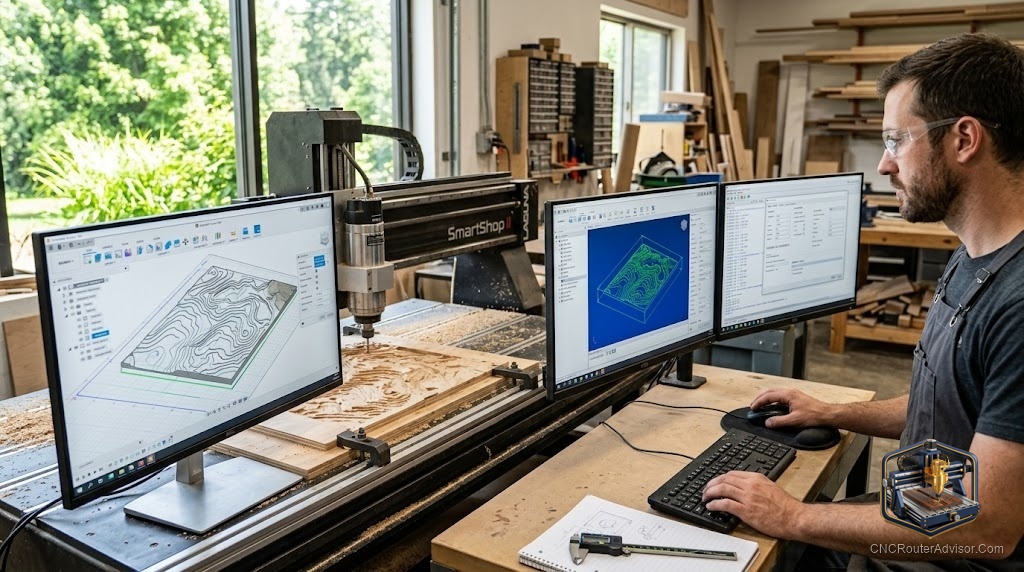
The machine is the easy part. I learned that the slow way, standing over a brand new router that sat idle for a week because I could not get a clean toolpath out of the software I picked on a whim. The router will happily cut whatever you tell it to. The software is the part that decides whether you tell it something smart.
So before you spend another evening comparing spindle wattages, spend one evening understanding the programs that actually drive the cut. That is where most beginners get stuck, and it is also where a little clarity saves you months of frustration.
What CAD CAM software for a CNC router actually does
CAD stands for computer aided design, the drawing side. CAM stands for computer aided manufacturing, the part that turns your drawing into motion. A CNC router cannot read a picture. It reads G-code, a plain list of coordinates and commands that tell the spindle where to go, how fast, and how deep. CAM software is the translator that writes that G-code, and a small piece of software called a post-processor tailors the output to your specific controller so the machine understands it.
Most hobby work lives in two dimensions or what people call 2.5D toolpaths, meaning flat shapes cut to varying depths. Signs, brackets, inlays, and boxes all fit here. Full 3D relief carving, the kind that produces sculpted surfaces, needs more capable tools and more patience. Knowing which of these you actually plan to make tells you which program to learn first.
The short answer for most people
If you want the fastest path to a finished part, start with software that pairs a drawing tool and a toolpath tool in one window, then grow from there. Beginners who mostly cut signs and flat parts are well served by Carbide Create or Easel, both of which are approachable and forgiving. Woodworkers who want to sell their work usually graduate to Vectric, whose Cut2D, VCarve, and Aspire tiers scale from simple profiling up to full 3D relief. Anyone who needs real mechanical design, parametric parts, and metal-capable strategies should learn Autodesk Fusion 360, which is free for personal use and remains the most transferable skill of the bunch.
The honest truth is that no single program wins for everyone. The right pick depends on what you make, how much you want to learn, and whether this is a hobby or a business. Below I break down the real contenders, including where each one frustrates people, so you can choose with your eyes open.
Free options worth starting with
Carbide Create
Carbide Create is made by Carbide 3D and ships alongside the Shapeoko and Nomad machines. It combines simple 2D design with V-carving and pocketing in one clean window. The free version covers most sign and flat-work needs, and the paid Pro tier adds 3D. Its weakness is that the drawing tools feel limited once your designs get complex, and importing detailed vector art can get fiddly. If you outgrow it, you will feel it quickly, but as a first program it removes almost every barrier to your first cut.
Easel by Inventables
Easel runs in a browser, which means nothing to install and a very gentle learning curve. It is the reason many people finish a project on day one. The tradeoff is that it keeps you inside its ecosystem, the free tier holds back some carving styles behind Easel Pro, and offline reliability depends on your connection. For beginners who value simplicity over control, it is hard to beat as a starting point.
Autodesk Fusion 360
Fusion 360 is the serious free option. It is a full CAD program with an integrated CAM workspace, and the personal-use license covers hobbyists at no charge. This is the tool professionals actually use, so the skills carry over to real jobs. The catch is the learning curve, which is steep and occasionally humbling. The personal license also restricts some rapid toolpath features and limits active documents. If you are willing to invest weeks rather than hours, Fusion 360 rewards you more than anything else here.
Paid options for people who sell their work
Vectric Cut2D, VCarve, and Aspire
Vectric is the quiet favorite of working sign shops and furniture makers. Cut2D handles clean profiling and pocketing, VCarve adds the V-carving and layout tools that make lettering effortless, and Aspire adds true 3D modeling for relief work. The licenses are one-time purchases rather than subscriptions, which many makers prefer. The drawback is that the jump to Aspire is a real financial commitment, and the 3D modeling tools, while capable, are not as deep as dedicated sculpting software. For anyone whose main output is signs and decorative wood, Vectric is the most productive money you will spend.
Carveco and Carveco Maker
Carveco grew out of the old ArtCAM lineage, and it shines at artistic relief carving. Carveco Maker offers a lower subscription tier for hobbyists, while the full Carveco serves production shops. It is a strong choice if your work leans decorative and sculptural. The downside is the subscription model, which some makers dislike, and a smaller community than Vectric, so you will find fewer tutorials when you get stuck.
Mastercam
Mastercam sits at the industrial end. If you run a MultiCam or another production machine and cut a wide mix of materials including metal, this is professional-grade CAM. It is powerful and precise, and it is also expensive, complex, and far more than a hobbyist needs. Most home users should skip it entirely until a paying workflow demands it.
Do not forget the controller software
CAM writes the G-code, but a separate program sends that code to the machine and lets you jog the axes, set your zero, and start the cut. GRBL is the open firmware behind most hobby controllers, and sender programs like gSender, Universal Gcode Sender, and the control software bundled with machines such as the Onefinity handle the live control. Match your post-processor to this controller. A mismatched post is the single most common reason a first job fails, so confirm it before you cut.
How the main options compare
| Software | Best for | Cost model | Main weakness |
| Carbide Create | First signs and flat work | Free, paid Pro for 3D | Limited drawing tools |
| Easel | Total beginners | Free, paid Pro tier | Locked ecosystem |
| Fusion 360 | Real CAD and metal work | Free for personal use | Steep learning curve |
| Vectric VCarve | Sign and furniture makers | One-time license | 3D limited vs Aspire |
| Carveco Maker | Artistic relief carving | Subscription | Smaller community |
| Mastercam | Industrial production | Premium license | Overkill for hobby |
Who should skip what
Skip Fusion 360 if you only want to cut a few signs and you have no interest in a long learning project. Skip Aspire and Carveco if your work is purely functional and flat, since you would pay for 3D tools you never touch. Skip Mastercam unless a real production job is paying for it. And skip the temptation to buy the most powerful program first. The software you finish a project in beats the software you admire but never learn.
The verdict
For most people reading this, the smart path is simple. Start free with Carbide Create or Easel to get a real part off the machine this week. Learn Fusion 360 in parallel if you want a skill that grows with you or if metal is in your future. When your projects start earning money, move to Vectric VCarve for signs and furniture or Carveco Maker for relief art. That progression costs you almost nothing to begin and never leaves you stranded.
The program matters more than the machine badge. Pick the one that gets you cutting, then let your projects pull you toward the next tier when you actually need it.
Frequently asked questions
What is the difference between CAD and CAM for a CNC router? CAD is the design side where you draw the part. CAM is the manufacturing side where you set tools, feeds, and depths and generate the G-code the router reads. Many hobby programs combine both in one window.
Is there genuinely free CNC router software? Yes. Carbide Create and Easel both have capable free tiers, and Fusion 360 is free for personal use. You can complete real projects without paying for software at all.
Do I need separate software to run the machine? Usually yes. CAM creates the G-code, and a sender program such as gSender or Universal Gcode Sender streams it to the controller and lets you jog and set zero.
What is a post-processor and why does it matter? A post-processor formats the G-code for your specific controller. Using the wrong one is the most common reason a first cut fails, so match it to your machine before running a job.
Can I cut aluminum with hobby CAM software? Yes, Fusion 360 in particular handles metal strategies well. The limit is usually the machine rigidity and your feeds and speeds, not the software.
Which software should a complete beginner learn first? Easel or Carbide Create. Both let you finish a real project quickly, which builds the confidence to tackle more capable tools later.
Is Vectric better than Fusion 360? They serve different people. Vectric is faster for signs and decorative woodwork. Fusion 360 is stronger for mechanical design and metal. Many makers keep both.
References
- Autodesk Fusion 360, official product and licensing information: https://www.autodesk.com/products/fusion-360
- Vectric CNC software (Cut2D, VCarve, Aspire): https://www.vectric.com
- Carbide 3D Carbide Create: https://carbide3d.com/carbidecreate/
- Inventables Easel: https://www.inventables.com/technologies/easel
- Carveco CAD CAM software: https://carveco.com
- GRBL firmware project: https://github.com/gnea/grbl