
3018 CNC Router Projects: What This Small Machine Can Actually Finish
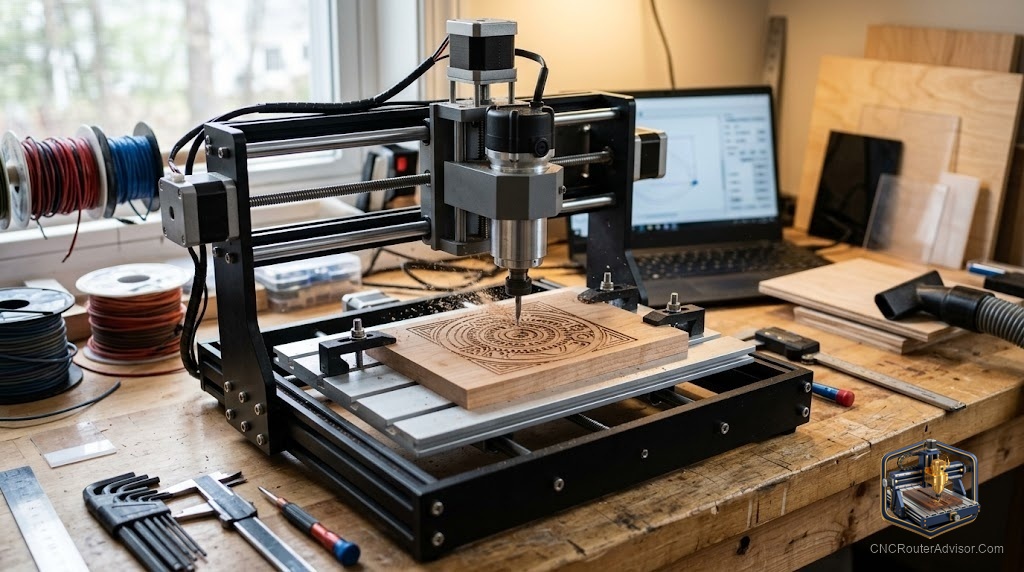
The first thing most people make on a 3018 is something they immediately want to give away. Not because it’s junk, but because they can’t believe a machine the size of a thick laptop just cut their name into a piece of walnut with that kind of precision. That moment is why the 3018 format sells so well. After that moment, the question becomes: what else can this thing do?
3018 CNC router projects are the cuts, engravings, and carvings sized to fit the machine’s 300mm by 180mm work area. That’s roughly 11.8 by 7.1 inches, which is smaller than a standard sheet of printer paper. The constraint sounds limiting until you realize how many genuinely useful things fit inside that rectangle.
The direct answer: for most hobby users, the 3018 handles personalized signs, engraved gifts, jewelry boxes, coasters, PCB milling, and light acrylic work perfectly well. What it doesn’t do well is large panel work, thick hardwood, or anything that requires more than about 40mm of Z travel with router geometry.
Wood Projects That Work on the 3018
Personalized Name Signs
A V-carved name sign in 6mm basswood or MDF is the gateway project for most 3018 users, and it’s also the one that gets the most requests from family members. The 300mm X dimension is enough for a first name in large lettering, or a short phrase in smaller text. Use a 60-degree V-bit, set your depth to 3mm, and let VCarve Pro or Carbide Create generate the toolpath.
The quality difference between a clean V-carved sign and an engraved one is obvious to anyone who looks at it. V-carving follows the natural letter geometry; engraving just traces the centerline. For gift work, V-carving wins.
Engraved Cutting Boards
A 6mm-thick bamboo cutting board blank fits the 3018 work area easily. V-carve a family name, a kitchen graphic, or a custom monogram. The engraved area catches food oils over time and develops a beautiful dark patina. The practical flaw: food-safe finishing of the engraved area requires attention. A coat of mineral oil rubbed in after sanding works, but the engraved grooves catch moisture if neglected.
Jewelry Boxes
The 3018 can cut the profiles and pockets for a small jewelry box from 6mm plywood or MDF. Not the hinges, not the finishing, but the cut geometry. A simple box with a pocket lid and a V-carved top panel is an afternoon project once you’re comfortable with pocketing operations.
Bookends
Cut two mirrored silhouettes from 12mm MDF and attach them to a wooden base. Trees, animals, geometric shapes, state outlines. The 3018’s Z axis handles 12mm MDF in two passes without difficulty.
Acrylic and Non-Wood Projects
Coasters
Cut 95mm circular coasters from 3mm acrylic sheet and engrave text or graphics on the face. Acrylic engraving on the 3018 comes out clean when you use a single-flute O-flute end mill, slow feed rate (400mm/min), and multiple shallow passes. The frosted finish from a fine-tipped engraving bit looks professional.
Stencils
Cut stencil patterns from 1.5mm acrylic or thin MDF. The 3018 handles fine interior details better than a laser on opaque acrylic, and the edges are sharp enough to produce clean spray lines.
PCB Prototyping
This is the use case many engineers buy the 3018 for. The machine’s 0.1mm engraving bits can isolate PCB traces on copper-clad board. Z-probing is mandatory for consistent depth. The 3018 is slow at this task and requires flat stock, but it works for single-sided prototypes without ordering from a fabrication house.
Projects That Are Too Big or Too Slow for the 3018
Be honest with yourself about these before buying:
- Cabinet doors (require at least a 30x30-inch machine)
- Thick hardwood slabs (3018 spindle lacks torque for oak or maple above 6mm DOC)
- Large format signage (anything over 11 inches in either dimension requires repositioning or tiling)
- Full 3D sculpture with fine finish (the machine can do basic relief, but 3D finishing passes at fine stepover take many hours given the 3018’s limited feed rate)
Getting Files for 3018 Projects
Three main sources:
Etsy: Large selection of DXF and SVG files formatted for desktop CNC machines. Search “CNC laser file” or “DXF sign” and most results are compatible. Verify the design fits within 280mm by 165mm (leaving margin for workholding) before purchasing.
Thingiverse and Cults3D: More relief and 3D files here than 2D sign files. Filter for STL files with relief depth under 10mm for 3018 compatibility.
Design it yourself: Inkscape (free) exports SVG. Carbide Create (free) handles SVG import and toolpath generation. For simple designs, the whole workflow from sketch to G-code takes under an hour once you’ve done it twice.
Verdict
The 3018 is genuinely capable for its format. Sign work, engraved gifts, coasters, PCBs, and small box work all sit comfortably within its abilities. Where it falls short is speed, Z depth, and work area for larger projects. Know your project list before you buy, and the 3018 delivers exactly what it promises.
- Plan projects around the 280mm by 165mm practical cutting area
- V-carving produces the best results for sign and gift work
- PCB milling is a legitimate use case that the 3018 handles well
- Thick hardwood above 6mm per pass will challenge the spindle
FAQ
What is the work area of a 3018 CNC router? The work area is 300mm by 180mm (approximately 11.8 by 7.1 inches). Allow margin for clamps; practical cutting area is closer to 280 by 165mm.
What materials can a 3018 CNC router cut? Soft wood, MDF, plywood, acrylic, foam, leather, and PCB copper. Hardwood is possible but slow and requires multiple shallow passes. Aluminum is marginal and not recommended for beginners.
What software works with 3018 projects? Carbide Create (free), Easel (free), VCarve Desktop, and Carveco Maker all export GRBL-compatible G-code. Candle and UGS are free machine controllers.
Where do I get DXF files for 3018 CNC projects? Etsy, Cults3D, Thingiverse, and Creative Commons repositories on Instructables. Verify size fits the work area before purchasing.
Can a 3018 cut thick wood? Softwood up to 18mm is possible with multiple shallow passes and sharp carbide tooling. Hardwood above 6mm per pass is not recommended for the 3018’s spindle power.
What is a V-bit and why use it for signs? A V-bit has a conical tip that cuts angled grooves. In V-carving, the software varies the depth to match the letter width, producing letters that are wider at the surface and narrow at the bottom, which mirrors how hand-carved lettering looks.
References
- Genmitsu 3018-PRO user community: reddit.com/r/hobbycnc
- Carbide Create documentation: carbide3d.com/carbide-create
- V-carving explanation: vectric.com/support/tutorials