
Free Stl Files for CNC Router: File Sources, Compatibility, and Project Ideas
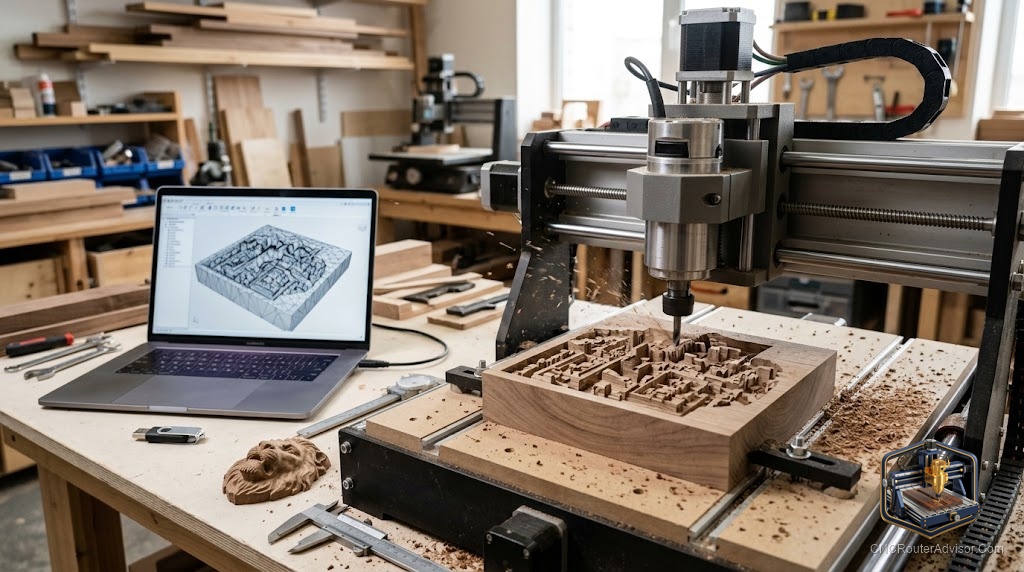
When you want your CNC router to carve something with real depth and dimension, a rippling relief, a sculpted sign, a three-dimensional ornament, you need a different kind of file than the flat vectors used for cutting. That is where STL files come in, and there are plenty available free. Knowing where to find good free STL files, how to make them work on a router rather than a 3D printer, and what to carve with them opens up the most impressive side of CNC work. This guide covers all three.
What an STL file is
STL is a three-dimensional model format, describing the surface of an object as a mesh of triangles. Unlike a flat DXF vector, an STL carries genuine three-dimensional shape, which is what makes it suited to relief carving and sculpted work. STL is most associated with 3D printing, but with the right CAM software a router can carve an STL into wood or other materials using a ball-nose bit to follow the model’s contours. Think of an STL as a sculpture the machine will carve, not a flat outline it will cut.
Where to find free STL files
Free STL files come from several kinds of sources:
- 3D model repositories, huge libraries of models, many free, though not all are made with carving in mind.
- CNC and relief-model libraries, which focus on files designed specifically for router carving.
- Maker communities and forums, where people share models they have carved successfully.
- Design marketplaces, many offering free files alongside paid ones.
Because many STL files are made for printing, favor models suited to carving, and check that the shape can actually be cut by a router, which works from above rather than around all sides.
Checking compatibility
An STL only helps if your setup can carve it. Confirm your CAM software supports importing STL models and generating three-dimensional toolpaths, since not all basic software does. Make sure your machine has the Z travel and work area for the model’s depth and size. And remember the key limitation: a router carves from the top down, so deep undercuts and fully enclosed shapes that a 3D printer handles cannot be cut the same way. Choosing carve-friendly models saves frustration.
Preparing an STL for carving
Downloaded STL files usually need setup before carving. Scale the model to fit your material and work area. Orient it so the router can reach the surfaces from above. Generate a roughing pass to clear bulk material, then a finishing pass with a ball-nose bit to bring out the detail. Simulate the toolpaths first, since three-dimensional carving takes time and material, and catching a problem on screen is far cheaper than mid-carve. Good preparation is what turns a downloaded model into a clean carving.
Project ideas using STL files
Because STL carries real dimension, it suits the most striking projects:
- Relief carvings, turning a flat board into sculpted art.
- Three-dimensional signs, with raised and contoured elements.
- Decorative panels and ornaments, rich with depth and detail.
- Sculpted plaques and medallions, which show off what a router can do.
These are the pieces that make people marvel at what a CNC router is capable of.
Depth and dimension, for free
Free STL files unlock the three-dimensional side of CNC routing without spending on designs, as long as you choose carve-friendly models, confirm your software and machine can handle them, and prepare them properly with roughing and finishing passes. Start with proven relief models, learn how three-dimensional carving behaves on your machine, and finish with care. The results, sculpted and full of depth, are among the most rewarding work a CNC router can produce.