
CNC Router File: File Sources, Compatibility, and Project Ideas
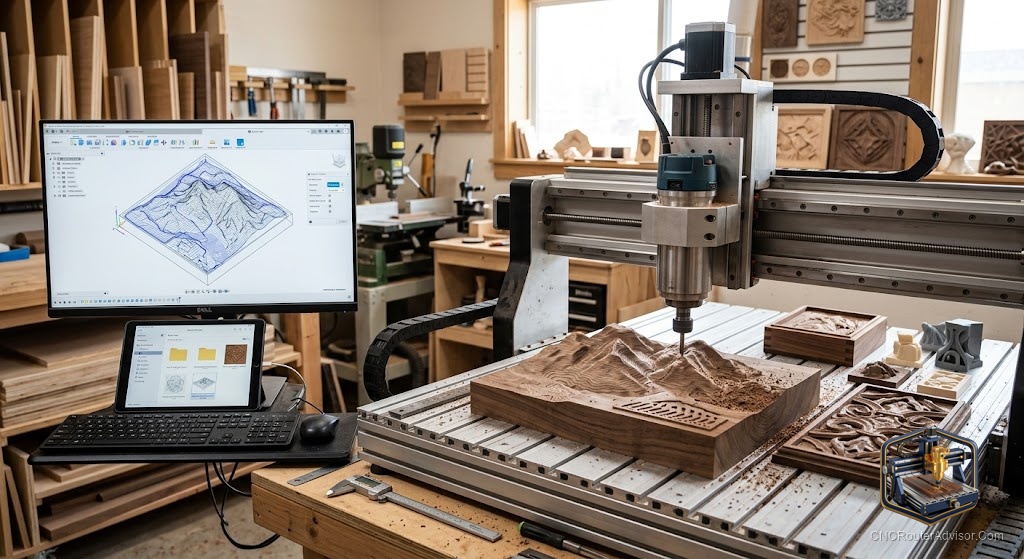
Every CNC router project begins the same way: with a file. Whether you are cutting a simple sign or a detailed 3D relief, a “CNC router file” is the digital blueprint that tells the machine exactly what to make, and understanding the different kinds of files, where to find them, and how they flow through your software is one of the most useful things a new router owner can learn. Get comfortable with files and the machine becomes an open door; stay confused about formats and you will spend more time fighting your software than cutting material.
A CNC router file is any digital file used in the process of cutting on a CNC router, including design/vector files (SVG, DXF), 3D model files (STL), CAM project files (like Vectric .crv), and the final machine instruction file (G-code). Each type plays a different role in the pipeline from design to finished cut.
The short answer on files: you design or download a vector or 3D file (SVG, DXF, or STL), open it in CAM software to set toolpaths, and export G-code that your machine’s sender streams to the controller. Match every file to the software step it belongs to, and confirm your CAM software supports the format before you rely on it.
The CNC file pipeline: from design to cut
Understanding files is easiest when you see the pipeline they move through:
- Design file (CAD / vector): the shape or model, an SVG, DXF, or STL.
- CAM step: you import that design into CAM software (VCarve, Carbide Create, Fusion 360), choose bits, and generate toolpaths.
- G-code file: CAM exports machine instructions (.nc, .gcode, .tap) specific to your machine and setup.
- Sender: control software (Candle, UGS, CNCjs, Carbide Motion) streams the G-code to the controller, and the machine cuts.
The key insight: a design file is not directly cuttable. It must pass through CAM to become G-code.
The main CNC router file types
- SVG (Scalable Vector Graphics): 2D vector outlines for signs, logos, and shapes. Easy to edit in Inkscape or Illustrator, and widely supported.
- DXF (Drawing Exchange Format): 2D CAD vector format for precise technical shapes and parts.
- STL: 3D mesh models for relief carving and 3D machining with a ball-nose bit.
- Vectric project files (.crv, .crv3d): complete CAM projects with toolpaths already set up, the most beginner-friendly “ready to cut” option.
- G-code (.nc, .gcode, .tap): the final machine instructions. Usually generated by you in CAM, since it is machine- and setup-specific, not downloaded.
- DWG, AI, EPS, PDF: other design formats that often import into CAM after conversion.
Compatibility: matching files to your software
The most common beginner frustration is a file that will not open where expected. A few rules prevent it:
- Design files (SVG/DXF/STL) go into CAM, not the sender.
- G-code goes into the sender, not CAM.
- Confirm your CAM supports the format: most accept SVG and DXF; 3D relief needs software that imports STL (Aspire, Fusion 360).
- Do not download G-code for someone else’s machine. G-code is tied to specific bits, speeds, and machine setup; generate your own from the design file.
- Watch units and scale: DXF and SVG can import at the wrong scale; always verify dimensions after import.
Where to find CNC router files
- Free: Vectric’s free projects, community forum shares (Shapeoko, Onefinity), and free SVG/DXF libraries (mind the licenses).
- Paid marketplaces: Etsy, Design and Make (Vectric), and specialty sellers for signs, art, and 3D relief models.
- Your own designs: created in Carbide Create, Inkscape, VCarve, or Fusion 360.
Project ideas by file type
- SVG/DXF (2D): name signs, address plaques, geometric wall art, cutting boards, jigs.
- STL (3D): relief portraits, decorative panels, ornaments, wildlife carvings.
- Vectric .crv (ready-to-cut): complete beginner projects, boxes, signs, trays, with toolpaths done.
The verdict
A CNC router file is the blueprint behind every cut, and mastering files means understanding the pipeline: a design file (SVG, DXF, STL) passes through CAM to become G-code, which the sender streams to the machine. Match each file to its step, confirm your CAM software supports the format, verify scale on import, and never reuse someone else’s G-code. Source designs from free libraries and marketplaces, or make your own, and the file stops being a hurdle and becomes the starting point of everything you make.
Three takeaways: a design file (SVG/DXF/STL) must pass through CAM to become cuttable G-code, it is not directly cuttable; match each file to the right software step and confirm format support; and generate your own G-code rather than downloading it, since it is specific to your machine and setup.
FAQ
What is a CNC router file? Any digital file used to cut on a CNC router: design/vector files (SVG, DXF), 3D models (STL), CAM project files (Vectric .crv), and the final G-code instructions the machine runs.
What file format does a CNC router use? The machine itself runs G-code (.nc, .gcode, .tap). You start from a design file (SVG, DXF, or STL), generate toolpaths in CAM, and export G-code. Design files are not directly cuttable.
Can I download G-code files for my CNC router? It is not recommended. G-code is specific to particular bits, speeds, and machine setup. Download design files (SVG/DXF/STL) instead and generate your own G-code in CAM software.
What is the difference between SVG, DXF, and STL files? SVG and DXF are 2D vector formats (SVG for graphics/signs, DXF for CAD/technical shapes). STL is a 3D mesh format for relief carving and 3D machining. Each suits different project types.
Why won’t my file open in my CNC software? Usually the file is in the wrong step, design files go into CAM, G-code goes into the sender, or your CAM does not support that format (for example, STL needs 3D-capable CAM). Also check units and scale.
Where can I find free CNC router files? Vectric’s free projects, CNC community forums (Shapeoko, Onefinity), and free SVG/DXF libraries. Always check the license before using or selling anything you make.
Do I need special software to use CNC router files? Yes. You need CAM software (VCarve, Carbide Create, Fusion 360) to turn design files into toolpaths and G-code, and a sender (Candle, UGS, CNCjs, Carbide Motion) to run the G-code on the machine.
References
- CNCRouterInfo, File Formats and the CNC Workflow (SVG, DXF, STL, G-code): https://cncrouterinfo.com/guides/how-to-choose-a-cnc-router/
- Vectric, Free CNC Projects (ready-to-cut .crv files): https://www.vectric.com/vectric-community/free-projects/
- Carbide 3D, Carbide Create and the Design-to-G-code Workflow: https://carbide3d.com/carbidecreate/
- Scan2CAD, Converting Files for CNC (formats and conversion): https://www.scan2cad.com/
- Autodesk Fusion 360, CAM and Post-Processing to G-code: https://www.autodesk.com/products/fusion-360/