
CNC Router Designs: Where to Find Them and How to Use Them
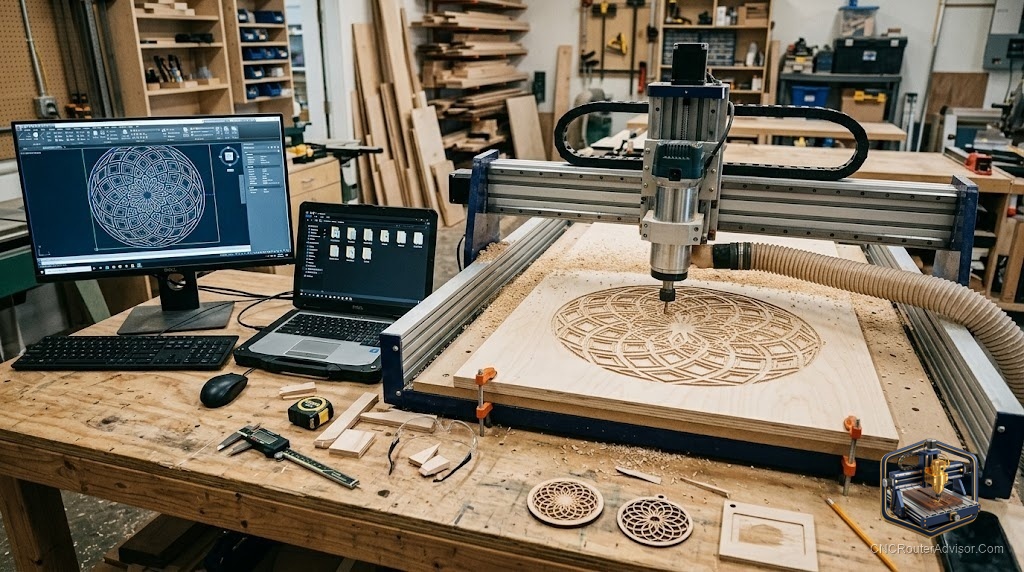
A CNC router is only as good as what you tell it to make, and “CNC router designs”, the digital files that become finished projects, are where every job begins. Whether you want ready-to-cut projects, editable design files, or the skills to create your own, the world of CNC designs is vast, and knowing where to find quality files, what file formats mean, and how to turn a design into a clean cut is what separates a productive machine from an expensive paperweight. The best part is that you can start entirely with others’ designs and grow into creating your own.
CNC router designs are the digital files, vector files (SVG, DXF), 3D models (STL), and complete project files (like Vectric .crv), that define what a CNC router will cut, carve, or engrave. They range from free community files to premium marketplace designs, and from simple 2D shapes to detailed 3D relief models.
The short answer on getting designs: source ready-to-cut files from marketplaces (Etsy, Design and Make, Cut the Wood) and free libraries (Vectric free projects, community shares) for immediate projects, and learn a design tool (Carbide Create, Inkscape, VCarve, Fusion 360) to create or customize your own. Match the file format to your CAM software, and always confirm you have the rights to use and sell what you cut.
Understanding CNC design file formats
Knowing formats saves frustration, because your CAM software needs the right kind of file:
- SVG (Scalable Vector Graphics): 2D vector outlines, ideal for signs, logos, and shapes. Widely supported and easy to edit in Inkscape or Illustrator.
- DXF (Drawing Exchange Format): 2D vector format common in CAD; good for precise technical shapes and parts.
- STL: 3D mesh models for relief carving and 3D machining (roughing and finishing with a ball-nose bit).
- Vectric project files (.crv, .crv3d): complete projects with toolpaths already set up for VCarve/Aspire, the most beginner-friendly “ready to cut” option.
- G-code (.nc, .gcode): the final machine instructions; usually you generate this yourself in CAM rather than downloading it, since it is machine- and setup-specific.
Where to find CNC router designs
Free sources:
- Vectric free projects: vetted, instruction-backed project files.
- Community forums and shares: Onefinity, Shapeoko, and general CNC communities share files.
- Free vector sites: SVG and DXF libraries (be mindful of licenses).
- DesignsByBentley, Scan2CAD, and similar free-file roundups.
Paid/marketplace sources:
- Etsy: a huge marketplace of SVG, DXF, and Vectric files for signs, art, and projects.
- Design and Make (Vectric’s marketplace): premium 2D and 3D relief models.
- Cut the Wood, CNC Design Pro, and specialty sellers: curated project files.
- 3D relief model libraries: for detailed 3D carving (portraits, ornaments, panels).
Popular CNC router design categories
- Signs and lettering: name signs, address plaques, business signs, quote art (V-carve).
- Wall art: mandalas, geometric art, animal silhouettes, layered and topographic art.
- Home goods: cutting boards, coasters, trays, jewelry boxes, bookends.
- Games and gifts: cribbage boards, chess sets, puzzles, ornaments.
- 3D relief: flowers, portraits, wildlife, decorative panels (ball-nose finishing).
- Functional parts: brackets, jigs, fixtures, and enclosures (precise DXF).
Creating and customizing your own designs
- 2D / V-carve design: Carbide Create (free, beginner-friendly), Inkscape (free vector editor), Adobe Illustrator, or VCarve.
- 3D modeling: Fusion 360 (parametric CAD), Vectric Aspire (relief modeling), Blender (artistic 3D).
- Vectorizing images: convert raster images (JPG/PNG) to vectors with Inkscape’s trace or Scan2CAD for cutting.
- Customizing purchased files: most SVG/DXF files can be edited to change text, size, or elements, always within the license terms.
Licensing: use the right to cut
Before selling anything you cut, confirm the license. Many marketplace files are for personal use only or limited commercial use; some allow finished-product sales but not resale of the file itself. Respecting design licenses protects you legally and supports the designers who make the files.
The verdict
CNC router designs are the starting point of every project, and you have two complementary paths: source ready-to-cut files from marketplaces and free libraries for immediate results, and learn a design tool to create and customize your own as your skills grow. Understand the file formats so they match your CAM software, choose designs that suit your bits and materials, and always respect licensing before selling finished pieces. Start with others’ designs to learn, and build toward original work that makes your projects your own.
Three takeaways: match the file format (SVG/DXF for 2D, STL for 3D relief, .crv for ready-to-cut Vectric projects) to your CAM software; source from both free libraries (Vectric free projects) and marketplaces (Etsy, Design and Make) while learning to create your own; and always confirm licensing before selling anything you cut from a purchased design.
FAQ
What are CNC router designs? Digital files that define what a router will cut: vector files (SVG, DXF), 3D models (STL), and complete project files (Vectric .crv). They range from free community files to premium marketplace designs.
Where can I find free CNC router designs? Vectric’s free projects, CNC community forums (Shapeoko, Onefinity), and free SVG/DXF libraries. Always check the license before using or selling anything you make from them.
What file format do I need for CNC router designs? SVG or DXF for 2D and V-carve work, STL for 3D relief carving, and Vectric .crv files for ready-to-cut projects. Your CAM software must support the format you download.
What software do I use to create CNC designs? Carbide Create or Inkscape (free) and VCarve for 2D/V-carve; Fusion 360, Vectric Aspire, or Blender for 3D modeling. Inkscape and Scan2CAD can vectorize images for cutting.
Can I sell projects made from CNC designs I bought? Only if the license permits it. Many files are personal-use or limited-commercial-use only; some allow selling finished products but not the file itself. Always confirm the license before selling.
What is the easiest way to start with CNC designs? Buy or download a ready-to-cut Vectric project file (.crv) with toolpaths already set up, or a simple SVG for a V-carved sign. This lets you make a finished project while learning your machine and software.
How do I turn an image into a CNC design? Vectorize it, convert a raster image (JPG/PNG) into vector outlines using Inkscape’s trace feature or a tool like Scan2CAD, then import the vector into your CAM software to generate toolpaths.
References
- Vectric, Free CNC Projects (ready-to-cut files with instructions): https://www.vectric.com/vectric-community/free-projects/
- Design and Make, CNC Project and 3D Relief Models (Vectric marketplace): https://designandmake.com/
- CNCRouterInfo, File Formats for CNC (SVG, DXF, STL, G-code): https://cncrouterinfo.com/guides/how-to-choose-a-cnc-router/
- Carbide 3D, Carbide Create (free 2D/V-carve design software): https://carbide3d.com/carbidecreate/
- Scan2CAD, Converting Images and Files for CNC: https://www.scan2cad.com/