
CNC Plans Router: Build Options, Parts, and Key Measurements
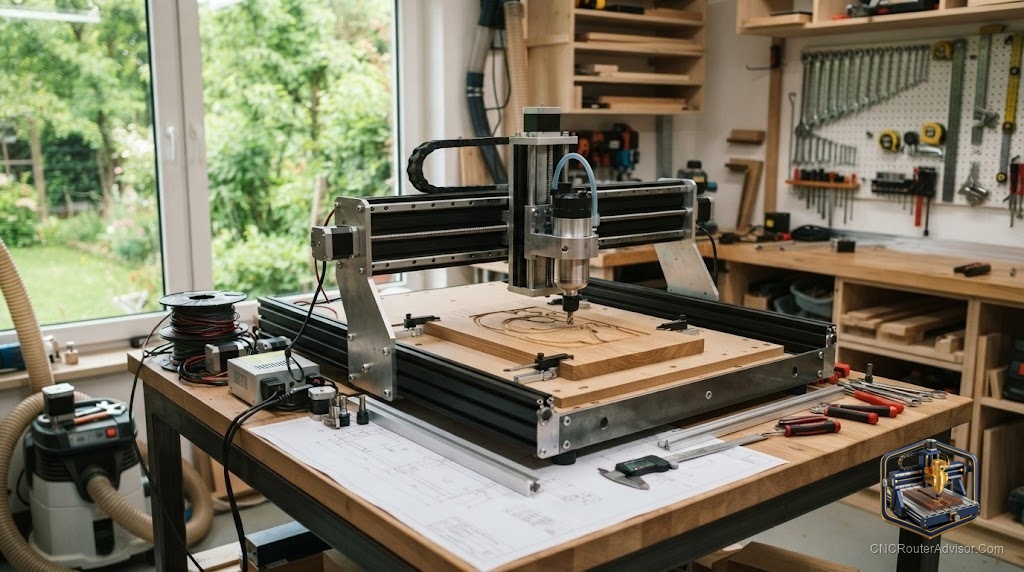
Searching for “CNC plans router” usually means one of two things: you want plans to build a CNC router from scratch, or you want project plans and design files to cut on a router you already own. Both are legitimate and popular, and the resources for each are abundant, but they lead to very different shopping lists. Getting clear on which you need, machine build plans or cuttable project files, saves you from wading through the wrong resources and points you at the parts, measurements, and files that actually apply.
CNC router plans refer to either (1) detailed build documentation, frame drawings, parts lists, and assembly instructions, for constructing a CNC router machine, or (2) ready-to-cut design files (SVG, DXF, and toolpath project files) for making finished projects on a CNC router. This guide covers both: how to choose and use machine build plans, and how to source and cut project plans.
The short answer: if you want to build a machine, start from a proven open-source plan (the PrintNC steel-frame design and various Instructables plans are community favorites) with a complete, sourced parts list and clear work-area measurements. If you want project plans, source vetted SVG/DXF files or Vectric project files and match them to the right bits (V-bit, straight bit) and material (plywood, hardwood).
Option 1: Machine build plans
If your goal is to build the router itself, good plans include frame drawings, a bill of materials, and step-by-step assembly.
What good build plans include:
- Frame drawings and dimensions for every structural member.
- A complete parts list (BOM): frame material (aluminum extrusion or steel tube), motion components (ball screws or lead screws, linear rails or V-wheels), stepper motors (typically NEMA 23), a GRBL controller, a spindle or trim router, and a spindle mount.
- Wiring diagrams for the controller, motors, limit switches, and spindle.
- Assembly sequence with torque and alignment notes.
Popular plan sources:
- PrintNC: An open-source steel-frame design with a wiki, full BOM, and active community. The go-to for a rigid DIY machine.
- Instructables DIY CNC router plans: Multiple free build guides ranging from plywood-frame to extrusion machines.
- Commercial kit plans: Some vendors sell plans plus matched parts kits, reducing sourcing effort.
Key measurements to decide first:
- Work area (X, Y): driven by your largest intended workpiece.
- Z travel: determines maximum material thickness and workholding height.
- Gantry clearance: the vertical space under the gantry for material and fixtures.
- Overall footprint: always larger than the work area because of motion travel.
Option 2: Project plans (cuttable files)
If you have a router and want things to make, project plans are design and toolpath files.
File types:
- SVG and DXF: vector files you import into CAM software to generate toolpaths.
- Vectric project files (.crv): complete projects with toolpaths already set up for VCarve/Aspire.
Popular beginner-friendly project plans:
- Personalized name signs, address plaques, and quote signs (V-bit lettering).
- Geometric wall art and animal silhouette wall art (straight-bit profile cuts).
- Engraved cutting boards and house number plaques.
- Jewelry boxes, piggy bank boxes, bookends, and cribbage boards (joinery + engraving).
- Wooden shelves and small CNC tables (larger profile and pocket work).
Matching bits and materials:
- V-bit: lettering, decorative V-carving, fine detail.
- Straight/upcut bit: profile cuts, pockets, through-cuts.
- Plywood: affordable, stable, good for practice and painted projects.
- Hardwood: maple, walnut, cherry for finished, detailed pieces.
The verdict
“CNC plans router” splits into two clear paths. For building a machine, start from a proven plan like the PrintNC with a complete parts list, and decide your work area and Z travel before buying anything. For making projects, source vetted SVG/DXF or Vectric files and match them to the right bit and material. Both paths are well-supported by active communities and abundant free resources, so choose the one that matches your actual goal and follow a proven plan rather than improvising.
Three takeaways: decide first whether you need machine build plans or cuttable project files, they lead to completely different resources; for machine builds, choose a proven plan (PrintNC) with a complete BOM and lock in work area and Z travel early; and for project plans, match each file to the correct bit (V-bit vs. straight) and material (plywood vs. hardwood).
FAQ
What are CNC router plans? Either build documentation (frame drawings, parts list, assembly instructions) for constructing a CNC router, or ready-to-cut design files (SVG, DXF, Vectric project files) for making projects on a router you own.
Where can I find plans to build a CNC router? Open-source designs like the PrintNC (steel frame, full wiki and BOM) and free Instructables build guides. Some vendors also sell plans bundled with matched parts kits.
What parts do CNC router build plans call for? Frame material (aluminum extrusion or steel), motion components (ball or lead screws, linear rails or V-wheels), NEMA 23 stepper motors, a GRBL controller, a spindle or trim router, and a spindle mount.
What measurements matter most when planning a CNC router build? Work area (X, Y) sized to your largest workpiece, Z travel for material thickness and workholding, gantry clearance, and overall footprint (always larger than the work area).
Where do I get project plans to cut on my CNC router? SVG/DXF files and Vectric project files from design marketplaces (Etsy, Design and Make), free project libraries (Vectric’s free projects), and community shares. Match each to the right bit and material.
What bits do I need for common CNC router projects? A V-bit for lettering and decorative carving, and a straight or upcut bit for profiles, pockets, and through-cuts. Many beginner projects need only these two.
Is it hard to build a CNC router from plans? It is a real project but very achievable with a proven plan and patience. Steel-frame builds like the PrintNC require fabrication; extrusion-based plans are more approachable. Kits with plans reduce sourcing risk.
References
- Instructables, DIY CNC Router Plans: How to Build: https://www.instructables.com/DIY-CNC-Router-Plans-How-to-Build/
- PrintNC, Open-Source Steel-Frame CNC Router Wiki and BOM: https://wiki.printnc.info/
- Bubble Relief, CNC Router Projects for Beginners (project ideas and files): https://bubblerelief.com/cnc-router-projects-for-beginners/
- CNCRouterInfo, How to Choose a CNC Router (work area and Z travel considerations): https://cncrouterinfo.com/guides/how-to-choose-a-cnc-router/
- Vectric, Free CNC Projects (project files with instructions): https://www.vectric.com/vectric-community/free-projects/