
Free CNC Router Files: File Sources, Compatibility, and Project Ideas
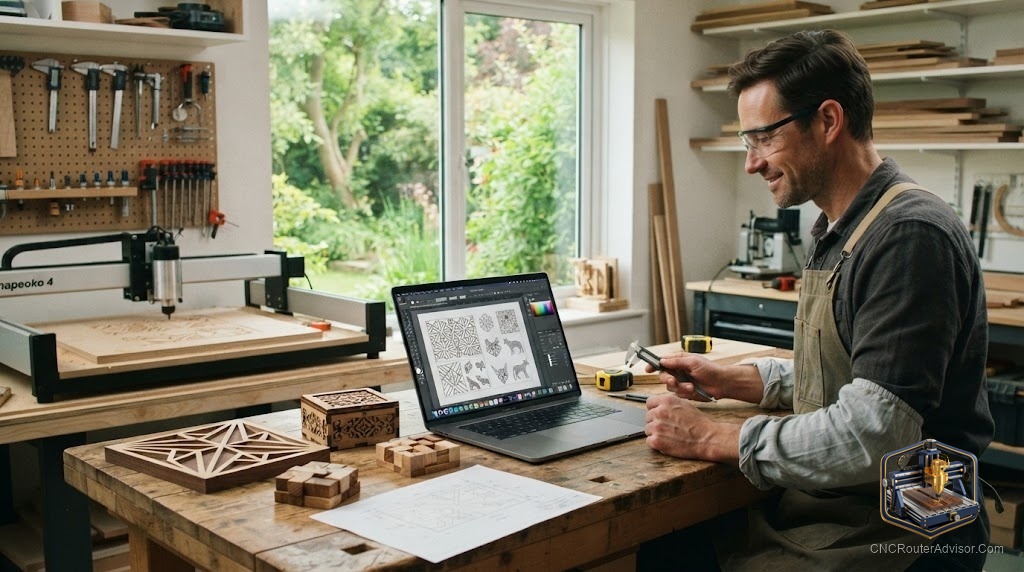
The first time you download a design someone else drew, cut it on your machine, and hold the finished piece, something clicks: you do not have to be a designer to make beautiful things. A huge amount of ready-to-cut work is shared freely online, and learning to find it, trust it, and prepare it turns your router into a machine that never runs out of projects. The skill is not designing, it is sourcing and vetting, and it is worth learning well.
Free CNC router files are no-cost design files, vectors like SVG and DXF for 2D and V-carve work, and 3D models for relief, that you download and cut on your machine. They let you produce finished projects without designing from scratch. Using them well means finding reputable sources, confirming the format works with your software, preparing each file for your own tooling, and respecting the license attached to it.
Short answer: free CNC files come from maker communities, model repositories, manufacturer and software libraries, and marketplaces with free sections. Download vectors (SVG, DXF) for 2D and V-carving and 3D models for relief, confirm they open in your CAD/CAM, prepare them for your tooling, and always check the license before selling anything you cut. Treat each file as an adaptable starting point, not a finished job.
Where free files come from
- Maker and hobby communities where people share their own designs, often with build notes and feedback.
- Model and file repositories hosting user-uploaded designs across many categories, usually with ratings.
- Manufacturer and software libraries, where machine and software makers offer free starter files and project packs.
- Design marketplaces that sell premium files but include free sections or samples.
- Tutorial sites that pair a downloadable file with a step-by-step build guide.
Stick with reputable, reviewed sources, since a badly made file wastes material and time.
File formats and compatibility
- SVG and DXF are vector formats for 2D and 2.5D work, signs, cutouts, and V-carving, and are widely compatible with CAM software.
- 3D models (such as STL) drive relief carving, where the machine renders a sculpted surface.
- Native project files for a specific program include toolpaths but require that program to open.
Confirm the format opens in your software before relying on a file. A vector you can re-toolpath is far more flexible than a locked project file for another program.
Preparing a downloaded file
A free file is a starting point, not always ready to cut:
- Inspect the geometry for stray lines, open paths, or overlaps that confuse toolpaths.
- Set the scale, since files often import at the wrong size; confirm real dimensions first.
- Design around your tooling, checking that detail and internal corners suit your smallest bit.
- Generate your own toolpaths so speeds, feeds, and bits match your machine.
- Simulate before cutting to catch problems.
Licensing and selling
Free does not always mean free for everything. Licenses may allow personal use only, require attribution, permit commercial use, or restrict redistributing the file. If you plan to sell finished pieces, read the license and confirm commercial use is allowed. Respecting terms keeps the community of makers who share their work healthy.
Project ideas from free files
Free files cover an enormous range of beginner-friendly projects: personalized name signs, address plaques, quote signs, and house number plaques; geometric wall art and animal silhouettes; engraved cutting boards and bookends; jewelry boxes, piggy bank boxes, and cribbage boards; and shelves and small furniture accents. Most are vector files cut with V-bits for lettering and straight or upcut bits for profiling, which makes them ideal for practicing on plywood and hardwood.
The bottom line
Free CNC router files turn your machine into an endless source of projects, as long as you source them from reputable places, confirm the format fits your software, prepare each file for your own tooling, and respect its license. The real skill is not designing but vetting: inspect the geometry, set the scale, generate your own toolpaths, and simulate before cutting. Build the habit and a library of free files becomes a nearly bottomless supply of things to make, and a great way to learn design by studying others’ work.
FAQ
Where can I download free CNC router files? From maker communities, model repositories, manufacturer and software libraries, and marketplaces with free sections. Favor reputable, reviewed sources.
What file formats do CNC routers use? Vector formats like SVG and DXF for 2D and V-carve work, 3D formats like STL for relief, and native project files for specific software.
Can I sell items made from free files? Only if the license allows commercial use. Always read the terms, since some free files are personal-use only or require attribution.
Are free files ready to cut right away? Usually they need preparation: inspect the geometry, set the correct scale, generate toolpaths for your tooling, and simulate before cutting.
Will a free file work with my machine? It works if the format opens in your CAD/CAM software. Vectors you can re-toolpath are more flexible than project files locked to another program.
Why did my file import at the wrong size? Files can carry different unit settings, so they may import too large or small. Always confirm real dimensions before generating toolpaths.
How do I know a free file is good quality? Use reputable, reviewed sources and inspect the geometry yourself for stray or open paths before cutting, since quality varies widely.
References
- CNCRouterInfo, how to choose a CNC router: https://cncrouterinfo.com/guides/how-to-choose-a-cnc-router/
- CNC Dad, best CNC router for beginners: https://www.cnc-dad.com/blog/best-cnc-router-for-beginners/