
CNC Laser Router Guide: Compatibility, Setup, and Upgrade Options
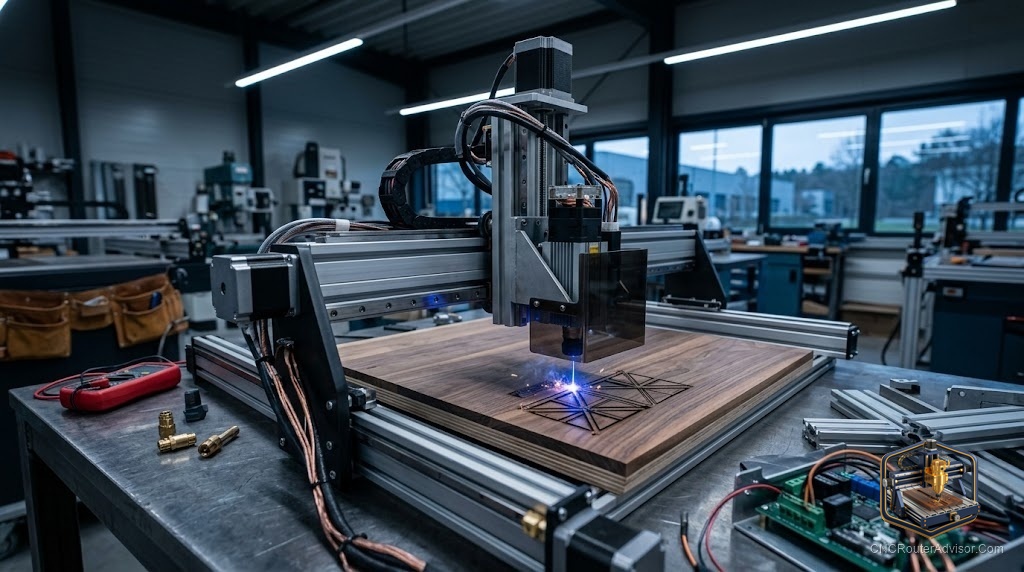
The idea behind a CNC laser router is appealing: one machine that both routs and engraves with a laser, doubling your capabilities without doubling your floor space. It is a real and popular configuration, but the term hides an important distinction. In most cases, a “CNC laser router” is a CNC router that accepts an add-on laser module, using the same motion system for both jobs. Understanding how that dual capability actually works, what fits, and what the safety requirements are, is the difference between a versatile machine and a costly, dangerous mistake.
A CNC laser router is a CNC router equipped, either natively or via an add-on module, to operate both a routing spindle and a laser engraving head, using the machine’s shared X, Y, and Z motion system to switch between subtractive routing and laser engraving or cutting. The laser is typically a diode module (5W to 40W electrical, 5W to 10W+ optical) mounted to the Z axis and connected to the controller’s laser output.
The short answer on how to approach it: most CNC routers with a GRBL-based controller and a laser output port can accept a compatible diode laser module from the machine’s manufacturer. Buy the module specified for your machine, confirm your control software supports laser mode (LightBurn is the standard), and put laser safety, glasses, enclosure, and ventilation, in place before the first test fire.
How dual routing and laser capability works
A CNC router and a laser share the same fundamental need: precise, controlled motion in X and Y. That is why adding a laser to a router is practical, the motion system already exists. The differences are in the tool and the control:
- Routing uses a spinning bit that physically removes material. It needs Z-axis depth control, rigidity, and dust collection.
- Laser engraving/cutting uses a focused light beam that burns or vaporizes material. It needs laser power control, focus height (not continuous Z motion), and fume extraction.
The machine switches modes: you physically mount either the spindle or the laser module (or, on some machines, both are mounted and you select which to use), and the control software sends either spindle/feed commands (routing) or laser power/speed commands (engraving).
Compatibility: what fits your machine
Controller and laser output. The machine needs a GRBL (or compatible) controller with a laser PWM output port. Most hobby and prosumer routers (FoxAlien, Genmitsu, Onefinity, Shapeoko) support this.
Manufacturer-matched modules. The safest path is buying the laser module your machine’s manufacturer specifies. For example, FoxAlien’s 40W (10W optical) module lists compatibility with the 4040-XE, Masuter series, and others; ACMER makes a module specific to its 4S machine. Match the module to the machine.
Mounting. The laser module must mount to your Z axis or gantry. Manufacturer modules include the correct bracket; universal modules may require an adapter.
Software. Routing uses your normal CAM (VCarve, Carbide Create, Fusion 360). Laser mode uses laser software, LightBurn is the industry standard, which generates the power/speed commands the controller needs.
What a CNC laser router can do
- Routing: everything a CNC router normally does, carving, profiling, pocketing, V-carving, in wood, plastic, and (on capable machines) light aluminum.
- Laser engraving: photos, text, patterns, and marking on wood, leather, acrylic, anodized aluminum, and coated metals.
- Laser cutting: thin materials, veneer, cardboard, leather, thin acrylic, depending on laser power.
Safety: non-negotiable for the laser side
Adding a laser to a router introduces serious hazards the routing side does not have:
- Laser safety glasses rated to the module’s wavelength (typically 450nm for blue diodes) must be worn whenever the laser is active. Diode lasers cause immediate, permanent eye damage.
- Enclosure or interlock. Routers are open by design; an enclosure or interlock that prevents firing when open is strongly recommended.
- Fume extraction. Laser cutting and engraving produce smoke and potentially toxic fumes. Never laser-cut PVC or vinyl (releases chlorine gas). Ventilate or extract.
- Fire risk. A laser burns material; never leave it unattended, and keep a fire extinguisher nearby.
The verdict
A CNC laser router adds genuine engraving and thin-material cutting to a routing machine using the motion system you already own, making it one of the most cost-effective capability upgrades available. Buy the laser module specified for your machine, confirm your controller has a laser output and your software supports laser mode, and treat laser safety as mandatory. Done right, it is two machines in one footprint; done carelessly, the laser side is genuinely dangerous.
Three takeaways: most GRBL-based routers accept a manufacturer-matched add-on laser module using the existing motion system; use LightBurn for the laser side and your normal CAM for routing; and laser safety glasses, an enclosure, and fume extraction are mandatory before any laser use.
FAQ
What is a CNC laser router? A CNC router configured to run both a routing spindle and a laser engraving head, using the same X/Y/Z motion system to switch between subtractive routing and laser engraving or cutting.
Can I add a laser to my existing CNC router? Usually yes, if it has a GRBL-based controller with a laser output port. Buy the laser module your manufacturer specifies for your machine and confirm mounting compatibility.
What software do I use for the laser on a CNC router? LightBurn is the industry-standard laser software; it generates the power and speed commands the controller needs. Your normal CAM software (VCarve, Carbide Create, Fusion 360) still handles routing.
What can a CNC router laser module cut and engrave? Engraving on wood, leather, acrylic, anodized aluminum, and coated metals; cutting thin materials like veneer, cardboard, leather, and thin acrylic depending on laser power.
Do I need safety equipment for a CNC laser router? Yes, mandatory. Laser safety glasses rated to the module’s wavelength, an enclosure or interlock, and fume extraction. Never laser-cut PVC or vinyl.
How powerful a laser can I put on a CNC router? Diode modules commonly range from 5W to 40W electrical (roughly 5W to 10W+ optical). Higher optical power cuts thicker materials. Match the module to your machine’s specified compatibility.
Can a CNC laser router run the spindle and laser at the same time? No. They are separate operations. You use the spindle for routing and the laser for engraving/cutting, switching modes and (usually) physically swapping or selecting the active tool.
References
- FoxAlien, 40W Fixed Focus Blue Laser Module Kit V2 (10W optical, machine compatibility): https://www.foxalien.com/products/foxalien-40w-fixed-focus-blue-laser-module-kit
- FoxAlien Blog, How to Connect the 40W Laser on CNC Router 4040-XE and Masuter: https://www.foxalien.com/blogs/news/how-to-connect-the-foxalien-40w-laser-on-cnc-router-4040-xe-masuter-and-3018-se
- Carbide 3D, Guide to CNC Dust Collection (routing-side setup): https://carbide3d.com/learn/cnc-dust-collection/
- CNCRouterInfo, How to Choose a CNC Router (controller and motion system): https://cncrouterinfo.com/guides/how-to-choose-a-cnc-router/
- LightBurn Software, Laser Control Software (laser-mode standard): https://lightburnsoftware.com/