
Kit Router CNC: Deciding Between a Kit and a Built Machine, and Upgrade Paths
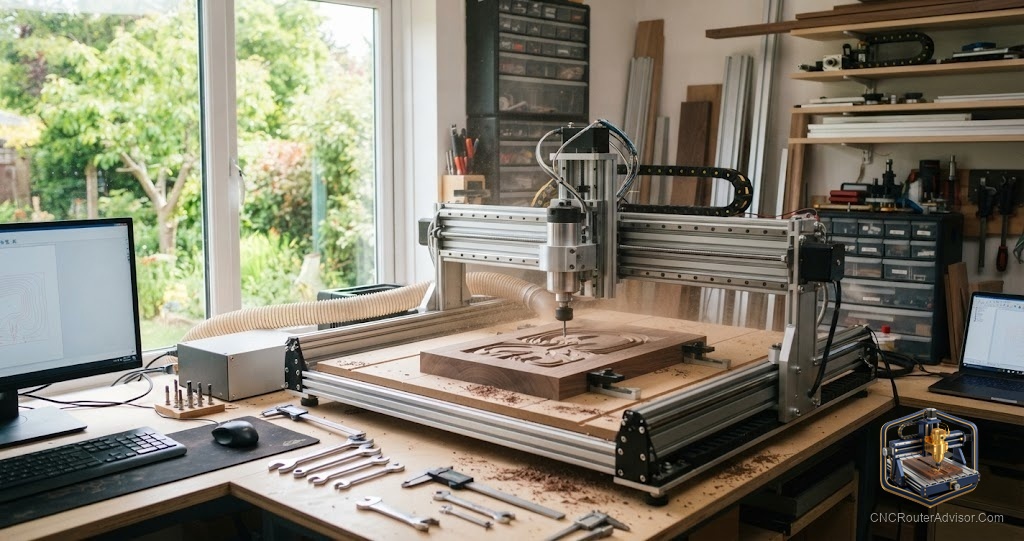
Buying a kit router versus buying a fully built machine is a real fork in the road, and most people make the decision on price alone without accounting for the hidden costs on either side. A kit saves money upfront and teaches you the machine. A built machine saves time and gets you cutting sooner. Neither is categorically better, but the wrong choice for your situation costs you in ways that the price tag did not warn you about.
This guide covers how to decide between a kit and a built machine, what happens after you buy a kit, and the upgrade paths that extend a kit machine’s capability over time.
The kit vs built decision
The core question is what you value more: time or cost and knowledge. A kit router requires assembly, squaring, firmware configuration, and a first calibration run. That process takes a weekend for a straightforward kit and longer if something needs to be re-done. The reward is a machine you understand at a mechanical and electrical level, which makes future tuning, repairs, and upgrades far less mysterious.
A fully built machine skips that work and gets you cutting the same day you set it up, which can be a few hours of table assembly and software installation rather than a full build. The trade-off is that you understand the machine less, and when something goes wrong, you troubleshoot from the outside rather than from the inside knowledge of having built it.
For beginners who are comfortable with mechanical work and patient with assembly, a kit often pays off in deeper machine knowledge. For beginners who want to cut quickly and learn through use rather than build, a fully built machine is the cleaner path.
What to check before buying a kit
Compatibility before purchase is the same checklist as any kit: confirm the actual cutting travel, the motion system type, the motor and driver compatibility, and the spindle mount diameter. Beyond that, check specifically that the kit includes detailed assembly documentation or has a well documented community build, because an undocumented kit build is genuinely difficult. And confirm that spare parts and components are available, because a kit machine needs the ability to source replacements over time.
Squaring and calibration: the most important assembly steps
The step that separates a good kit build from a frustrating one is squaring. The frame goes together in an order, and at each step you check and correct for square before tightening anything permanently. Diagonal measurements confirm squareness on a flat frame. Each axis must travel smoothly and without binding before you torque the fasteners. The spindle must be perpendicular to the bed within a close tolerance.
After mechanical assembly, firmware calibration matches the machine’s steps per unit to its actual travel, so when the file says to move 100 millimeters, the machine moves exactly 100 millimeters. Verify by measuring actual travel against commanded travel in all three axes.
Upgrade paths after a kit
A kit machine is rarely the finished machine. The platforms that suit upgrade paths best share a common component standard with the broader market, so you can source linear rails, ball screws, VFD spindles, and electronics from multiple suppliers.
The upgrade that pays off most first is the spindle, if the stock motor is weak. A VFD spindle gives better power, quiet operation, and variable speed. The second is the motion system if the kit ships on V-wheels or lead screws: upgrading to linear rails and ball screws is the most transformative single change for accuracy and longevity. After those, a proper dust shoe, a surfaced wasteboard, and an improved workholding setup complete a well-built kit machine.
Upgrades should follow a sequence based on what is limiting your work. Cut on the kit for a few weeks, identify the actual constraint, and address that rather than upgrading speculatively.
Who should skip a kit
Skip a kit if you want to start cutting immediately and assembly is not the point. A fully built machine gets you there faster. Skip a kit too if the one you are evaluating lacks clear assembly documentation, spare parts availability, or community support, because those are what make a kit build go smoothly rather than stalling at the third step. And skip building a kit toward metal-cutting capability from a plastic-frame design: it is more efficient to buy the right rigid machine for that purpose than to upgrade to something the original design was not made for.
Comparison: kit vs built CNC router
| Factor | Kit router | Built router |
| Time to first cut | Weekend plus setup | Hours after delivery |
| Machine knowledge | Deep, from building it | Surface level until issues arise |
| Upfront cost | Lower | Higher |
| Repair confidence | High, you know the machine | Lower until you learn it |
| Best buyer | Patient, mechanical, learning-focused | Wants to cut quickly, use-focused |
For a well documented kit with a ballscrew motion system, the FoxAlien XE-PRO is a strong starting point at this listing. For a larger assemble-yourself kit, the VEVOR Evolution 4 is at this listing. For a fully built, well supported alternative, the Genmitsu PROVerXL 4030 is at this listing.
The verdict
The kit versus built decision is a trade of time for knowledge and cost. Build the kit if you want to understand the machine deeply, are patient with the assembly process, and have access to clear documentation and community support. Buy built if you want to cut quickly, learn through use, and skip the assembly investment. Once in a kit, the upgrade path follows a clear sequence: spindle first if weak, motion system second if V-wheels or lead screws are limiting, then supporting accessories. Follow your actual constraints rather than speculative improvements, and the kit machine can grow into something genuinely capable.
Frequently asked questions
Is a kit CNC router better than a fully built one? Neither is better overall. A kit rewards assembly effort with deep machine knowledge and lower upfront cost. A fully built machine delivers faster cutting with less build investment. Choose based on which trade-off fits your goal.
How long does it take to build a kit CNC router? A well documented, straightforward kit takes a weekend. A complex or poorly documented kit can take longer, especially if squaring and calibration require rework. Plan the full build time honestly.
What is the most important step in building a kit router? Squaring the frame before any fastener is final. A frame assembled even slightly out of square cuts inaccurately no matter how good the parts are. Take the time to measure and correct at each stage.
What should I upgrade first on a kit machine? Cut on it first and find the actual constraint. If the spindle is weak or loud, upgrade it first. If the motion system is imprecise or wearing fast, upgrade the rails and screws. Address what limits you rather than what seems impressive.
Can any kit router be upgraded to cut aluminum? Not all. A kit with a rigid metal frame and room for a real spindle can be upgraded to aluminum capable. A plastic-frame kit designed for light wood is not a practical starting point for metal capability, regardless of how many components you change.
Do kits come with software? Most include a controller running GRBL, which pairs with widely available free and paid CAM and control software. Confirm the controller type and your planned software are compatible before buying.
References
- CNC Router Info, How to Choose a CNC Router: https://cncrouterinfo.com/guides/how-to-choose-a-cnc-router/
- Instructables, DIY CNC Router: https://www.instructables.com/DIY-CNC-Router/