
CNC Kit Router Guide: Compatibility, Installation, and Upgrade Choices
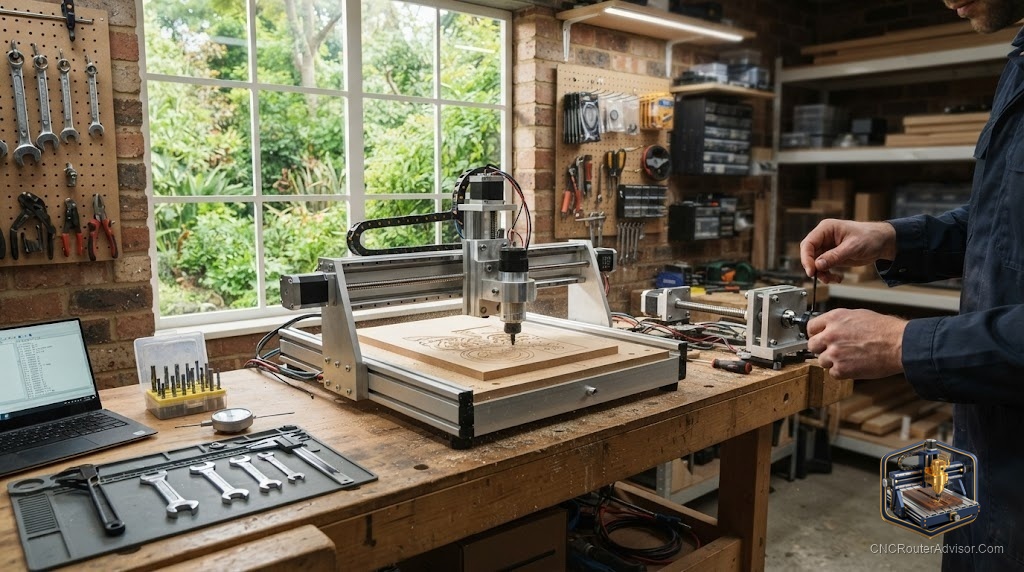
A CNC kit router occupies a specific spot between a fully built machine and a scratch build, and understanding that spot is the whole point. You get matched parts, a known working design, and the assembly experience, without the hours of sourcing individually and hoping everything fits together. The real decisions with a kit are compatibility, installation details that trip people up, and whether the kit you are considering can be upgraded later if your needs grow. Those three questions decide whether a kit serves you for years or becomes the machine you replace after a few months.
This guide focuses on those three, specifically for buyers who are evaluating kits, upgrading existing kit machines, or deciding between a kit and a fully built router.
What a CNC kit router is
A CNC kit router is a machine sold as a set of matched components you assemble. The frame, gantry, motion system, electronics, and sometimes the spindle mount arrive together, designed to work as a unit. Most use GRBL controllers and pair with common CAM and control software. The kit approach ensures the parts are sized and matched for each other, which removes the primary risk of a from-scratch build: mismatched components that create binding, slack, or controller conflicts.
Kits span a wide range, from compact 300 by 300 millimeter desktop machines to large one meter square frames. The motion system, meaning whether it uses lead screws, ball screws, timing belts, or rack and pinion, and whether it runs on linear rails or V-wheels, varies by kit tier and strongly affects the cut quality and upgrade path.
Compatibility: what to confirm before buying
Compatibility starts with the work area: confirm the kit’s cutting travel, not just the outer frame dimensions, against your projects. Beyond that, confirm the stepper motor spec, usually NEMA 23 for main axes or NEMA 17 for lighter machines, matches the drivers and controller included. A kit that ships with mismatched motor and driver specs requires an early upgrade.
Spindle mount compatibility matters if you plan to run a specific spindle. Check the mount diameter and confirm it fits your planned trim router or VFD spindle, because upgrading a spindle later on a mismatched mount requires a new mount plate.
Software compatibility determines your workflow. Confirm the controller runs GRBL or a documented firmware with broad software support. A controller on a proprietary system ties you to that vendor’s tools.
Finally, check V-wheel or linear rail compatibility if you plan to upgrade motion later. Some kits allow a rail upgrade; others do not.
Installation: the steps that decide your cut quality
Kit assembly goes in a specific order that matters. Assemble and square the frame first, because everything references it. A frame that is out of square by even a small amount cuts parts that do not fit. Use a reliable square and check diagonals as well as right angles.
Install the linear guides or V-wheel assemblies before tightening anything permanently, and confirm each axis slides smoothly with no binding. Preload the anti-backlash nut on the lead screw correctly: too loose allows backlash, too tight causes premature wear. Ball screw preload is set at the factory on quality kits, but check that nothing has shifted in shipping.
Wire the electronics carefully and keep stepper cable runs away from spindle power cables to reduce interference. Connect limit switches and confirm homing works in all three axes before loading a file. Set steps per unit in the firmware to match your actual lead screw pitch or belt and pulley ratio, and verify by moving each axis a known distance and measuring the result.
Only after all axes move correctly and accurately, with the spindle off, do you make a first test cut in scrap.
Upgrade choices: what to change first
Kits often ship with the motion and electronics adequate to get started but not the best available. The upgrades that pay off most on kit machines are:
The spindle, because a VFD spindle or a quality trim router replaces a weak stock spindle and improves cut quality and material range with one change. A 500W to 800W air cooled VFD spindle with its driver is the most common first upgrade.
Linear rails, if the kit ships on V-wheels. V-wheels wear and drift over time, while linear rails hold accuracy and require less maintenance. On kits that support this upgrade, it is the single biggest quality improvement.
The wasteboard and workholding, because a flat, properly surfaced wasteboard with a solid clamping setup improves every cut. This is often overlooked but is cheap and high impact.
A dust shoe, because chip management at the cutter improves surface finish and protects rails and bearings from embedded dust.
Who should skip a kit
Skip a kit if you want zero assembly: a fully built machine gets you cutting with far less effort. Skip it if the kit you are evaluating has no spare parts or community documentation, because a stuck assembly question with no help is deeply frustrating. And skip a kit to build up metal working capability if your main material is aluminum: start with a metal framed machine rather than upgrading a plastic framed kit toward rigidity it was never designed for.
Comparison: kit upgrade priority
| Upgrade | Impact | When to do it |
| VFD spindle | High: better power, speed control | First, if stock spindle is weak |
| Linear rails | High: accuracy and long term reliability | Early if kit ships on V-wheels |
| Wasteboard and clamps | Medium: flat surface, better hold | Before first real job |
| Dust shoe | Medium: finish quality, component life | First session |
| Ball screw | High but complex | If lead screw backlash is limiting |
For a well matched, assembly ready kit with a ballscrew motion system, the FoxAlien XE-PRO is a strong choice at this listing. For a larger assemble-yourself kit with a bigger work area, the VEVOR Evolution 4 is available at this listing. For spindle upgrades, a 500W air cooled VFD kit is at this listing.
The verdict
A CNC kit router is the right path if you want a matched, functional machine with some assembly involvement and a clear upgrade path. The three decisions that define your experience are compatibility, checked before you buy; installation, done in order with careful squaring and axis verification; and upgrade priorities, starting with the spindle and motion system if the stock versions are limiting. Buy a well documented kit with spare parts and a real community, and the assembly investment pays off in a machine you understand and can tune, fix, and improve over time.
Frequently asked questions
Is a CNC kit router hard to assemble? Most take a day or a weekend with standard tools. The important step is squaring the frame carefully, because a machine assembled out of square cuts inaccurately no matter how good the parts are.
What is the difference between a lead screw and a ball screw kit? Ball screw kits are more precise with less backlash and are worth the extra cost for accuracy sensitive work. Lead screw kits cost less and are adequate for general wood and plastic cutting with a properly set anti-backlash nut.
What is the first upgrade to make on a kit router? The spindle if the stock one is weak, and linear rails if the kit ships on V-wheels. Both improve cut quality significantly. A flat wasteboard and dust shoe follow closely.
Can I add a VFD spindle to any kit? Confirm the mount diameter matches your planned spindle before buying the kit. A 52mm or 65mm spindle mount is standard on many kits, but check the specific model.
Why do steps per unit matter? They tell the controller how far the machine actually moves per motor step. If set incorrectly, your machine will cut parts at the wrong size. Verify by moving an axis a known distance and measuring the actual result.
Is a kit or a fully built machine better for beginners? A fully built machine gets you cutting faster and with less risk. A kit rewards the effort with a machine you understand well and can service. Beginners who enjoy building and learning often prefer kits; those who want to cut right away are better served by a built machine.
References
- CNC Router Info, How to Choose a CNC Router: https://cncrouterinfo.com/guides/how-to-choose-a-cnc-router/
- Instructables, DIY CNC Router: https://www.instructables.com/DIY-CNC-Router/