
Axyz CNC Router Manual: Documentation, Support, and What to Know
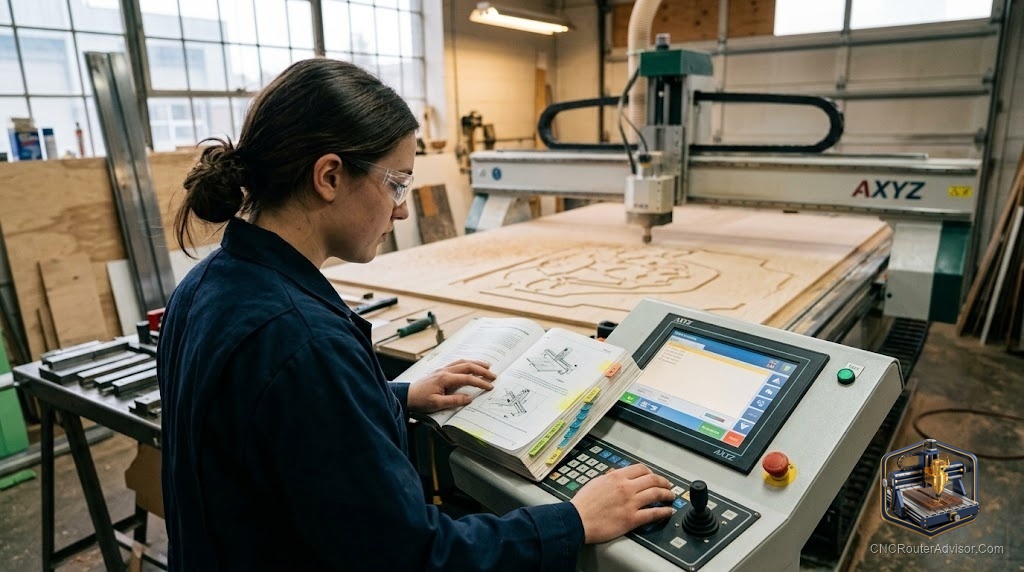
When you own or are buying an AXYZ CNC router, the manual and documentation matter more than people expect - they’re the difference between a machine you can operate, maintain, and repair confidently and one that becomes a mystery. Here’s how AXYZ documentation and support work, and how to make sure you have what you need.
Why the manual matters on an industrial machine
An AXYZ CNC router is industrial equipment from AXYZ (the Canadian manufacturer, founded 1991, now under AAG - the AXYZ Automation Group). Unlike a plug-and-play desktop machine, a full-sheet industrial router involves servo drives, a VFD spindle, vacuum systems, and an industrial controller. Proper documentation covers installation, operation, maintenance, safety, and troubleshooting - and it’s essential for running the machine safely and keeping it productive.
What AXYZ documentation typically covers
A complete documentation set for an AXYZ machine generally includes:
- Installation and setup - electrical (often 3-phase), compressed air, leveling, and commissioning.
- Operation - running programs, using the controller, tool changes, and vacuum zones.
- Maintenance schedules - lubrication of linear rails and drives, spindle care, and routine checks.
- Safety - critical procedures for an industrial machine.
- Troubleshooting - diagnosing common faults across the X axis, Y axis, Z axis, spindle, and controller.
- Parts references - diagrams and part numbers for ordering.
- Controller and software - the control system and any CAM/post-processor documentation.
How to get the right documentation
- Go through AXYZ/AAG or your dealer. The most reliable route is the manufacturer or authorized dealer, matched to your exact model and controller generation.
- Match documentation to the machine. AXYZ has many models and generations (current Infinite, Trident, Z-Series; legacy AXYZ Series, Pacer, Millennium) - make sure the manual matches your machine and its controller.
- Include controller and software docs. The controller and CAM/post-processor documentation are as important as the mechanical manual.
- On a used machine, confirm docs and support. Before buying used, verify that documentation, parts, and service are available - legacy machines (e.g., the discontinued Millennium) may be unsupported, which makes manuals and parts hard to obtain.
Getting help beyond the manual
- Dealer and manufacturer support. AXYZ’s dealer network provides technical support, service, and training - a major part of owning an industrial machine.
- Operator training. Formal training shortens the learning curve and reduces costly mistakes.
- Keep records. Maintain your own log of maintenance, settings, and fixes alongside the official manual.
The bottom line
An AXYZ CNC router manual is core to operating, maintaining, and troubleshooting the machine safely - covering installation, operation, maintenance, safety, and parts. Get documentation directly from AXYZ/AAG or an authorized dealer, matched to your exact model and controller generation, and lean on dealer support and training. If you’re buying used, confirm documentation and parts support first - especially on legacy models that may no longer be supported.
Frequently asked questions
Where do I get an AXYZ manual? From AXYZ/AAG or an authorized dealer, matched to your specific model and controller generation - that’s the reliable source for accurate, complete documentation.
What should the documentation include? Installation, operation, maintenance schedules, safety, troubleshooting, parts references, and the controller/software documentation.
What about older AXYZ machines? Legacy models (like the discontinued Millennium) may be unsupported, so documentation and parts can be hard to find. Confirm availability before buying used.