
Axis CNC Router Explained: Uses, Setup, and Key Considerations
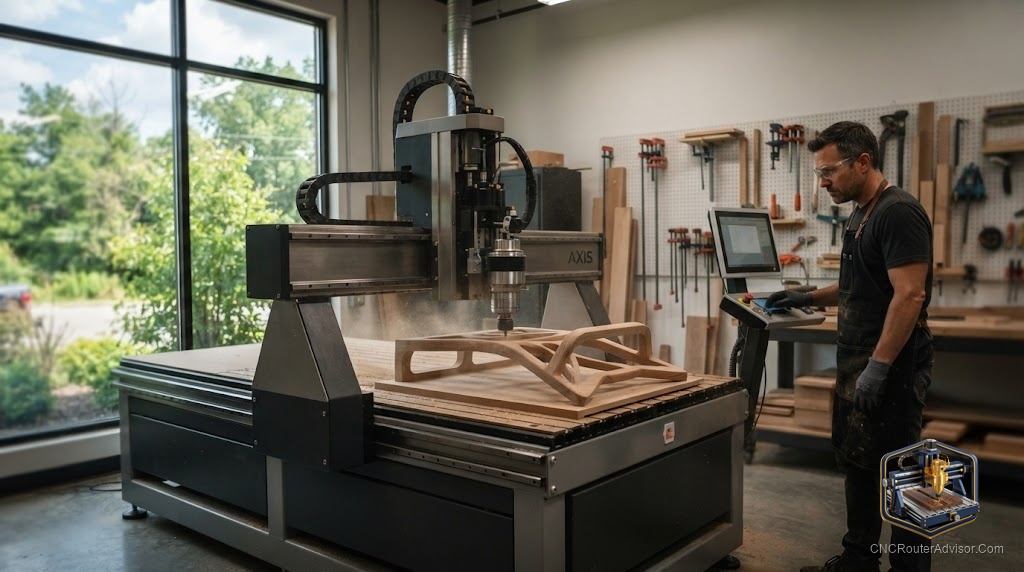
One of the first things that confuses new CNC buyers is “axes”: 3-axis, 4-axis, 5-axis - what do they actually mean, and how many do you need? The good news is the concept is simpler than it sounds, and understanding it makes you a far smarter buyer. Here’s a clear guide to CNC router axes.
What an “axis” is
An axis is a direction the machine can move the tool. Every CNC router has at least three:
- X axis - left/right
- Y axis - front/back
- Z axis - up/down
Together these three let the tool reach any point in a 3D space above the table - which is why a 3-axis machine can carve flat parts, pockets, and even full 3D reliefs. Additional axes add rotation, letting the machine approach the material from more angles.
3-axis: the workhorse
A 3-axis router moves in X, Y, and Z. This covers the vast majority of router work: signs, engraving, 2.5D and 3D carving, flat parts, and pockets. For nearly all hobbyists and many pros, 3 axes is all you’ll ever need - it’s simpler to program, less expensive, and hugely capable.
4-axis: adding rotation
A 4-axis router adds a rotary axis (often called the A axis) - typically a rotary chuck that spins the workpiece. This lets you carve cylindrical objects like table legs, columns, balusters, and 3D figures by rotating the stock as the tool cuts. If you want to make round or spiral work, a 4th axis (or a rotary add-on) is what you need.
5-axis: full angular freedom
A 5-axis router adds two rotary axes, letting the tool approach the material from almost any angle. This enables complex sculptural and industrial parts - curved furniture components, molds, aerospace-style shapes - in fewer setups. Five-axis machines are complex and expensive, firmly in the industrial realm; they’re overkill (and out of budget) for typical hobby and small-shop work.
How motion actually happens
Whatever the axis count, each axis moves via a drive mechanism - a ball screw, lead screw, timing belt, or rack and pinion - riding on linear rails or V-wheels. Quality here drives repeatability and positioning accuracy: a good ball screw with an anti-backlash nut holds tighter tolerances than a basic belt or V-wheel setup. Features like homing, soft limit switches, work coordinates, and correct steps per unit calibration make the motion reliable and repeatable.
Choosing how many axes you need
- Signs, flat parts, 2.5D/3D carving? A 3-axis machine is all you need - and where you should start.
- Cylindrical work (legs, columns, staffs)? Consider 4-axis or a rotary add-on.
- Complex multi-angle sculptural/industrial parts? 5-axis - but only if your work and budget genuinely justify it.
Most people are best served by a solid 3-axis machine, adding a rotary axis later only if their projects demand it.
Setup considerations
- Calibrate steps per unit on every axis so parts come out the right size.
- Set up homing and soft limits for repeatable zeroing and crash protection.
- Mind rigidity. More axes don’t help if the machine flexes - frame rigidity underpins accuracy on every axis.
- Match software. 4- and 5-axis work needs CAM that supports those toolpaths.
The bottom line
CNC router axes describe how the tool can move: X, Y, and Z give you full 3D carving on a 3-axis machine - enough for almost everyone - while 4-axis adds rotation for cylindrical work and 5-axis adds full angular freedom for complex industrial parts. Start with a rigid 3-axis machine, focus on drive quality and calibration for accuracy, and add axes only when your projects truly require them.
Frequently asked questions
How many axes do I need? For signs, flat parts, and 3D carving, 3 axes (X, Y, Z) is enough. Add a 4th axis for cylindrical work; 5-axis is for complex industrial parts.
Can a 3-axis router do 3D carving? Yes - X, Y, and Z together carve full 3D reliefs and contours. Extra axes add rotation and angled access, not basic 3D ability.
What makes an axis accurate? The drive mechanism (a quality ball screw with an anti-backlash nut beats a basic belt), good linear rails, rigid construction, and correct steps-per-unit calibration.