
Automatic CNC Router Machine Explained: Uses, Setup, and Key Considerations
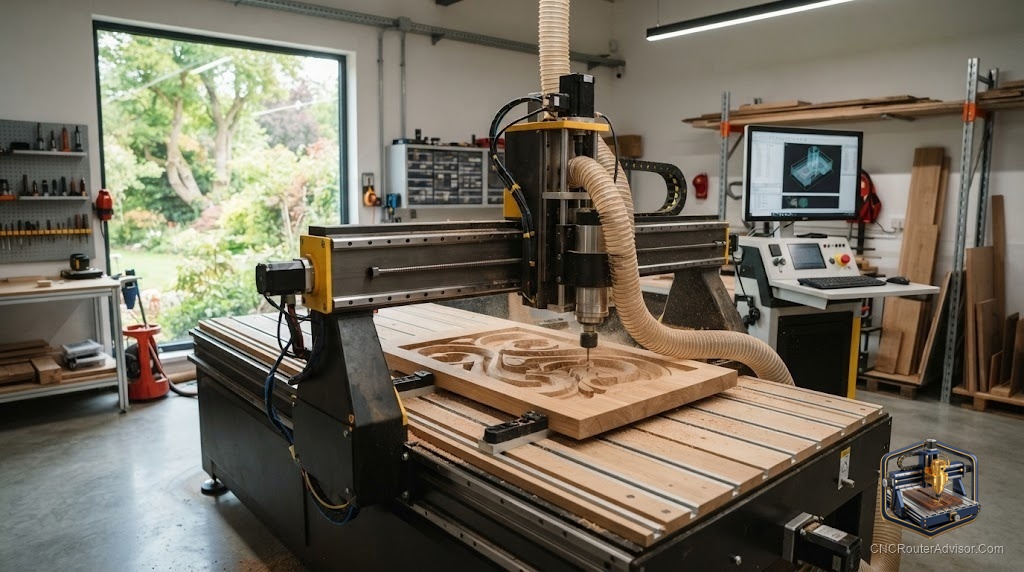
Shopping for an “automatic CNC router machine” usually means one thing: you want a machine that does the precise cutting for you, automatically, from a design on your screen. The good news is that’s exactly what every CNC router does - so the real task is choosing the right one and setting it up well. Here’s a buyer-focused guide to getting it right.
What you’re actually buying
An automatic CNC router machine uses Computer Numerical Control to drive a cutting tool along programmed paths automatically. You create G-code from your design, and the machine executes it - coordinating the X axis, Y axis, and Z axis with a precision and repeatability that hand tools can’t touch. Every automatic router shares that core; they differ in size, rigidity, power, and control.
Match the machine to your work
Start by picturing what you’ll actually make, then size the machine to it:
- Small, detailed work (signs, engraving, small parts): a compact desktop machine is ideal. The Genmitsu 3018-PROVer V2 is a proven, affordable starting point.
- Wood, plastic, and light metal with more room: the Genmitsu 3020-PRO MAX V2 adds rigidity and offline control.
- Serious aluminum capability: the all-metal AnoleX 3030-Evo Max, with a larger all-metal sibling in the AnoleX 4030-Evo Ultra 2.
- Larger panels and spindle-driven power: the OCASAMI 6090 router or Axiscreat A6060.
The buying checklist
Whatever the size, evaluate every automatic router on these fundamentals:
- Frame rigidity. A stiff aluminum extrusion or steel frame suppresses chatter - the foundation of clean cuts.
- Motion system. A smooth motion system on linear rails with ball screw, lead screw, or timing belt drive.
- Spindle power. A trim router or VFD spindle sized for your materials.
- Control. A dependable controller (often a GRBL controller) that runs G-code cleanly, ideally offline.
- Work area. Enough work area - and remember the machine’s footprint is larger than its cutting area.
- Support and community. A brand you can research, with parts and other owners to learn from.
Setup considerations
- Give it a stable base. A solid bench supports frame rigidity - a wobbly table undoes a good machine.
- Calibrate and zero. Set steps-per-unit and feeds, and zero your work coordinates carefully so automatic cuts land right.
- Invest in workholding. Clamps, a spoilboard, and good workholding keep parts secure.
- Plan dust and power. Budget dust collection and confirm the machine’s electrical needs.
- Choose your software. CAM software generates the G-code your machine automates - pick one suited to your projects.
The bottom line
An automatic CNC router machine turns your designs into finished parts through precise, repeatable, computer-driven cutting. The best one for you is the machine sized to your work and built on solid fundamentals - rigidity, smooth motion, adequate power, and a dependable controller. Match the machine to your projects, set it on a stable base, calibrate carefully, and it’ll do the exacting work for you, job after job.
Frequently asked questions
What size automatic router should I buy? Match it to your projects: compact desktop machines for signs and small parts, larger machines for panels and production. Remember the footprint exceeds the work area.
What separates a good machine from a bad one? Frame rigidity, a smooth motion system, adequate spindle power, and a reliable controller - plus a brand with real support and parts.
Can automatic routers cut metal? Rigid, all-metal machines like the AnoleX line handle aluminum with the right bits and settings; lighter desktop machines are best for wood and plastic.