
Automatic CNC Router Explained: Uses, Setup, and Key Considerations
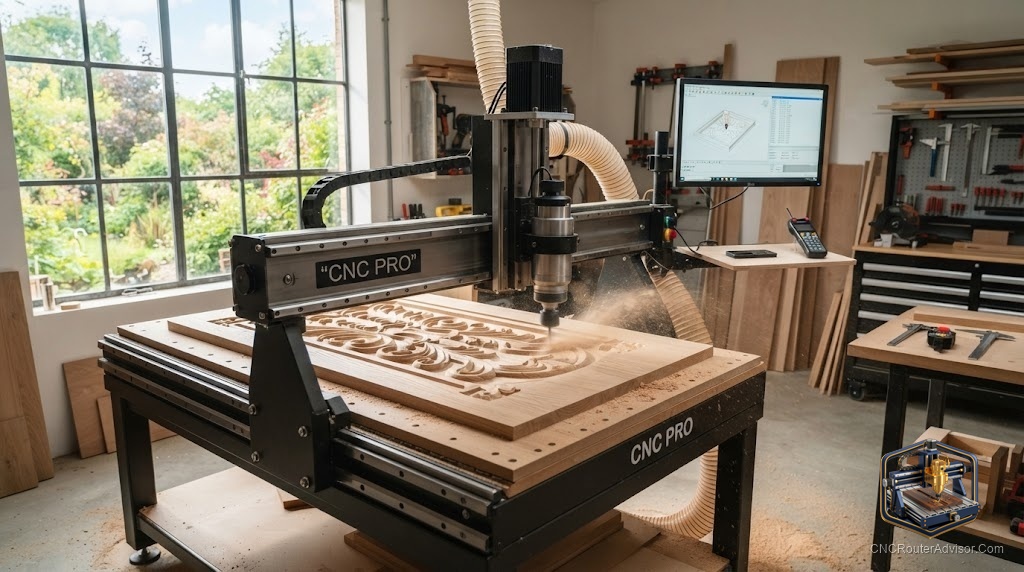
Watch a CNC router work for the first time and the word that comes to mind is “automatic” - you press go, step back, and a computer drives the tool through your design with a steadiness no hand could match. That automatic operation is the heart of what these machines offer. Here’s what an automatic CNC router is, what it does, and how to choose and set one up.
What makes it “automatic”
An automatic CNC router runs on Computer Numerical Control: you feed it G-code, and it automatically drives the tool along programmed paths, coordinating the X axis, Y axis, and Z axis without manual guidance. Compare that to a handheld router, where every movement depends on your hands and nerves. The automatic version delivers precision and - crucially - repeatability: cut the same file ten times and get ten identical results.
That’s the practical magic. The machine handles the exacting motion automatically; you handle the design and setup.
What you can make
- Signs and engraving with crisp, consistent lettering
- Decorative carvings and reliefs in 2.5D and 3D
- Accurate functional parts in wood, plastic, and composites
- Light aluminum on rigid machines with the right tooling
- Repeatable batches of the same part
What to look for in an automatic router
The machine’s build determines how well that automation performs:
- Frame rigidity. A stiff aluminum extrusion or steel frame suppresses chatter and keeps cuts accurate.
- Motion system. A smooth motion system on linear rails with ball screw, lead screw, or timing belt drive.
- Spindle power. Adequate spindle power - a trim router or VFD spindle - for your materials.
- Control. A reliable controller (a GRBL controller on most hobby machines) that runs G-code cleanly and, ideally, offline from an SD card.
- Work area. A work area matched to your projects.
Machines to get started
For most people, a complete, ready-to-run machine is the smart entry:
- The Genmitsu 3018-PROVer V2 is a proven, affordable automatic router with homing and a Z-probe.
- The Genmitsu 3020-PRO MAX V2 offers more room and rigidity, including offline control.
- The all-metal AnoleX 3030-Evo Max adds the rigidity to cut aluminum.
- For larger spindle-driven work, the OCASAMI 6090 or Axiscreat A6060 scale things up.
Setup considerations
- Calibrate first. Set steps-per-unit, feeds, and acceleration so automatic cuts are dimensionally accurate.
- Zero precisely. Reliable work-coordinate zeroing makes the automation land exactly where you designed.
- Lock down the work. Good workholding keeps automatic cuts clean - movement mid-cut ruins the part.
- Watch the first pass. Even automatic machines deserve supervision, especially at the start of a job.
- Plan dust and safety from the beginning.
The bottom line
An automatic CNC router replaces the unsteadiness of hand-guided cutting with precise, repeatable, computer-driven motion - the defining benefit of CNC. Its performance depends on a rigid, well-calibrated machine with solid workholding, so pick a good machine for your work, set it up carefully, and enjoy watching it turn your designs into finished pieces automatically.
Frequently asked questions
What does “automatic” mean for a CNC router? It runs your G-code automatically, driving the tool along programmed paths with precision and repeatability - no hand guidance required.
Can it run without a computer attached? Many machines support offline control from an SD card or pendant, so you can run jobs without a tethered PC.
Is an automatic router good for beginners? Yes - complete desktop machines make it easy to start, and the automation removes the hand-skill barrier of manual routing.