
At Home CNC Router Buying Guide: How to Choose the Right Machine
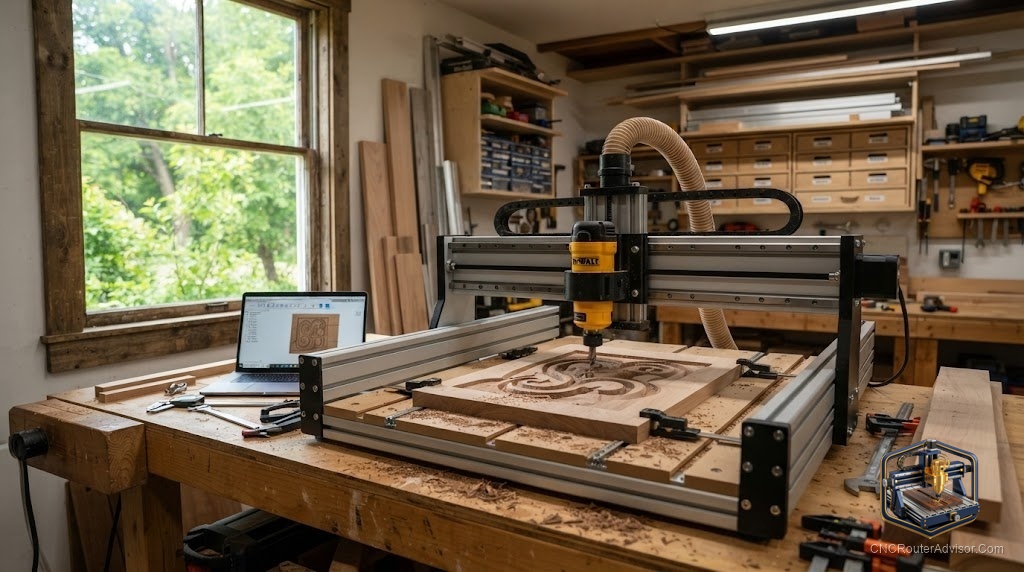
There’s a particular thrill to the idea of a CNC router humming away in your garage or spare room - turning your designs into signs, parts, and gifts while you sip coffee nearby. Bringing a CNC router home is more achievable than ever, but choosing the right one for a home setting means thinking about a few things beyond raw specs. Here’s how to pick a machine you’ll actually love living with.
What “at home” changes about the decision
A machine for the home isn’t judged only on cutting power - it’s judged on how well it fits into a shared, space-limited, noise-sensitive environment. The best at-home CNC router balances real capability with a footprint, noise level, and mess you can live with. Keep four home-specific factors front of mind: size, noise, dust, and ease of use.
Match the machine to your space and goals
Compact desktop machines are the natural starting point for most homes - small footprint, modest noise, and enough capability to learn on and make real projects:
- The Genmitsu 3018-PROVer V2 is the classic home starter - small, well-supported, and complete with limit switches, a Z-probe, and an E-stop.
- Want more room without going big? The Genmitsu 4040-PRO offers a larger work area while staying desktop-friendly.
Rigid, do-more machines suit a home shop where you want to carve harder materials, including metal:
- The all-metal AnoleX 3030-Evo Max brings ball screw precision and the rigidity to handle aluminum, not just wood and plastic.
Larger machines are for a dedicated garage or basement shop where space is less of a constraint:
- The OCASAMI 6090 spindle router and Axiscreat A6060 offer serious work area and spindle-driven quiet power - just plan for the footprint and dust.
The home-specific checklist
- Size. Measure your bench or floor space and add clearance for the gantry travel and material overhang. A machine’s footprint is bigger than its work area.
- Noise. Spindle-equipped machines run quieter than trim-router machines; even so, plan cutting times around housemates and neighbors.
- Dust. This is the big one at home. Budget from day one for dust collection - a shop vac with a dust boot at minimum - to keep your space livable and your lungs happy.
- Ease of use. Complete machines with limit switches, homing, and good documentation get you cutting faster and frustrate you less than parts-builds.
- Power. Most desktop machines run on standard household outlets; larger spindle machines may need more - confirm before buying.
Setup considerations for a home shop
- Give it a stable surface. A solid bench improves cut quality by supporting frame rigidity - a wobbly table undoes a good machine.
- Nail your workholding. Clamps, a spoilboard, and good workholding keep parts secure and cuts clean.
- Plan ventilation. Especially when cutting plastics, ventilate the space.
- Start with the right bits. A V-groove bit set for signs and an upcut end mill set for profiling cover most early projects.
The bottom line
The best at-home CNC router is the one that fits your space, noise tolerance, and mess budget while still doing the work you want. Start compact with a proven machine like the 3018-PROVer or 4040-PRO, step up to a rigid AnoleX for metal or a larger machine for a dedicated shop, and plan for dust and workholding from day one. Do that and your home machine becomes a joy, not a headache.
Frequently asked questions
What’s the best CNC router for a beginner at home? A complete, well-supported desktop machine like the Genmitsu 3018-PROVer V2 - small, affordable, and easy to learn on.
How do I deal with dust and noise at home? Budget for dust collection (a shop vac with a dust boot at minimum), choose a spindle machine for quieter running, and schedule cutting around housemates.
Can a home CNC router cut metal? A rigid, all-metal machine like the AnoleX 3030-Evo Max can handle aluminum with the right bits and settings; light desktop machines are best for wood and plastic.