
Advantages of a CNC Router: Benefits, Limitations, and Best Uses
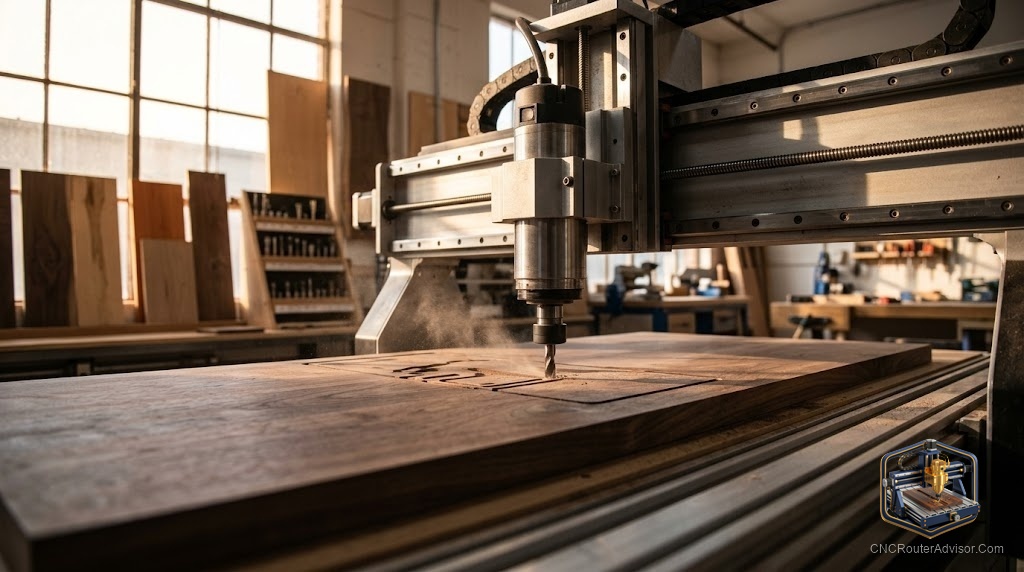
You have made things by hand for years. You are fast, your eye is good, and you trust your hands. Then you see a CNC router finish a sign in twelve minutes, with lettering a carving knife could not touch for consistency, and you start doing the math. That is the honest moment when most makers start thinking seriously about CNC. The question is not whether the machine is impressive. It is whether the advantages match what you actually make.
A CNC router is a computer-controlled cutting machine that moves a spinning cutter across three axes to remove material from a fixed workpiece. The machine reads a toolpath file and executes it with precision, repeatability, and endurance that no hand tool can match across a production run.
Here is the compact answer: a CNC router’s most powerful advantages are repeatability (every part is identical), precision (tolerances that are difficult to achieve by hand), and throughput (the machine works while you do something else). Its real limitations are setup time, learning curve, and the fact that it does not replace skilled judgment for design, joinery, or finishing. It changes what is possible, not what is necessary.
Advantage 1: Repeatability
A CNC router does not get tired. It does not drift on the fourth pass the way a hand holds a router or a chisel. If you need fifty identical parts, the fiftieth is dimensionally the same as the first, within the machine’s backlash and positioning tolerance.
This is the advantage that transforms hobbyists into small-production sellers. Making one cutting board by hand is craft. Making fifty identical cutting boards to the same dimensions, with the same engraving, to sell at markets is manufacturing. A CNC router is what makes that scale accessible without a factory.
Advantage 2: Precision on shapes a hand tool cannot make
A 60-degree V-bit at 0.5mm depth produces a serif that no hand tool can repeat across a hundred letters on a hundred boards. A 3mm end mill cuts an inlay pocket with flat walls and a flat floor. The inlay drops in with a friction fit instead of requiring gap-filling.
Complex geometry is not just achievable, it is the CNC router’s default mode. Involute curves, matched joinery, relief maps, toolpath-generated textures: these are shapes that would take hours of hand work and arrive inconsistently. The machine produces them in minutes, identically.
Advantage 3: Complexity that scales with software, not skill
A hand carver’s output is limited by skill and time. A CNC router’s output is limited by software capability and machine size. A beginner with a good design file and a properly set-up machine can cut a piece that would take an expert carver an hour, in a fraction of the time, consistently.
This does not devalue skill. It shifts where skill is applied. The design, the material selection, the workholding, the toolpath strategy, and the finishing are all still human decisions. The machine executes the mechanical part of the work.
Advantage 4: Throughput and parallel work
A CNC router runs a job while you do something else. You can tram the machine, load the file, hit start, and go sand yesterday’s batch while the machine cuts today’s. For a single-person shop, this is the closest thing to having an employee who never takes a break.
Job nesting (laying multiple parts out on one sheet) multiplies this further. A well-nested job uses nearly all of a sheet, cuts multiple parts in one run, and requires only one setup.
Advantage 5: Digital design and design reuse
A design made once in CAD or a vector tool is reusable indefinitely. You can resize it, mirror it, tile it, modify one detail, and re-cut. You can share it with a customer for approval before cutting a single chip. You can store it and re-run it a year later without re-measuring or re-tracing anything.
For custom sign shops, furniture makers, and prototypers, the design library that builds up over months becomes a real asset.
Advantage 6: Working with difficult materials
A CNC router cuts materials that are exhausting to work by hand: dense hardwood without a jointer, acrylic without chip-out, foam that collapses under knife pressure. It also cuts materials that require a jig and a highly skilled operator by hand: inlay pockets in figured maple, relief cuts in end grain, contoured profiles in HDPE.
Limitations: what a CNC router does not do well
Being honest about limitations matters as much as the advantages.
Setup time is real. A job that takes twelve minutes to cut may take thirty minutes to set up: squaring the stock, zeroing the axes, setting the work coordinates, checking the toolpath. For one-off pieces, setup time can exceed cutting time. The advantage kicks in when you cut the same file more than a few times.
The learning curve is real. Learning to use a CNC router means learning CAD or a vector tool, learning CAM software and toolpath generation, learning feeds and speeds, learning workholding, and learning how the machine behaves with different materials. This takes months, not days. Most people underestimate this.
It does not replace joinery skill. A CNC router cuts a mortise with a precise square hole. It does not fit a tenon. It does not read grain direction and adjust for seasonal movement. Joinery and assembly still require human judgment.
Material size is limited by the work area. A 600x900mm machine cannot cut a 700mm part. Period.
It is loud and dusty. Even a hobby CNC router requires a dust collection system and generates noise. In a home shop or apartment, this is a real constraint.
Best uses for a CNC router
The strongest applications by category:
| Application | Why CNC excels |
|---|---|
| Signs and lettering | Precision V-carving that hand tools cannot match for consistency |
| Inlay work | Flat-bottom pockets with vertical walls for exact-fit inlays |
| Small production runs | Identical parts, same dimensions, every time |
| Prototyping | Go from file to physical part same day |
| Furniture components | Mortises, dadoes, curved profiles repeated identically |
| Acrylic and plastic parts | Clean edges in materials that crack under hand tools |
| Molds and masters | Precise 3D geometry for casting and forming |
Verified machines across uses
| Machine | Work area | Best application |
|---|---|---|
| Genmitsu 3018-PROVer V2 | 300x180mm | PCB milling, engraving, small acrylic work |
| Genmitsu 4040-PRO | 400x400mm | Signs, small furniture parts, prototypes |
| Axiscreat A6060 | 600x600mm | Signs, panels, mid-size production |
| OCASAMI 2.2KW 6090 | 900x600mm | Cabinet parts, full production runs, aluminum |
Verdict
The advantages of a CNC router are not abstract. Repeatability, precision, throughput, and the ability to work complex geometry consistently are tangible benefits that change what a one-person shop can produce. The limitations are also concrete: setup time, learning curve, machine size constraints, and the ongoing requirement for dust collection and noise management.
Four things to weigh honestly before you buy:
- Do you make the same thing more than once? If not, setup time will eat the machine’s speed advantage.
- Do your projects require precision beyond what you can reliably produce by hand? If yes, a CNC router changes what is possible.
- Can you commit to learning the software? The machine is the easy part. CAD, CAM, and toolpath strategy take real time.
- Is your shop set up for dust collection? For a CNC router, this is a day-one requirement, not an upgrade.
FAQ
What are the main advantages of a CNC router over hand tools? Repeatability (every part identical), precision on complex geometry, throughput (machine runs while you work), and scalability from one part to a hundred.
What is the biggest limitation of a CNC router? Setup time and learning curve. For one-off parts, the setup often takes longer than hand production would. The machine pays off on repeated parts.
Is a CNC router better than a laser engraver for wood work? Depends on the application. A CNC router removes material in three dimensions and cuts parts to shape. A laser engraver marks surfaces quickly but cannot cut thick material or produce relief depth. For signage and engraving, laser is faster and often cleaner. For joinery, inlays, and shaped parts, CNC routing is the right tool.
Can a CNC router replace a table saw? For ripping full sheets and cutting lumber to dimension, no. A table saw is faster and the right tool for that work. For pockets, curves, inlays, and complex profiles, a CNC router does work a table saw cannot.
How long does it take to learn CNC routing? Basic operation: a day or two. Useful proficiency in CAD and CAM: a few months of regular use. Advanced techniques: ongoing.
Does a CNC router need dust collection? Yes. Wood and MDF dust from CNC routing is fine and large in volume. Dust collection is a health requirement and a machine maintenance issue, since dust in rails and lead screws accelerates wear.
References
- cncrouterinfo.com, “How to Choose a CNC Router”: https://cncrouterinfo.com/guides/how-to-choose-a-cnc-router/
- cnc-dad.com, “Best CNC Router for Beginners”: https://www.cnc-dad.com/blog/best-cnc-router-for-beginners/