
3D Models for CNC Router: Picking Files That Actually Cut Well
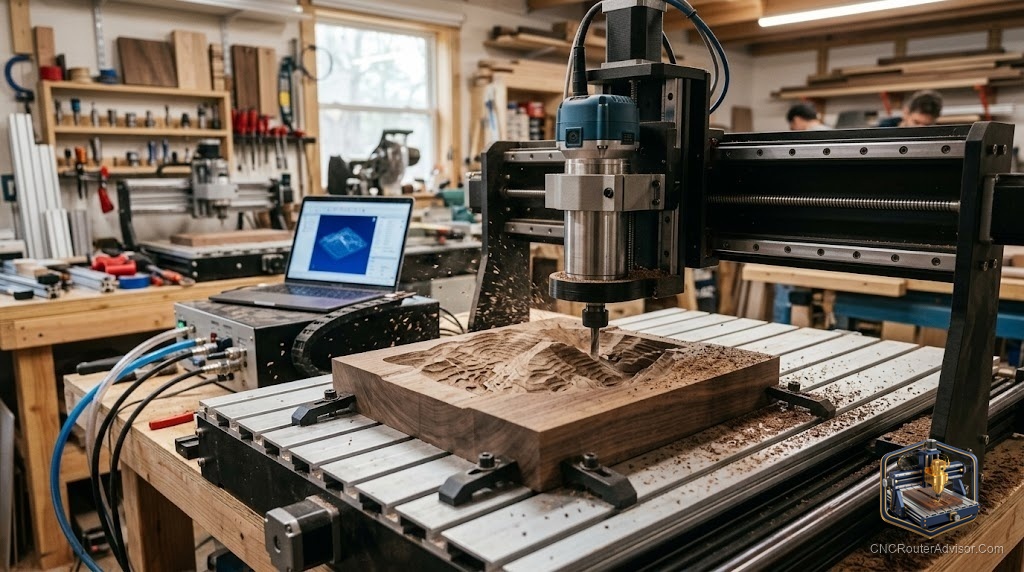
Not every 3D model you download is cuttable on your machine. Some have undercuts your tool can’t reach. Some have detail so fine that a 3mm ball-nose produces a visible smear instead of a crisp edge. Some have relief depth that exceeds your Z travel. The difference between a successful first cut and a disappointing one is usually visible in the file before you ever load the material.
3D models for a CNC router are digital mesh files, typically STL, that represent the surface geometry to be carved. The quality of the final carving depends on the model’s geometric suitability for CNC production, not just its visual appearance in a 3D viewer.
The direct answer: for CNC-ready 3D models, Cults3D and Etsy are the most reliable paid sources, with files specifically designed for CNC constraints. For free models, use Thingiverse with careful evaluation. Before cutting any model, verify mesh integrity in Meshmixer, check for undercuts, and confirm relief depth fits your machine’s Z travel.
What Makes a 3D Model CNC-Ready
No undercuts. Any geometry that faces back toward the material surface cannot be reached by a 3-axis CNC. This includes inward curves, overhanging lips, and recessed channels that open back toward the table. In a good CNC relief model, all surfaces project outward from a flat base.
Appropriate relief depth. The maximum Z depth of the carving must fit within the machine’s Z travel minus tool holder clearance. Most hobby machines have 50 to 100mm of Z travel. Most relief files run 15 to 30mm deep. Verify the math before committing material.
Good mesh quality. A watertight STL mesh (no holes, no self-intersecting faces) generates toolpaths reliably. Non-manifold geometry causes CAM errors or silently corrupted toolpaths.
Minimum feature size. Features narrower than the ball-nose diameter won’t be resolved. A 3mm ball-nose produces the finest detail available on most hobby machines; anything narrower requires smaller tooling and longer cutting time.
Evaluating a Specific Model
- Load the STL in Meshmixer.
- Run Analysis > Inspector to identify non-manifold edges and holes.
- Run Analysis > Overhangs to identify undercuts.
- Check the bounding box dimensions in Meshmixer. Scale proportionally in CAM after import.
- Import into your CAM software and run the simulation before cutting.
Best Sources by Quality Tier
Highest reliability: Etsy sellers who specifically target CNC woodworking users, with reviews from buyers who cut the file. These sellers typically include recommended bit sizes and depth settings with the download.
Good reliability: Cults3D paid files in the CNC/woodworking category. Designer-controlled with some quality filtration.
Variable: Thingiverse and Printables. Large free catalog but requires per-file evaluation. Community reviews and remix counts are useful proxies for file quality.
Verdict
A 3D model that looks great in a viewer isn’t guaranteed to cut cleanly. CNC-ready models are watertight, free of undercuts, within depth limits, and appropriately detailed for the tool you’re using. Paid files from Etsy and Cults3D provide the most consistent CNC-ready quality. Free files work with verification.
- No undercuts, correct depth, watertight mesh: the three requirements for CNC-ready models
- Etsy CNC-specific sellers are the most reliable paid source
- Use Meshmixer to evaluate free files before cutting
- Feature detail minimum = ball-nose diameter
FAQ
What makes a 3D model suitable for CNC routing? No undercuts, appropriate relief depth for machine Z travel, watertight mesh, and features no finer than the tool diameter.
How do I check an STL for undercuts? Load in Meshmixer and use Analysis > Overhangs. Geometry highlighted in red faces back toward the table and won’t be cut on a 3-axis machine.
What resolution should a CNC-ready STL be? High enough to represent the detail you want to carve, low enough that your CAM software processes it without crashing. A relief panel at 300x200mm typically runs well at 100,000 to 500,000 polygons.
Can I fix a non-manifold STL myself? Yes. Meshmixer’s Inspector tool auto-repairs most common mesh issues with a single click.
References
- Meshmixer: meshmixer.com
- Cults3D: cults3d.com
- Etsy: etsy.com