
Free 3D Models for CNC Router: Where to Find Them and What to Watch Out For
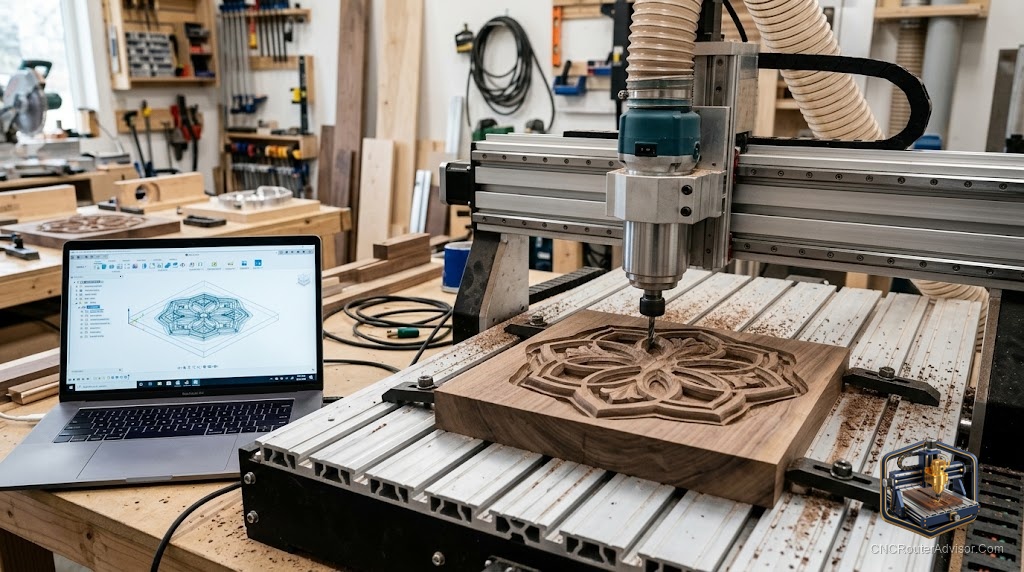
Free is the word that brings everyone to Thingiverse first. The catalog is enormous. The quality is inconsistent. And some meaningful percentage of what you download will produce a toolpath that looks nothing like the preview, because the file was designed for a 3D printer and has overhangs that a CNC router can’t reach from above. Free doesn’t have to mean frustrating, but it requires knowing what you’re looking for.
Free 3D models for a CNC router are downloadable digital files, typically in STL or DXF format, that can be imported into CAM software without payment. The challenge with free models is that most repositories serve multiple fabrication methods (3D printing, laser cutting, and CNC routing) simultaneously, which means files aren’t always designed with CNC constraints in mind.
The direct answer: the best free sources specifically for CNC work are Thingiverse (with filtering), Printables, and the free tier on Cults3D. The most reliable free CNC-purpose files tend to be on Reddit communities (r/hobbycnc, r/DIYCNCrouters) where users share files they have personally cut and verified. For free 2D sign files, Instructables and various DIY woodworking communities are more reliable than 3D printing repositories.
Best Free Sources by Type
For 3D Relief STL Files
Cults3D (free tier): Many paid files but a significant free section. Files are tagged by fabrication type; filter by CNC or woodworking to find purpose-designed content.
Thingiverse: Enormous catalog but primarily 3D printing. Search for “CNC relief” or “woodcarving STL” and expect to evaluate several files before finding one that’s CNC-ready. Use the popularity and remix counts as rough quality proxies.
Printables: Similar to Thingiverse, with a newer interface and a growing CNC section. Same evaluation requirements apply.
For 2D DXF and SVG Files
Instructables: User-submitted projects frequently include the source files. CNC woodworking projects on Instructables often come with the DXF or SVG used in the build.
Freepik and SVG Repo: Vector graphic sources with files that can be imported into CAM software for sign and engraving work. Most SVG files here are designed for screen, not CNC, so verify scale and simplify complex paths before using.
Vectric Community Forum: Vectric users share free VCarve project files, including the design. Not all are compatible with free software tiers, but many design elements are usable.
Evaluating Free Files for CNC Use
Check for undercuts. Load the STL in Meshmixer. Use Analysis > Overhangs to identify geometry facing back toward the table. These areas won’t be cut on a 3-axis machine.
Check relief depth. If the model carves 30mm deep and your machine has 45mm of Z travel, you have 15mm of clearance for bit holder and collet. That’s marginal. Verify before starting.
Check mesh quality. Run Meshmixer Inspector. Non-manifold geometry (holes, self-intersections) causes CAM failures.
Check dimensions. STL files have no scale metadata. The model might be 1mm tall or 1000mm tall in the file. Scale to your intended size in CAM software.
License Considerations
Free doesn’t always mean free to use commercially. Most Thingiverse and Cults3D free files use Creative Commons licenses. Some variants (CC BY-NC) restrict commercial use. If you plan to sell products made from a free file, verify the license permits commercial use before proceeding.
Verdict
Cults3D free tier and well-rated Thingiverse files with community verification are the most reliable free sources for 3D CNC relief work. For 2D sign files, Instructables project sources and community forum shares outperform 3D printing repositories. Always evaluate for undercuts, depth, and mesh quality before committing material.
- Free 3D CNC files exist but require evaluation for CNC suitability
- Cults3D free tier and Thingiverse are the largest sources
- Check for undercuts, depth, and mesh quality with Meshmixer
- Verify license terms before using free files for commercial products
FAQ
Where do I get free STL files for CNC wood carving? Cults3D (free section), Thingiverse (search CNC-specific terms), and Printables. Check for CNC suitability before cutting.
Are Thingiverse files free for commercial use? Depends on the specific file’s Creative Commons license. CC0 and CC BY allow commercial use. CC BY-NC does not.
Can I use free SVG files for CNC routing? Many screen-design SVG files work for CNC engraving and V-carving with path simplification. Verify the paths are clean vectors, not rasterized graphics.
What is a watertight STL? A mesh with no holes, gaps, or self-intersections. Watertight meshes are required for reliable CAM toolpath generation.
References
- Thingiverse: thingiverse.com
- Cults3D: cults3d.com
- Meshmixer: meshmixer.com
- Printables: printables.com