
3D Model for CNC Router: File Formats, Sources, and How to Use Them
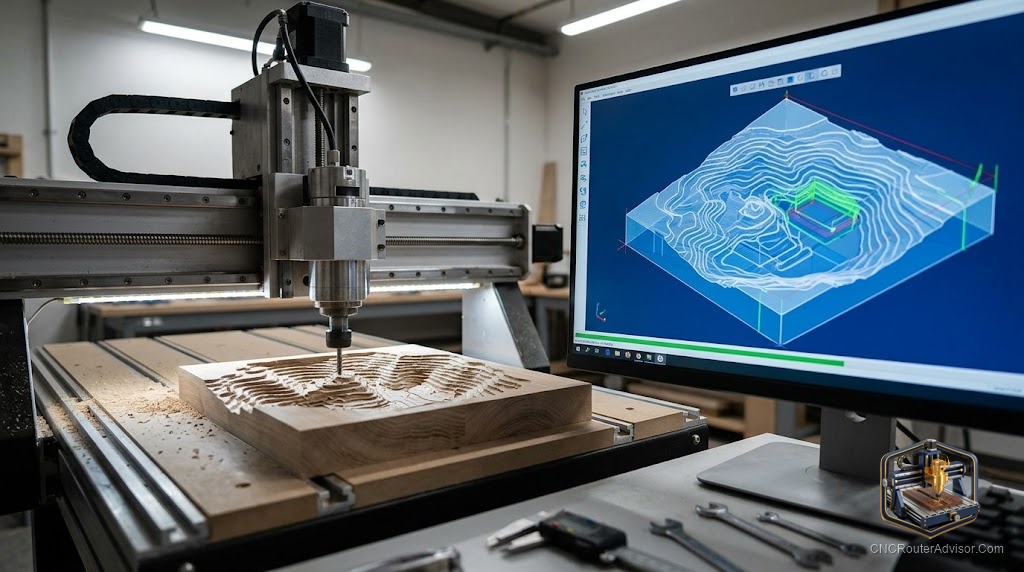
Buying a CNC router and trying to find the right file to cut is a specific kind of frustration. The machine can cut almost anything the bit can reach. The challenge is getting the geometry into it in a format it understands, at the right scale, without the mesh problems that cause CAM software to fail silently or produce a toolpath that looks nothing like the model.
A 3D model for a CNC router is a digital file containing surface geometry that CAM software imports to generate cutting toolpaths. The model doesn’t go directly into the machine; it goes into the CAM software, which converts it to G-code, which goes to the machine controller, which sends it to the router.
The direct answer: STL is the universal format for 3D CNC work. DXF and SVG handle 2D vector designs. The most reliable CNC-ready model sources are Etsy (commercial, buyer-reviewed), Cults3D (designer-focused, quality-controlled), and STLFinder (free aggregator). Always verify scale, relief depth, and absence of undercuts before cutting.
File Formats
STL: Standard 3D mesh for all CNC relief carving. Every major CAM tool imports STL: Aspire, Carveco, Fusion 360, VCarve Pro, Carbide Create Pro.
DXF: Standard 2D CAD format for profiles, pockets, V-carving, and flat cutting operations.
SVG: Web-standard vector format. Simpler than DXF, directly importable into Carbide Create, Easel, and most hobbyist CAM tools.
OBJ: Alternative 3D mesh format. Functionally similar to STL for CNC. Some scanners export OBJ by default.
Where to Find Models
Etsy: The largest commercial source for CNC-purpose files. Sellers target CNC users and include recommended settings. Read reviews from actual cutters, not just downloaders.
Cults3D: Designer-focused marketplace with a strong CNC section. Paid files tend to be higher quality than free repositories.
Thingiverse: Free, large, but built for 3D printing. Many files have overhangs and undercuts unsuitable for 3-axis CNC. Filter carefully.
STLFinder: Aggregates free STL files from multiple repositories. Useful for broad searches across free sources.
Creative Fabrica: Subscription creative asset library with a growing CNC woodworking section.
Preparing a Downloaded Model
- Scale to correct output dimensions in your CAM software after import.
- Verify relief depth fits within machine Z travel plus clearance.
- Run mesh inspection (Meshmixer Inspector) to find non-manifold geometry before importing to CAM.
- Check for undercuts - any geometry that faces back toward the table surface won’t be cut on a 3-axis machine.
Verdict
STL from Cults3D or Etsy is the most reliable path to CNC-ready 3D models. Scale in CAM, check depth, repair mesh if needed, verify no undercuts. DXF and SVG handle 2D work from the same sources.
- STL for 3D carving; DXF and SVG for 2D profiles and signs
- Etsy and Cults3D are the strongest sources for CNC-purpose files
- Thingiverse files require CNC suitability evaluation before use
- Always verify scale, depth, and mesh quality before cutting
FAQ
What file format should I use for 3D CNC work? STL. It’s the universal standard for 3D surface geometry and imports into every major CAM application.
Are Thingiverse files compatible with CNC routers? Some are. Many are designed for 3D printing and have overhangs a 3-axis CNC can’t produce. Check for undercuts before using.
How do I scale a downloaded STL to the right size? Import into CAM software and use the scaling controls to set the dimensions you want. Verify after scaling that the model proportions are correct.
What is a non-manifold mesh? A 3D mesh with holes or self-intersecting faces. Non-manifold geometry causes CAM toolpath errors. Fix with Meshmixer before importing.
References
- Cults3D: cults3d.com
- Etsy: etsy.com
- Meshmixer: meshmixer.com