
3D CNC Router Files: Where to Find Them and How to Use Them
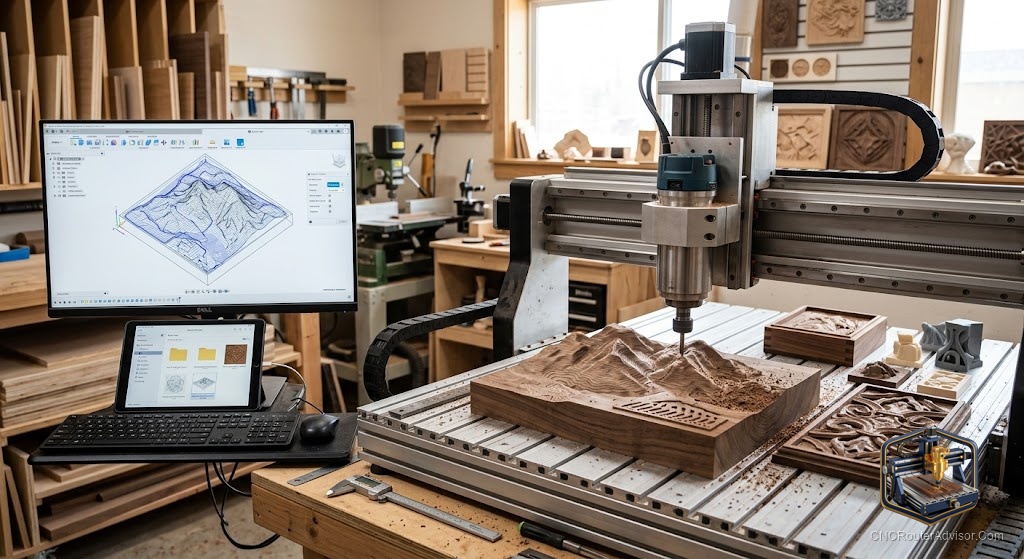
You’ve got the machine running. You’ve cut a few test pieces. And then someone sees what you’re doing and asks for a carved portrait of their dog. Finding a 3D file for that, in a format your CAM software can actually use, turns out to be half the work of the whole project.
3D CNC router files are digital files containing the three-dimensional model or design data that a CNC router will cut. The file format determines which software can open it, how much detail it captures, and how the CAM toolpath generator interprets the geometry. Knowing which formats work at each stage of the workflow - design, toolpath, and cutting - saves significant setup time.
The direct answer: for importing into CNC CAM software, STL files are the most broadly compatible format for 3D surface work. DXF and SVG files handle 2D and 2.5D operations. Aspire, Carveco, and Fusion 360 all import STL for 3D toolpath generation. The best sources for ready-to-cut 3D files are Cults3D, Etsy (search “CNC relief file”), and STLFinder, which aggregates from multiple repositories.
File Format Guide
STL (Stereolithography)
STL is the most common 3D file format for CNC relief work. It describes a 3D surface as a mesh of triangular facets. Every CNC CAM package that handles 3D work imports STL.
Key limitations: STL files don’t include color, material properties, or manufacturing information - just the surface geometry. For CNC relief carving, this is exactly what you need.
Where to find STL for CNC: Cults3D, Thingiverse, STLFinder, Etsy (“CNC relief STL” search), and dedicated relief carving file sellers who sell through platforms like Creative Fabrica.
DXF (Drawing Exchange Format)
DXF is the standard 2D CAD exchange format. It handles line geometry: outlines, profiles, pockets, and V-carving paths. Most CAM software imports DXF for 2D and 2.5D work. Sign files, furniture part profiles, and gasket shapes typically come as DXF.
SVG (Scalable Vector Graphics)
SVG is a web-standard vector format. Most hobbyist CAM tools (Carbide Create, Easel) import SVG directly, making it useful for simple sign and engraving work. The main limitation: SVG doesn’t handle true 3D geometry, only 2D paths.
OBJ and STEP
OBJ is an alternate 3D mesh format. STEP (ISO 10303) is a parametric CAD format used in engineering. Fusion 360 and professional CAM tools import both. For woodworking relief work, STL is more commonly available and equally functional.
Where to Find 3D CNC Router Files
Cults3D: Large selection of CNC-specific files, including relief panels, architectural decorations, and portrait files. Many are paid but reasonably priced.
Etsy: The best source for commercially polished CNC sign files and relief carving files. Sellers specifically design for CNC cutting. Search “CNC relief panel” or “CNC woodworking file.”
Thingiverse: Free, but files are designed primarily for 3D printing, not CNC routing. Check relief depth before using; many 3D printing models have undercuts that a 3-axis CNC cannot produce.
STLFinder: Aggregates files from multiple repositories. Useful for broad searches across free sources.
Creative Fabrica: Subscription-based creative asset library with a growing CNC section including DXF, SVG, and some STL relief files.
Preparing a File for Cutting
A file from the internet is rarely cut-ready without some preparation:
-
Check dimensions. The file’s model size may be in millimeters or inches but might not match your intended cutting size. Scale it in your CAM software to the correct dimensions.
-
Check relief depth. A relief carved 15mm deep requires 15mm of Z travel. Verify your machine has clearance.
-
Check for undercuts. Any geometry that points back toward the material surface (overhangs, undercuts) cannot be reached by a 3-axis CNC. These areas will simply not be cut, leaving flat spots.
-
Verify mesh quality. Corrupt STL meshes produce error messages in CAM software. Open-source tools like Meshmixer can repair common mesh issues.
Verdict
For 3D CNC relief work, STL is the format to work in. Cults3D and Etsy are the most reliable sources for purpose-designed CNC files. Check dimensions, relief depth, and undercuts before committing to a cut.
- STL is the standard format for 3D CNC relief work
- DXF and SVG handle 2D and 2.5D operations
- Cults3D, Etsy, and STLFinder are the primary sources for CNC files
- Check for undercuts - they cannot be produced on a 3-axis machine
FAQ
What file format does a CNC router use? CNC routers ultimately use G-code, which is generated by CAM software from design files. For 3D work, import STL into your CAM tool; for 2D work, use DXF or SVG.
Can I use Thingiverse files for CNC routing? Some Thingiverse files work for CNC. Check for undercuts, which prevent 3-axis cutting. Files designed for 3D printing often have overhangs that a CNC cannot produce.
Where do I buy professional 3D CNC relief files? Etsy and Cults3D are the most reliable sources. Search for sellers specifically marketing CNC woodworking or CNC relief files.
What is a mesh in 3D CNC work? A mesh is the STL surface representation: a collection of triangular facets that approximate the 3D shape. Higher mesh resolution means more triangles and a smoother surface.
Do I need to modify a downloaded STL before cutting? Usually scale it to the correct cutting dimensions and verify relief depth. Meshmixer is a free tool for mesh repair if needed.
References
- Cults3D: cults3d.com
- Thingiverse: thingiverse.com
- Meshmixer mesh repair: meshmixer.com