
2D CNC Router Explained: What 2D Routing Means and Why It Covers Most CNC Work
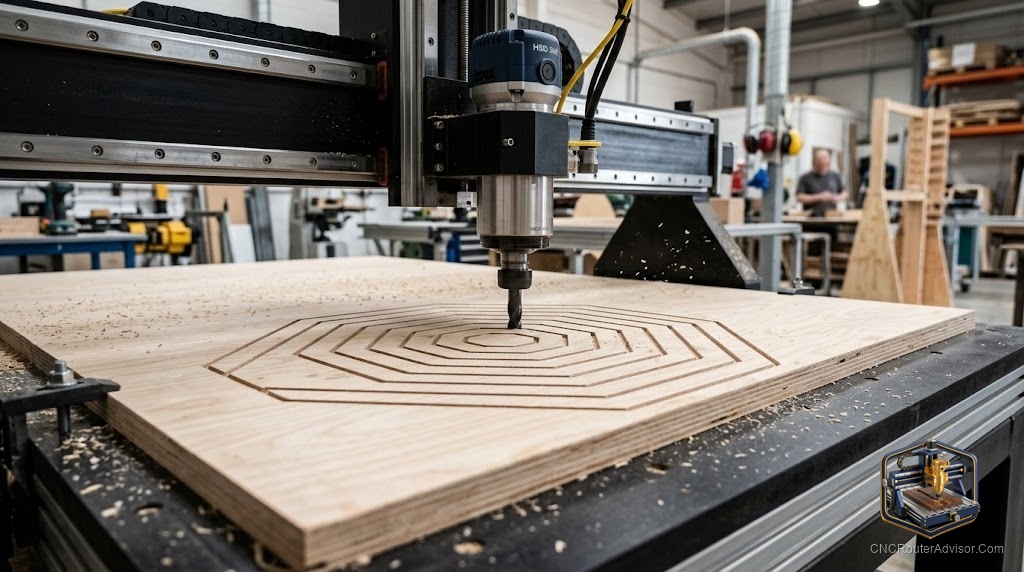
When people describe CNC routing as “2D work,” they are usually talking about the nature of the design input, not a machine limitation. A 2D design is a flat vector drawing: outlines, pockets, and holes defined in a single plane without height information. The CNC router that cuts that design is a three-axis machine; it uses all three axes during the operation. But the design that drives the cut is two-dimensional, and the operation - following a 2D profile at a controlled depth - is what most CNC woodworking and sign-making consists of every working day.
A 2D CNC router is a three-axis CNC machine used primarily or exclusively for operations driven by 2D vector designs: profile cuts, pocket cuts, through-cuts, drilling, and engraving. The term describes the work, not the machine. Any three-axis CNC router runs 2D-driven programs. What distinguishes a machine used for 2D work from one used for 3D relief carving is not the hardware but the type of programs it runs and the CAD/CAM workflow the operator uses to generate those programs.
The short explanation: if you are cutting shapes, pockets, and holes from flat sheets of wood, plastic, or similar materials - cabinet parts, signs, flat art panels, custom parts - you are doing 2D CNC routing. You do not need a specialized machine for this. Every standard three-axis CNC router runs 2D programs. The machine you buy for 2D work today is the same machine you can use for 3D relief carving tomorrow with the right software and bits.
What 2D CNC routing produces
2D CNC routing produces:
Profile cuts. The tool follows a 2D vector path (closed loop or open path) at a constant depth to cut along the edge of the path: outside, inside, or centered on the vector.
Pocket cuts. The tool clears material within a 2D closed shape to a specified depth, producing a recessed area of uniform depth.
Through-cuts. A profile cut that goes all the way through the material thickness, freeing the shape from the sheet.
Drilling and boring. The tool plunges to a specified depth at a single XY coordinate.
Engraving. Shallow profile cuts at low depth to mark text, patterns, or designs on the material surface.
V-carving. A specialized engraving technique where a V-bit follows 2D vectors and its depth varies with the vector’s width to produce carved text and patterns with visible V-shaped cross-sections.
These operations are the backbone of cabinet production, sign making, product personalization, and custom parts manufacturing with CNC routers.
CAM software for 2D CNC routing
The most widely used CAM programs for 2D CNC work:
VCarve Pro and VCarve Desktop (Vectric): The dominant choice for professional sign makers and furniture shops. Excellent 2D toolpath generation, integrated V-carve toolpaths, and a well-documented workflow. Pro handles larger sheets; Desktop is limited to 600mm in one dimension.
Carbide Create (free): Carbide 3D’s browser-based CAM software. Solid 2D profile, pocket, and V-carve toolpaths. Ideal for Shapeoko and Nomad machines but outputs standard G-code usable on GRBL machines generally.
Easel (Inventables, free tier): Browser-based, accessible for beginners. Good for simple 2D designs; limited for complex nested production work.
Fusion 360 (Autodesk, free for personal use): Full 2D through 5-axis CAM in one package. Steeper learning curve than VCarve but no design-size limitations and integrates with Fusion’s parametric modeling.
For most sign making and furniture part production, VCarve is the professional standard. For hobbyists, Carbide Create covers most needs without cost.
For machines that run 2D and 3D work equally well, the Genmitsu 3018-PROVer V2 is an accessible entry; the Onefinity and Shapeoko prosumer machines handle both at production quality.
Our guide on how to choose a CNC router covers machine selection across 2D and 3D applications.
The takeaway: 2D CNC routing is profiles, pockets, through-cuts, and engraving driven by flat vector designs. It is what most CNC woodworking and sign-making consists of. Any three-axis machine handles it; VCarve is the professional CAM standard; and the same machine that runs your 2D programs today can run 3D relief carving tomorrow.
Frequently asked questions
What is the difference between 2D and 3D CNC routing? 2D routing is driven by flat vector designs (profiles, pockets, through-cuts). 3D routing is driven by 3D mesh models and involves simultaneous X, Y, Z motion to follow curved surfaces.
Do I need a special machine for 2D CNC routing? No. Any three-axis CNC router runs 2D programs. The machine you buy for 2D work is the same one you can use for 3D work with appropriate software and bits.
What is the best CAM software for 2D CNC routing? VCarve Pro or Desktop for professional sign and furniture work. Carbide Create (free) for hobbyists. Fusion 360 for those who also do 3D design.
Can I do V-carving on a 2D CNC router? Yes. V-carving is a 2D-input operation; the design is 2D vectors and the bit depth is calculated from the vector width. Any three-axis machine runs V-carve programs.
What materials can a 2D CNC router cut? Wood, MDF, plywood, acrylic, HDPE, foam, and soft metals with appropriate tooling and settings.
Is 2D CNC routing the same as laser cutting? No. CNC routing is subtractive machining with a spinning bit that removes material. Laser cutting uses a focused beam to cut or engrave. They produce similar 2D results from different processes.
References
- Vectric, VCarve product documentation — https://www.vectric.com/
- Carbide 3D, Carbide Create documentation — https://docs.carbide3d.com/
- CNC Router Info, machine and workflow guide — https://cncrouterinfo.com/guides/how-to-choose-a-cnc-router/