
2.5D CNC Router Explained: What 2.5D Means, How It Works, and Who Uses It
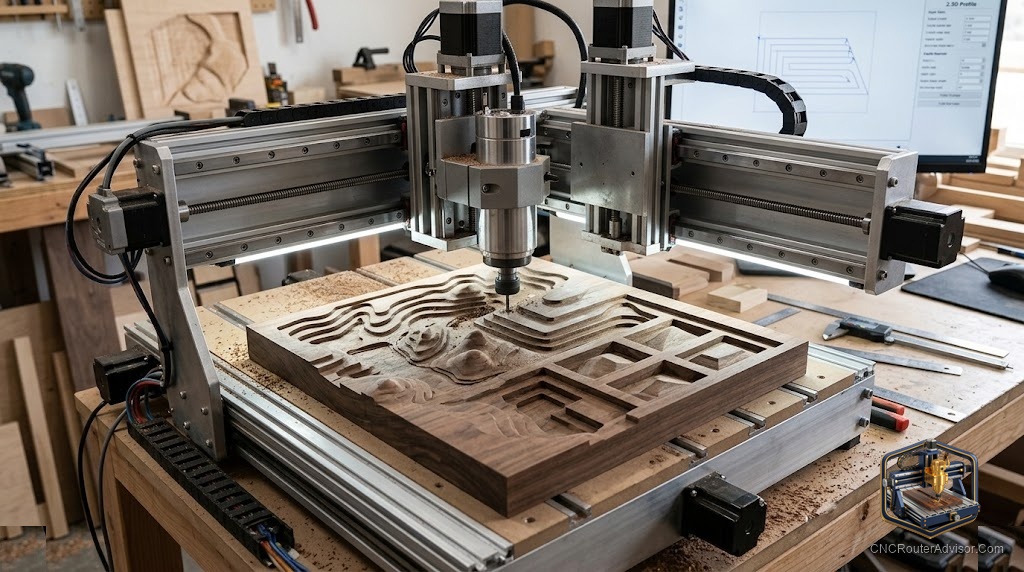
If you search for “2.5D CNC router” and feel unclear about whether you are reading about a machine specification, an operation type, or a marketing term, you are not alone. 2.5D is a description of a machining mode, not a machine category, and the slight confusion arises because the phrase is used in different ways by different people. Understanding what 2.5D actually means in CNC routing, and why it describes the majority of CNC woodworking and sign-making done every day on standard 3-axis machines, is the foundational knowledge that makes all the more technical conversations about CNC toolpaths sensible.
2.5D CNC routing refers to machining operations where the tool moves simultaneously in X and Y (producing 2D profile paths) and also moves in Z, but the Z moves happen separately from the XY moves rather than simultaneously. In 2.5D, Z changes between paths or between depth passes, but during each individual cutting pass, the tool moves in only two dimensions at once (X and Y at constant Z). This is distinct from true 3D (simultaneous X, Y, and Z motion) and from pure 2D (only XY, no Z variation at all).
The short explanation: profile cuts, pocket cuts, through-cuts, and stepped-depth engravings are all 2.5D operations. The tool moves in X and Y to trace the shape at a constant depth, then Z adjusts to the next depth, then XY traces the next pass. Most of what a sign maker, cabinet maker, or hobby CNC woodworker does is 2.5D work, even if the machine they use is a fully capable 3-axis machine.
Why 2.5D is the dominant mode in CNC woodworking
The reason 2.5D dominates over true 3D in most CNC woodworking shops comes down to the nature of the work. Cabinet boxes, signs, and furniture parts are predominantly flat-geometry components: profiles, pockets, and through-holes cut in flat sheet material. The geometry is 2D in its nature; depth control adds the third dimension, but the depth per feature is constant rather than continuously variable.
True 3D machining - where X, Y, and Z move simultaneously to follow a curved surface - is required for 3D relief carving, curved surface milling, and organic sculptural forms. These are real and beautiful applications, but they represent the minority of CNC woodworking programs in most production shops. A cabinet shop running 200 parts per day is doing 2.5D work on almost every part.
A 2.5D CNC router, then, is a standard 3-axis CNC router used primarily or exclusively for 2.5D operations. Every 3-axis CNC router runs 2.5D programs natively; the 2.5D description tells you about the work, not the machine.
What 2.5D CAM setup looks like
In CAM software (VCarve, Carbide Create, Fusion 360), 2.5D operations appear as:
Profile toolpaths: Follow a 2D vector path (closed or open) at a specified depth, cutting either on the path, inside it, or outside it.
Pocket toolpaths: Clear a 2D shape to a specified depth, using a raster or spiral clearing pattern within the profile.
Drilling/boring operations: Plunge Z at a single XY coordinate to a specified depth.
V-carving: A specialized 2.5D operation where the V-bit depth varies based on the vector width - technically approaches 3D behavior but is still driven by 2D vectors with calculated Z response.
All of these generate Z moves (plunge at the start of a pass, retract between passes) combined with XY moves during the cut. The Z and XY motions are sequential, not simultaneous. This is the definition of 2.5D.
When you need 3D instead of 2.5D
3D machining (simultaneous X, Y, Z) becomes necessary when:
- Carving a relief portrait, landscape, or organic decorative form with continuously varying surface depth
- Milling a curved surface (like a guitar body’s carved top)
- Finishing a complex 3D form with a ball-nose bit following surface contours
CAM software handles 3D toolpath generation differently from 2.5D, typically requiring a 3D mesh (STL file) as input rather than 2D vectors. The programs run longer and the machining time is greater, because the tool must traverse the surface in fine incremental steps rather than making efficient 2D profile passes.
For a machine that handles both 2.5D and 3D work, the Genmitsu 3018-PROVer V2 is an entry-class starting point that runs both operation types; the Onefinity and Shapeoko prosumer machines handle both at higher quality and work area.
Our guide on how to choose a CNC router covers the full axis and operation framework for machine selection.
The takeaway: 2.5D is the dominant mode of CNC woodworking, and a 2.5D CNC router is any 3-axis machine used in this mode. Understanding 2.5D makes it clear why cabinet shops, sign shops, and most hobby CNC work does not require simultaneous 3D contouring - the work is flat-geometry, and 2.5D serves it efficiently and precisely.
Frequently asked questions
What is the difference between 2D, 2.5D, and 3D CNC routing? 2D: only X and Y move, Z is constant. 2.5D: X and Y move together for each cut; Z changes separately between passes. 3D: X, Y, and Z move simultaneously to follow a curved surface.
Is a 2.5D CNC router different from a 3-axis CNC router? No. A 2.5D CNC router is a 3-axis machine used in 2.5D mode. Every 3-axis CNC router runs 2.5D programs.
What is the most common application for 2.5D CNC routing? Cabinet part cutting, sign making, pocket and profile operations in flat sheet goods - the majority of production CNC woodworking.
Can I do V-carving on a 2.5D CNC router? Yes. V-carving is a 2.5D operation (driven by 2D vectors with calculated depth response) fully supported on any 3-axis machine.
What software do I need for 2.5D CNC routing? VCarve, Carbide Create, Easel, or Fusion 360 all generate 2.5D toolpaths. VCarve is the most-used in professional sign and cabinet shops.
Does 2.5D routing produce flat surfaces only? Not quite. V-carving and profiling produce sloped and angled surfaces as side effects. “Flat-geometry” refers to the input design (2D vectors), not the finished surface texture.
References
- Vectric, 2.5D toolpath documentation — https://www.vectric.com/
- CNCCookbook, CNC axis and operation terminology — https://www.cnccookbook.com/cnc-router/
- Carbide 3D, CNC fundamentals guide — https://docs.carbide3d.com/